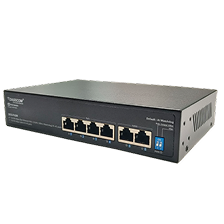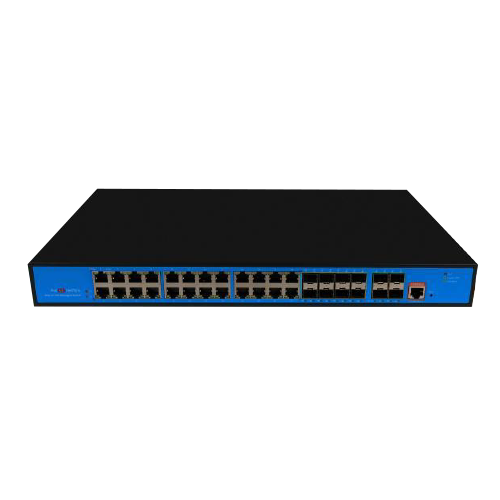
Unmanaged Switch: The Essential Guide to a Plug-and-Play Network Solution

Unmanaged Switch: The Essential Guide to a Plug-and-Play Network Solution

Building a reliable network doesn’t always require complex configurations or advanced management. For small offices, home setups, or environments that demand simplicity, the unmanaged switch provides a straightforward and cost-effective solution. With its plug-and-play design, an unmanaged network switch eliminates the need for technical expertise while ensuring seamless device connectivity.

In this guide, we’ll explore the fundamentals of unmanaged switches, their benefits, use cases, and how they compare in the discussion of managed v unmanaged switch technology. We’ll also dive into specific types such as the unmanaged PoE switch, unmanaged gigabit switch, and unmanaged industrial ethernet switch, helping you decide if they are the right fit for your business.

What is an Unmanaged Switch?

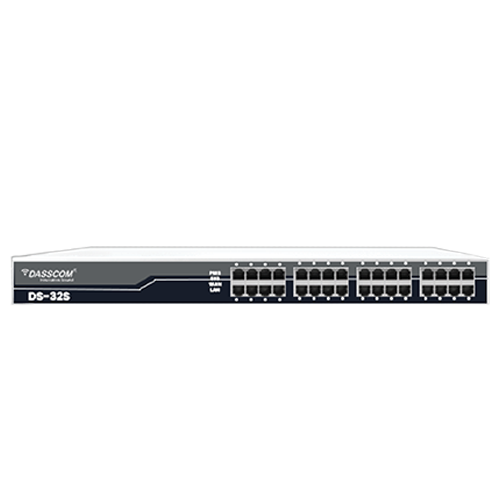
An unmanaged switch is a network device that connects multiple devices (such as computers, printers, IP phones, and cameras) within a Local Area Network (LAN). Unlike a managed switch, it offers no configuration options—meaning it works right out of the box. Simply plug in the Ethernet cables, and the switch automatically establishes communication between devices.

Key characteristics:

  • Plug-and-play design – No software setup required.
  • Fixed configuration – Operates with default settings.
  • Low cost – More affordable compared to managed alternatives.
  • No advanced features – Lacks VLANs, QoS, or traffic monitoring.

Benefits of Using an Unmanaged Switch

Despite their simplicity, unmanaged switches have several advantages that make them ideal for specific scenarios:

  • Ease of Use: Plug in the devices, and you’re ready to go—perfect for non-technical users.
  • Cost-Effective: Budget-friendly compared to managed solutions.
  • Reliable Performance: Handles traffic efficiently within smaller networks.
  • Durability: Rugged models like the industrial unmanaged switch are designed to withstand harsh conditions.
  • Flexibility: Variants such as unmanaged gigabit switches or unmanaged PoE switches expand functionality without complexity.

Unmanaged vs Managed Switch

When considering managed vs unmanaged switch, the decision comes down to control and complexity.

Feature Managed Switch Unmanaged Switch
Configuration Full control (VLANs, QoS, ACLs) None, plug-and-play
Monitoring SNMP, traffic monitoring, logs No monitoring features
Security Advanced (port security, ACLs, VLANs) Basic, physical security only
Cost Higher investment Low-cost, entry-level
Use Case Enterprises, data centers, complex LANs Homes, SMBs, or temporary setups

An unmanaged network switch is the right choice when simplicity and affordability outweigh the need for advanced management.

The Role of Gigabit Connectivity

Modern businesses demand faster speeds, which makes the unmanaged gigabit switch a popular choice. With support for 10/100/1000 Mbps, these switches can handle high-bandwidth applications like video streaming, large file transfers, and VoIP calls.

Benefits of an unmanaged gigabit switch:

  • Eliminates bottlenecks in growing networks.
  • Provides backward compatibility with older devices.
  • Suitable for small businesses and home offices requiring higher throughput.

For organizations with expanding data demands but limited IT staff, the unmanaged gigabit switch offers a perfect balance of performance and simplicity.

Understanding PoE in Unmanaged Switches

Power over Ethernet (PoE) allows both power and data to be transmitted over a single Ethernet cable. An unmanaged PoE switch integrates this functionality, enabling devices such as VoIP phones, wireless access points, and IP cameras to be powered without separate adapters.

Why choose an unmanaged PoE switch?

  • Simplified installation – Fewer cables reduce clutter.
  • Cost savings – Eliminates the need for additional power outlets.
  • Ideal for SMBs – Easy deployment for IP surveillance or VoIP systems.

Although an unmanaged PoE switch lacks advanced controls like power budgeting or priority settings found in managed models, it remains a strong choice for small deployments.

Industrial Unmanaged Switches

Industrial environments such as factories, oil rigs, and transport hubs require robust networking hardware. The unmanaged industrial ethernet switch is designed with rugged housings, extended temperature tolerance, and resistance to vibration and dust.

Features of industrial unmanaged switches:

  • Wide operating temperature (–40°C to +75°C).
  • DIN-rail or wall mount options.
  • High durability for mission-critical environments.
  • Support for Gigabit speeds in harsh conditions.

These industrial unmanaged switches are especially useful in environments where network downtime is unacceptable, but advanced configurations are not required.

Deployment Scenarios for Unmanaged Switches

  1. Small Offices – Quick expansion of device connectivity without technical setup.
  2. Home Networks – Ideal for connecting PCs, smart TVs, gaming consoles, and printers.
  3. IP Surveillance Systems – Using an unmanaged PoE switch to connect and power cameras.
  4. Temporary Event Setups – Exhibitions, trade shows, and outdoor events benefit from the simplicity of unmanaged switches.
  5. Industrial Automation – Deploy industrial unmanaged switches in harsh settings like factories or railways.

Limitations of Unmanaged Switches

While the unmanaged network switch is effective in many cases, it does come with limitations:

  • No traffic prioritization (QoS) – May cause issues for VoIP or video streaming.
  • No VLAN support – Cannot separate traffic for security.
  • No monitoring – IT teams cannot track performance or troubleshoot remotely.
  • Limited scalability – Not ideal for enterprise-level growth.

If your network requires control and monitoring, moving towards a managed or smart switch may be necessary.

How to Choose the Right Unmanaged Switch

When selecting an unmanaged ethernet switch, consider:

  • Number of Ports – Available from 5 to 48 ports.
  • Speed – Standard Fast Ethernet or unmanaged gigabit switch for higher performance.
  • PoE Support – Needed for powering VoIP phones, cameras, or APs.
  • Industrial Design – Go for industrial unmanaged switches if deploying in harsh environments.
  • Budget vs Needs – Factor in cost-effectiveness against performance requirements.

The Future of Unmanaged Switches

With the rise of IoT devices, unmanaged switches remain relevant. Unmanaged gigabit switches and unmanaged PoE switches will continue to serve small networks, while industrial unmanaged switches will play a crucial role in Industry 4.0 applications.

As demands grow, hybrid models may evolve—offering partial manageability while retaining plug-and-play simplicity.

Conclusion

The unmanaged switch is a vital networking component for small businesses, homes, and industrial environments that demand simple connectivity without the need for technical expertise. From the unmanaged network switch to the unmanaged PoE switch, and from the unmanaged gigabit switch to the industrial unmanaged switch, each variant brings unique advantages tailored to specific needs.

When comparing managed v unmanaged switch, organizations must weigh the trade-off between simplicity and control. For smaller setups or rugged environments, the unmanaged ethernet switch delivers dependable performance at an affordable price point, making it a go-to solution in many networking scenarios.

FXO vs FXS Gateway Explained: Bridging Legacy and VoIP Systems

FXO vs FXS Gateway Explained: Bridging Legacy and VoIP Systems

As businesses transition from traditional telephony to IP-based communication, one challenge remains constant — how to bridge the gap between legacy phone systems and modern VoIP platforms. This is where FXO and FXS gateways come in. They act as essential translators, ensuring compatibility between analog lines and IP networks.

For organizations that still rely on analog PBX systems, landlines, or fax machines while adopting VoIP, understanding the difference between an FXO gateway and an FXS gateway is critical. In this guide, we’ll break down how both technologies work, their use cases, and how businesses can make informed choices when upgrading to VoIP systems.

What Is an FXO Gateway?

An FXO gateway (Foreign Exchange Office gateway) connects traditional analog telephone lines to VoIP networks. Essentially, it allows businesses to use existing PSTN (Public Switched Telephone Network) lines within an IP telephony setup.

How It Works:

  • The FXO interface plugs into the PSTN line.
  • On the other side, the gateway connects to your IP PBX or VoIP service.
  • It converts analog signals into digital packets for VoIP communication.

This makes an FXO VoIP gateway the go-to choice for organizations that want to retain analog trunk lines while enjoying VoIP features such as call forwarding, IVR, and voicemail.

What Is an FXS Gateway?

An FXS gateway (Foreign Exchange Subscriber gateway) does the opposite. It connects analog devices like telephones, fax machines, or legacy PBXs to a VoIP system.

How It Works:

  • The FXS interface delivers analog line connections to endpoints.
  • The gateway converts VoIP traffic into analog signals that legacy devices can understand.

A VoIP gateway FXS is ideal for businesses that still rely on analog phones but want them integrated into an IP PBX for modern functionality.


FXO vs FXS: Key Differences

Feature FXO Gateway FXS Gateway
Purpose Connects PSTN lines to VoIP Connects analog phones to VoIP
Typical Use Keeps traditional landlines active in VoIP setups Lets analog devices work with IP PBX systems
Example Using PSTN lines with IP PBX Using old desk phones with VoIP

When combined, FXS/FXO gateways provide complete interoperability — allowing businesses to run both PSTN lines and analog endpoints alongside VoIP services.

Why Businesses Need FXO and FXS Gateways

  1. Smooth Transition to VoIP
    Not all companies can shift to IP phones overnight. Gateways let them adopt VoIP while keeping analog systems functional.
  2. Cost Savings
    By using gateways, businesses can avoid immediate replacement of phones, fax machines, or PBX hardware.
  3. Hybrid Flexibility
    Organizations can maintain PSTN lines as backup while running a VoIP network.
  4. Support for Legacy Devices
    Fax machines, analog phones, and intercom systems can still be operational without disruption.

Practical Use Cases

  • SMBs and Enterprises: Gradual migration to VoIP by keeping old desk phones active with an FXS VoIP gateway.
  • Call Centers: Using FXO gateways to keep multiple PSTN lines active for redundancy.
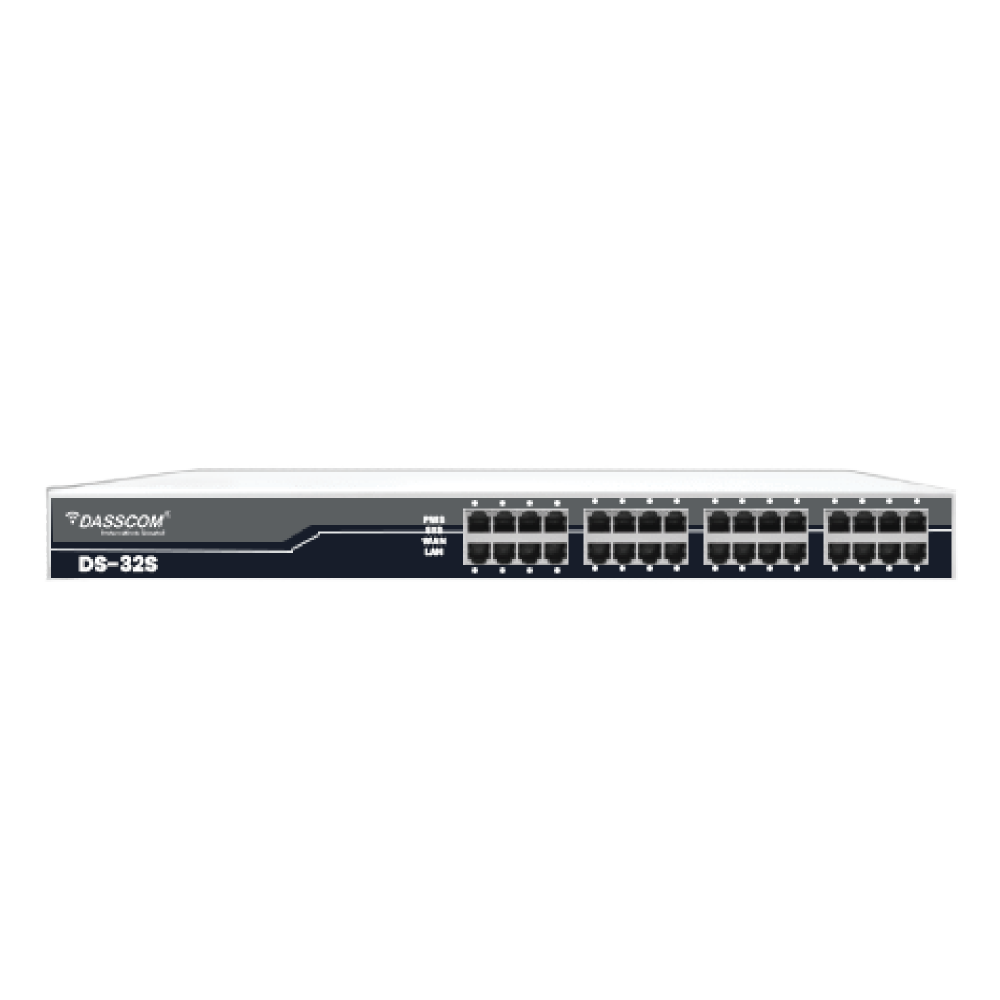
  • Hotels & Hospitality: Integrating hundreds of analog room phones via a 32-port FXS Gateway.
  • Healthcare: Connecting paging systems, intercoms, and analog phones into modern IP PBX systems.

FXO vs FXS: Which Gateway Should You Choose?

Choose an FXO Gateway if:

  • You have active PSTN lines that you want to keep using.
  • You want to connect those lines to your VoIP PBX.
  • You require call redundancy in case of internet downtime.

Choose an FXS Gateway if:

  • You have analog phones that you still want to use.
  • You need to connect fax machines, intercoms, or door phones to VoIP.
  • You want legacy devices to work seamlessly with modern VoIP services.

When both requirements exist, businesses can deploy FXO/FXS combinations to achieve full integration.

How to Select the Right VoIP Gateway

When planning to buy FXO/FXS gateway, consider the following factors:

  • Port Density: For large-scale needs, options like a 32-port FXS Gateway are available.
  • Compatibility: Ensure it works with your IP PBX and VoIP provider.
  • Scalability: Choose gateways that support growth without complete replacements.
  • Management Features: Remote configuration, monitoring, and firmware updates simplify maintenance.
  • Reliability: Carrier-grade gateways reduce downtime and ensure quality calls.

Benefits of Gateways in Smart VoIP Deployments

  1. Extended Device Life – Protects investment in analog systems.
  2. Business Continuity – PSTN redundancy ensures calls continue during internet issues.
  3. Unified Communications – Analog and VoIP systems work together under one IP PBX.
  4. Cost-Effective Scaling – Add ports as your business grows.

Example: How Dasscom Gateways Help Businesses

Dasscom’s FXO and FXS gateways are designed to meet enterprise and SMB needs alike. Whether you need a gateway VoIP FXO for connecting analog trunk lines or a VoIP gateway FXS to keep desk phones running, Dasscom offers scalable, high-quality solutions.

With flexible port options, strong SIP compatibility, and easy management tools, these gateways ensure businesses can migrate to VoIP without compromising on performance or reliability.

Conclusion

The shift to VoIP doesn’t mean abandoning your existing telephony infrastructure. With the right combination of FXO gateways and FXS gateways, businesses can create hybrid setups that maximize existing investments while adopting next-generation communication systems.
Whether you’re looking to buy FXO gateway to integrate PSTN lines, or deploy a 32-port FXS Gateway for analog extensions, these devices provide the flexibility, cost savings, and reliability that enterprises need.
By choosing the right gateway solution — whether an FXO VoIP gateway, FXS VoIP gateway, or a gateway VoIP FXO setup — businesses can confidently bridge legacy and VoIP systems while ensuring uninterrupted communication.

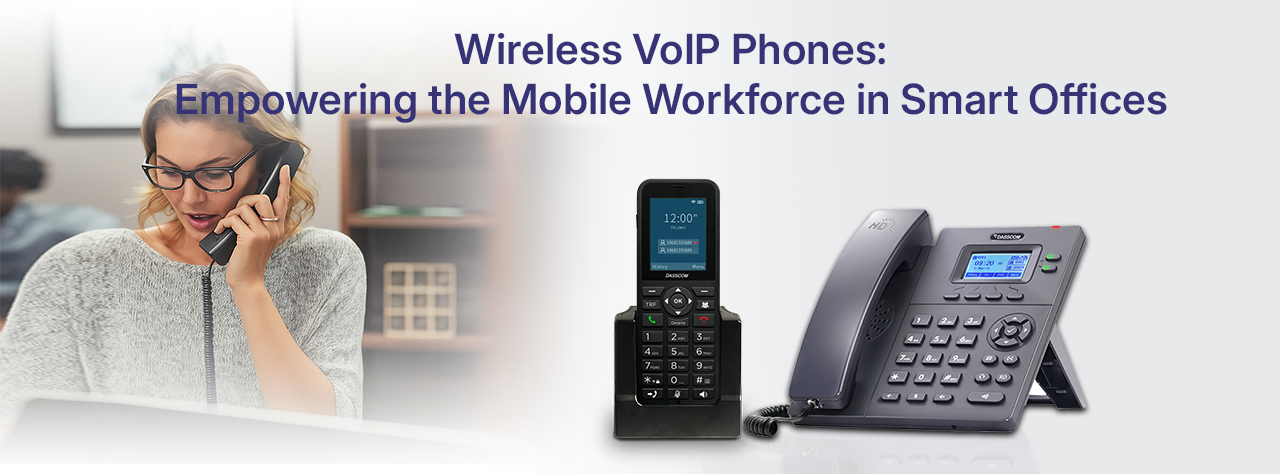
Wireless VoIP Phones: How They Empower the Mobile Workforce in Smart Offices

Wireless VoIP Phones: How They Empower the Mobile Workforce in Smart Offices

In today’s world of smart offices, mobility and flexibility are no longer perks — they’re essential. Businesses are shifting away from fixed desk phones and moving toward wireless VoIP phones that enable employees to stay connected anywhere within the office environment. Unlike traditional desk setups, IP phones with wireless capability eliminate the restrictions of wired connections, giving teams the freedom to work smarter.

The result? Higher productivity, reduced costs, and seamless integration with modern IP PBX systems. In this blog, we’ll explore how wireless VoIP phones are transforming the way smart offices operate, their benefits, use cases, and why they are the future of unified business communications.

What Are Wireless VoIP Phones and How Do They Work?

At their core, wireless VoIP phones are simply IP phones that connect through Wi-Fi rather than traditional Ethernet cables. They operate on SIP protocols and integrate seamlessly with an IP PBX or hosted VoIP platform to provide all the features of advanced business telephony without being tied to a desk.

With Wi-Fi connectivity, these phones let employees roam freely within office spaces, warehouses, or even hospitals — staying connected without drop-offs. Modern models, like Dasscom’s DW-100 and DXP-4100, combine strong network compatibility with features such as HD audio, conferencing, and enterprise-grade security.

Why Are Wireless VoIP Phones Essential for the Modern Workforce?

Mobility and Flexibility

In a hybrid workplace, people don’t always stay in one place. Wireless VoIP phones let employees move around without losing connectivity, whether they’re attending meetings, moving between floors, or managing teams in large spaces.

Scalability in Smart Offices

Expanding a wired phone system means expensive cabling and infrastructure updates. With Wi-Fi VoIP phones, scaling up is much simpler — just add new devices and configure them on your IP PBX system.

Cost Efficiency

Compared to traditional PBX setups, businesses save significantly on wiring and maintenance. Additionally, the VoIP phone price is much more competitive than installing and maintaining desk-bound solutions.

Key Benefits of Using Wireless IP Phones in Smart Offices

  • Seamless integration with IP PBX systems
  • Freedom of mobility with Wi-Fi connectivity
  • HD voice quality and background noise cancellation
  • Support for multiple SIP accounts and conferencing
  • Easy setup, provisioning, and remote management
  • Cost-effective compared to legacy telephony
  • Strong encryption and secure call handling
  • Compatibility with existing IP phones for hybrid environments

Wireless VoIP Phones vs. Traditional Desk Phones

Feature Wireless VoIP Phones Traditional Desk Phones
Mobility Work anywhere with Wi-Fi Limited to one desk
Cost Lower long-term VoIP phone price Higher due to wiring and upkeep
Scalability Easy to add more phones Infrastructure-heavy
Integration Works with smart office & IP PBX Basic compatibility
Productivity Encourages collaboration and movement Restrictive setup

Use Cases of Wireless VoIP Phones in Smart Offices

Corporate Offices

Hybrid workforces benefit from mobility, enabling hot desking, shared spaces, and easy transitions between meeting rooms.

Healthcare

Doctors and nurses can carry a WiFi VoIP phone across wards and departments, ensuring uninterrupted patient care.

Warehouses & Factories

Large spaces demand mobility. Staff can stay connected while managing logistics without being tied to a station.

Hospitality

Hotel staff can deliver faster service with on-the-go communication powered by IP phones.

Choosing the Right Wireless VoIP Phone for Your Business

Not all wireless solutions are created equal. Here’s what to look for when choosing the best fit for your smart office:

  • Strong Wi-Fi compatibility
  • Long-lasting battery life
  • HD audio clarity
  • Support for SIP accounts and conferencing
  • Secure encryption (TLS/SRTP)
  • Seamless IP PBX integration

Dasscom DW-100

The DW-100 is a sleek, professional wireless IP phone designed for productivity. With a 2.4” color display, HD voice, and full-duplex hands-free communication, it provides crystal-clear conversations. It supports 2.4GHz Wi-Fi, enterprise-grade encryption, and secure over-the-air provisioning. Its battery offers over 10 hours of talk time and more than 10 days of standby. Features like 3-way conferencing, dual VoIP accounts, and intuitive menus make the DW-100 a strong fit for modern smart offices.

Dasscom DXP-4100

The DXP-4100 series is a cost-effective WiFi VoIP phone designed for enterprises and operators. With dual-port fast Ethernet, two SIP accounts, and excellent IP PBX compatibility, it offers reliability with simplicity. Its monochrome screen, HD speaker, and efficient button layout improve daily workflow. Supporting both IPv6 and IPv4, it ensures smooth deployment in smart office networks.

Dasscom stands among trusted VoIP phone manufacturers, delivering products tailored to business needs across industries.

Partnering with the Right VoIP Providers

A wireless VoIP deployment isn’t just about buying phones — it’s about long-term communication reliability. Partnering with trusted VoIP phone providers ensures businesses get support, updates, and compatibility. Dasscom, with its wide portfolio of IP phones and PBX solutions, ensures businesses enjoy uninterrupted, scalable communications at competitive costs.

Conclusion

Wireless VoIP phones are redefining how modern offices work. With mobility, scalability, and cost efficiency, they empower employees to collaborate without limits. By combining wireless IP phones with robust IP PBX solutions, smart offices gain a communication infrastructure that is future-ready.
Dasscom’s DW-100 and DXP-4100 exemplify this shift — delivering reliable, feature-rich, and cost-effective solutions for businesses. As one of the trusted VoIP phone manufacturers, Dasscom continues to support enterprises and SMBs with devices that drive productivity in a connected world.

Suggestions for picking up robust Call Center headsets

Suggestions for picking up robust Call Center headsets

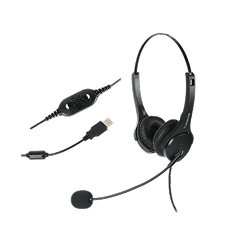
Performing smoothly and effortlessly is a great benefit for any organization because it helps to accelerate the employee’s efficiency. Specifically, in call centers, having the proper device is essential. Headsets play an important role in the call centers and thus choosing the best one is crucial for the organization. There are various aspects to examine while selecting call center headsets. These aspects involve design, sturdiness, noise cancellation capabilities, and many more.

Sturdiness
Headsets are vital for healthy activity in a call center, so quality and sturdiness are significant concerns. Headsets that can be easily cracked or flubbed abate call center competency, escalate tension among workers and can be expensive to replace. It is advisable to opt for headsets manufactured of durable materials. The warranty of the headsets must be considered for easy replacements/repair.

Comfort
The employees at the call centers usually invest long hours in conversing and receiving the customer calls where the headset plays a significant role. They should feel energetic and involved while conversing with the callers. Thus it is cardinal to choose a lightweight and flexible headset frame. The main features to search for while choosing call center headsets are big ear cushions and foam ear cushions for comfort.

Design
A consciously designed headset should have the latest audio technology, and leading-edge features that make it convenient to assemble, employ, and upgrade and also appear elegant and provide a comfy feeling.

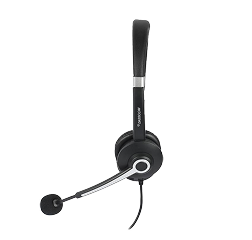
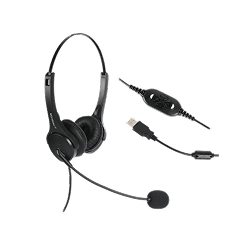
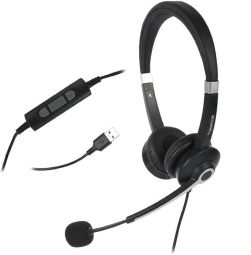
Multiple kinds of headsets are available in the market including single or dual earpieces, behind the ear, or overhead earpieces. Most call centers prefer to employ dual earpieces to assure super audio quality for the employees and the customers.

Noise Cancellation
Several call centers are positioned in open office ambiances and can be noisy. Background sound may extend the duration of the calls, disrupt your workers, and interrupt the significant interactions they are having with their clients.

This is the reason why noise cancellation is essential to consider while picking up a headset. It provides crisp interaction between the client and the employee, permitting the employee to handle the client competently.


Call Center Headsets in Delhi

Aspects you need to be consider while choosing call center headsets in Delhi

Aspects you need to be consider while choosing call center headsets in Delhi

Performing peacefully and attentively is very important for any call center company as it serves to accelerate worker productivity. Using correct devices becomes mandatory because the ideal tools assure work quality and client satisfaction.

In call centers, working ambiances are different and swayed by individual conditions. Some of the agents remain at their desks whereas other agents keep on moving from one place to another. Thus selecting the right headsets play an important role for the call centers businesses. Some of the factors that one might contemplate on to select the best headsets are:

Workplace environment:
1. You should consider points like whether your agents work on mobile or computer, the grade of control they require on the headset, is it going to be noisy, etc.

2. You need to determine whether you require wireless or wired headsets: wireless headsets can ensure more adaptability and scope of movement. However, wired headsets are affordable and do not require charging.

NOTE: Wireless headsets offer DECT or Bluetooth. You will have a range of a minimum of 100 meters in the case of DECT whereas Bluetooth embraces a range of 10 and 100 meters from the root.

3. Control of the volume: Many headsets furnish volume control.

4. The levels of noise in the call center: Your clients will not want to hear any background disturbances. Moreover, a high level of noise will also distract the focus of the employees. A noise-canceling headset provides a competent solution.

If your agents have to interact with the clients at any time, you can go for one ear headset.

The price and the software of the headsets:

User-friendly features and different cost perform an important role when choosing call center headsets:

1. Software: Whether the call center headsets in Delhi are available with software that accommodates your specific needs. If its use draws additional cost.

2. AMC: Other than the actual cost of the product you might have to avail of maintenance services. In the case of a call center setup, taking maintenance service will be a better option to reduce overall operating costs.

3. Guarantee: You must know the tenure of the guarantee cover for the headsets you are buying.

Agent behavior:
The individuals who use a headset all day, generally consider comfort as aspect the main concern. Those who wear spectacles have other concerns regarding using headsets. The following factors need to be remembered while selecting a headset to fulfill the individual demands of your agents:

1. How long your agents wear headsets: Solid wearing materials and sturdiness are the compelling features for headsets that are used for long periods.

2. The fit and size of the headsets: Flexible length of the band and mic arms assure that the headsets suit all sizes.

3. Individual demands: Those who wear spectacles mostly favor headbands, while some call center agents go for diverse neckbands. For others, convertible models can be the perfect selection.

Before selecting the call center headsets in Delhi, you should conduct exhaustive research about the ambiance, the needs of your agents, and the related prices. This will help you to invest in the best models.


Noise Canceling Call Center Headsets in India: An excellent choice for Call center agents

Noise Canceling Call Center Headsets in India: An excellent choice for Call center agents

Noise Canceling Call Center Headsets in India: An excellent choice for Call center agents

A call center is quite different from a usual office due to the daily number of calls employees deal with which makes the environment usually loud. The performance of a call center worker generally relies on being able to have clear, noise-free interactions so that productivity can get accelerated. To handle the background noise, the agents may choose noise-canceling headsets that assist them in hearing and being heard in a crystal clear manner.

If you are in search of noise-canceling call center headsets in India, you need to be aware of the following points:

Can the customers hear the agents? Headphones with noise canceling mic

To assure that the clients can hear you crystal clear regardless of the noise, you should choose a headset equipped with noise-canceling microphones. These will filter out the background sounds so that only your voice is conveyed. Most of our headsets provide this facility. Moreover, the corded headsets are equipped with a mic with an air shock guard that wards off undesirable breathing sounds.

Can agent hear the clients precisely?

It is very essential for call center agents to concentrate on the interactions with the clients. Our headphones are exclusively manufactured to offer clear, distinct audio and have an active noise cancellation, which firmly defends background sounds. This assists in obstructing all disturbances and will allow proper concentration on the call.

The headset should be compatible with different equipment

There are various kinds of connections to contemplate so that you can ensure the headsets are compatible with your equipment. Headsets with USB or stereo connector to allows connectivity to laptops, desktops, smartphones, tablets, mobiles, etc.

You can also choose wireless or wired headsets again depending on your requirement.

If you are considering buying noise-canceling headsets for call center in India, ensure that you get AMC services, the products are in guarantee or warranty period and are cost-effective. It will assist you to spot the most reliable one.


Reasons for wireless call center headsets in Mumbai offices

Reasons for wireless call center headsets in Mumbai offices

Reasons for wireless call center headsets in Mumbai offices

Individuals are now adopting wireless headphones, especially after realizing how comfy and convenient they are. If getting up and moving assists you concentrate a little bit more, do it with the help of call center headsets and roam anywhere in your Mumbai offices.

Below are the reasons why going for wireless headsets is a compelling option for call centers.

Flexibility
In the majority of cases, a customer service agent cannot leave his or her workstation for a break while using a wired office headset. This implies that they are not available to receive or make calls whenever they need to leave their workstation. But with wireless headsets, agents can move anywhere in the office while having a conversation with clients.

Consulting, practicality, and customer service
A call center agent might need to talk to their manager while the customer is still on the line for quick issue resolution. With wired headsets, they must put the caller on wait, which most individuals find annoying while they look for someone to talk to, then return to their desk and pick up the phone. This problem is resolved in the case of wireless headsets.

Attending remote calls
If a customer service agent is utilizing a corded office headset, how does she answer a call while she is not at her desk? They are unable to do so. A crucial drawback of a corded office headset in comparison to a wireless one for the phone.

Alert for incoming calls
In the case of the wired office headsets, the agents will not be aware that a live call has arrived if they are not at their desks when it occurs. The wireless headsets are lightweight which allows the agents to wear them even on the move within the office ensuring they never miss a call.

Adaptability in connectivity
Is it possible to switch between utilizing a computer or a Bluetooth device while wearing a wired office headset if a call center wants to use their wired headset on a desk phone first? Not possible right now. Anyhow, you will have this functionality and unparalleled freedom at your disposal while using a wireless headset.

In the fast-paced life of Mumbai offices, it is natural to opt for comfortable, convenient, and lightweight wireless call center headsets. Get branded headsets with unparalleled maintenance services in Mumbai from our distributors.

The determinants for choosing the ideal IP phones in Bengaluru for your business

The determinants for choosing the ideal IP phones in Bengaluru for your business

The determinants for choosing the ideal IP phones in Bengaluru for your business

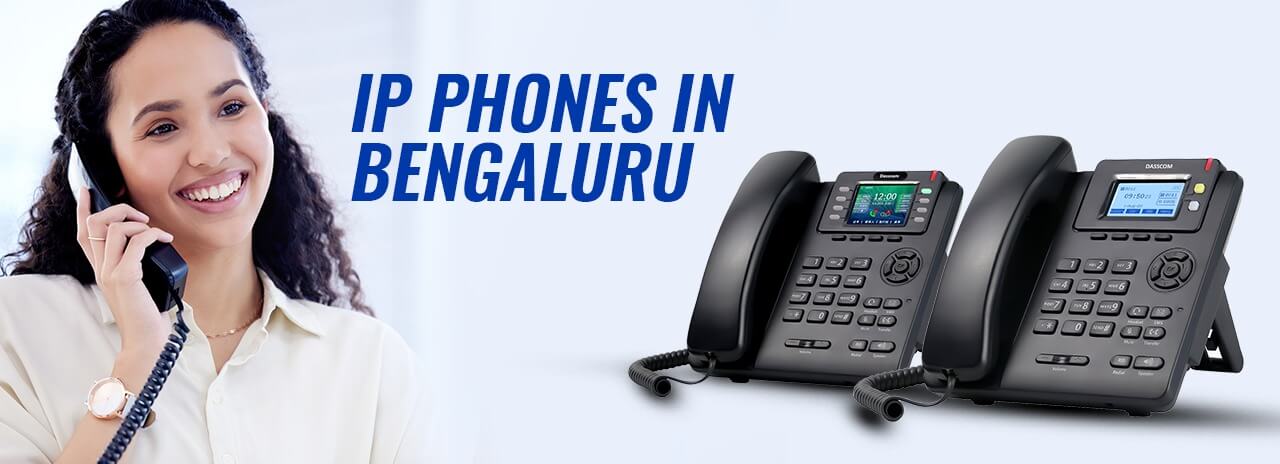
Bengaluru is the Silicon Valley of India. It has witnessed IT innovation like no other city. The conditions are favorable for startups and allow many businesses to boom. And every business is looking for quick operations and communications. Everything is digital here and so is telephony. IP Phones enable smooth communication over the internet.
With multiple IP phones accessible in the contemporary market, selecting the perfect one that complements all your business demands can be a strenuous job. Selecting the correct IP phones is more about learning your business requirements and matching the phones to those demands. Your choice must depend on the needs of your workers that meet the business goals.

Here are some of the considerations which must be taken into account while buying IP phones in Bengaluru or anywhere else.

Knowing who will use the IP phones
Each user has distinct demands which will differ as per a job role, and you should consider this need. For instance, officers will prefer classy designs and modern technology, while workers will require enriched user amiable IP phones. Another aspect to take into account is whether your employees require Desktop IP or not.

Features
Most business owners will search for core standard VoIP phone elements including call transfer, waiting, and three-path conferencing. It is advisable to look for equipment that has grand backlit displays for enhanced readability, instinctive menus, spread module affinity, and speakerphones.

Present Phone System
There are various aspects to contemplate when it comes to setting up IP Phones including configuration, placement, and CTI functionality to back Audio codecs. You need to discuss this with your present providers and stay away from trudging with an untenable and inappropriate IP phone.

Present regular incoming calls
This is an important factor to consider because IP phones can back many line appearances indicating that one phone can have a line with another line. Therefore, offering the users the option to attend calls from the proposed peer extension, see the status details of the phone line, and also call from their extension which seems to have commenced from another extension. You need to select your phones appropriately if you want to wish to obtain the maximum advantages.

Whether your IP phone requires routing potentialities
If your office has one Ethernet connection on each desk then you will require to assure that your IP phones are armed with double ethernet ports as they will need to share one ethernet connection with the desktop. Whereas if your workplace has an independent Voice Lan, then it is advisable to opt for a single ethernet port.

How frequently the phone is utilized
If your employees have to use phones throughout the day on the regular basis, then you have to provide them with a fine-quality device as it will enrich both audio quality and user contentment and assure a compelling life cycle. If your employees do not use phones for a longer time, it is better to invest a little more for premium quality as it will give long-run results.

Your budget
Determining a budget is important as it will allow you to evaluate which features and operations are essential for you. Allocating an estimate will assist you to abate the chance of overspending.

All these aspects need to be taken into account to pick up the perfect IP phones. There are multiple distributors in Bengaluru who can cater to all your needs. Apart from these, other factors may arise throughout your decision-making process, which we can easily clarify to define what fits your demands.


Why you should switch over to IP Phone in your Hyderabad offices?

Why you should switch over to IP Phone in your Hyderabad offices?

Why you should switch over to IP Phone in your Hyderabad offices?

Telephone communication has evolved constantly. Remote offices and need for smooth communication has led to evolution of IP phones. After Bangalore, Hyderabad is also witnessing growth of IT offices and very much in need of IP Phones. If you are looking to switch from analog telephony to IP phone in your Hyderabad offices, you must be aware of the following:

Economical:
One of the chief reasons for utilizing an IP phone is that it is considerably economical. As the process performs on the internet, the call costs get abated. STD and ISD calls can be done at minimum rates, permitting organizations to cut down on the costs incurred. With businesses, this matters, as thousands of calls are made on the daily basis.

Refined Call Quality:
Information, over the web, is transmitted in the mode of data packets. Likewise, in the case of IP phones, the voice of a caller is conveyed into voice packets and channeled over the web via servers to the called persons. This method intends to enrich the quality of the call, providing users with the advantages of accuracy and uninterrupted communication.

Wireless:
All web services are offered through Ethernet cables which are then linked to a router for furnishing a wireless network. As IP phones operate on the internet protocol, they do not require supplementary cabling like conventional phones. And as it is wireless, it also provides extra conveniences of mobility.

As these kinds of phones are portable, more employers are witnessing the advantages of appointing workers who can perform remotely. In the case of businesses, having workers working from home saves extra costs, allows it to have small office spaces, and makes the workers more constructive.

Application assimilation:
Business owners can connect multiple productivity devices involving softphones, directories, instant messaging, presence sharing, and many more with their IP phones. This again provides the extra benefit of portability to the users. Moreover, synthesizing such devices with a desk phone also permits users to stay in touch with both the outside world and also their office peers through their smartphones every time, everywhere. Furthermore, it streamlines the problems included in multi-location networks through web connectivity.

Adaptable features:
IP phones have various features which make them more intriguing, competent, and productive. Voicemails can be transferred to other three individuals with a single click. These phones also have an interesting aspect where an individual is systematically called on definite numbers unless the phone is attended to or the transfers to voicemail.

Excellent conferences:
Conferencing capacity is typified by the rate of IP phone service. In the case of conventional landline phones, conferencing is sometimes an extra service that demands additional payment. IP phones provide video conferencing and offer crystal clear pictures in comparison to conventional video conferencing procedures.

Technology is evolving rapidly and businesses are expected to run with the same pace. It is necessary for smooth communication between employees and with customers for growth and profit. If you are looking for IP Phones for your Hyderabad offices, then invest in the right brand and company offering maintenance services beyond the sales point.