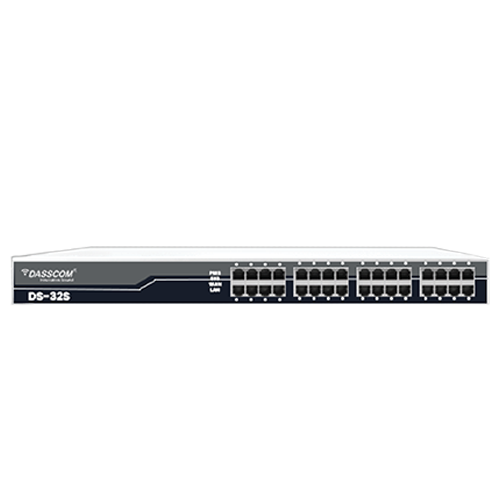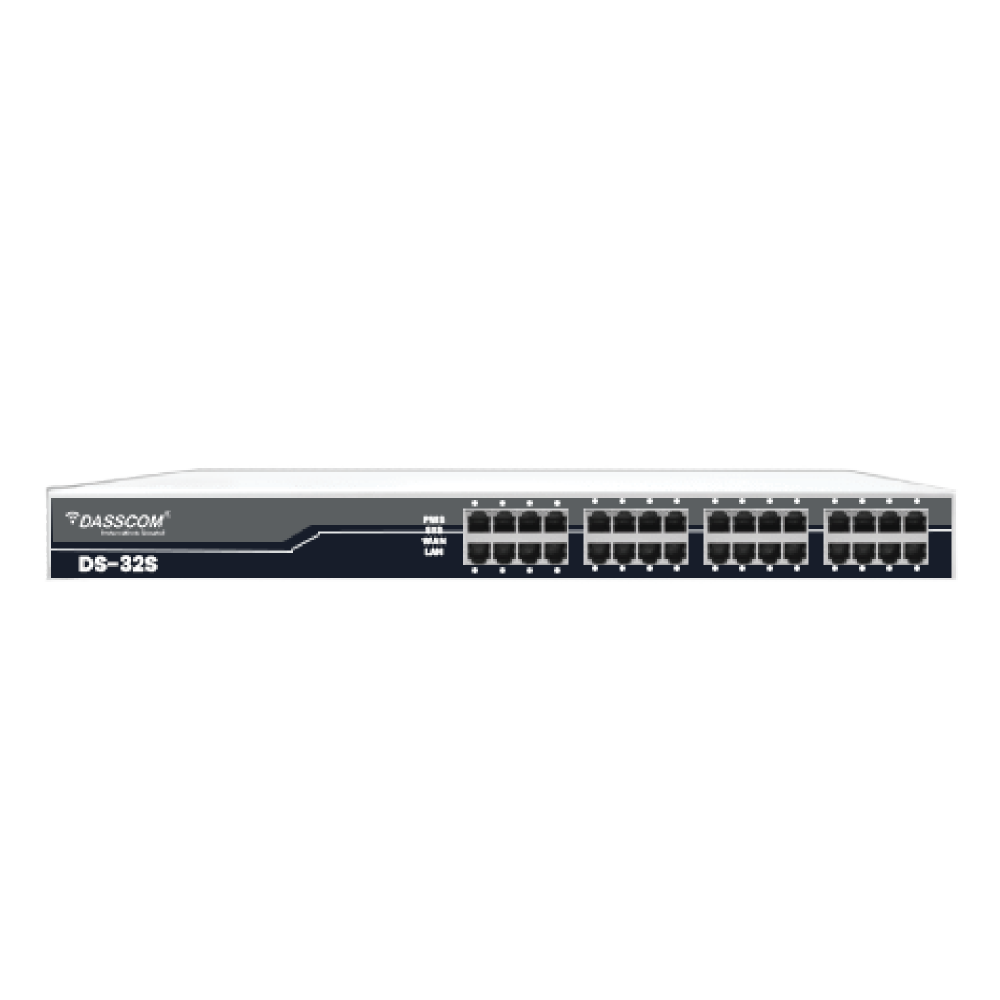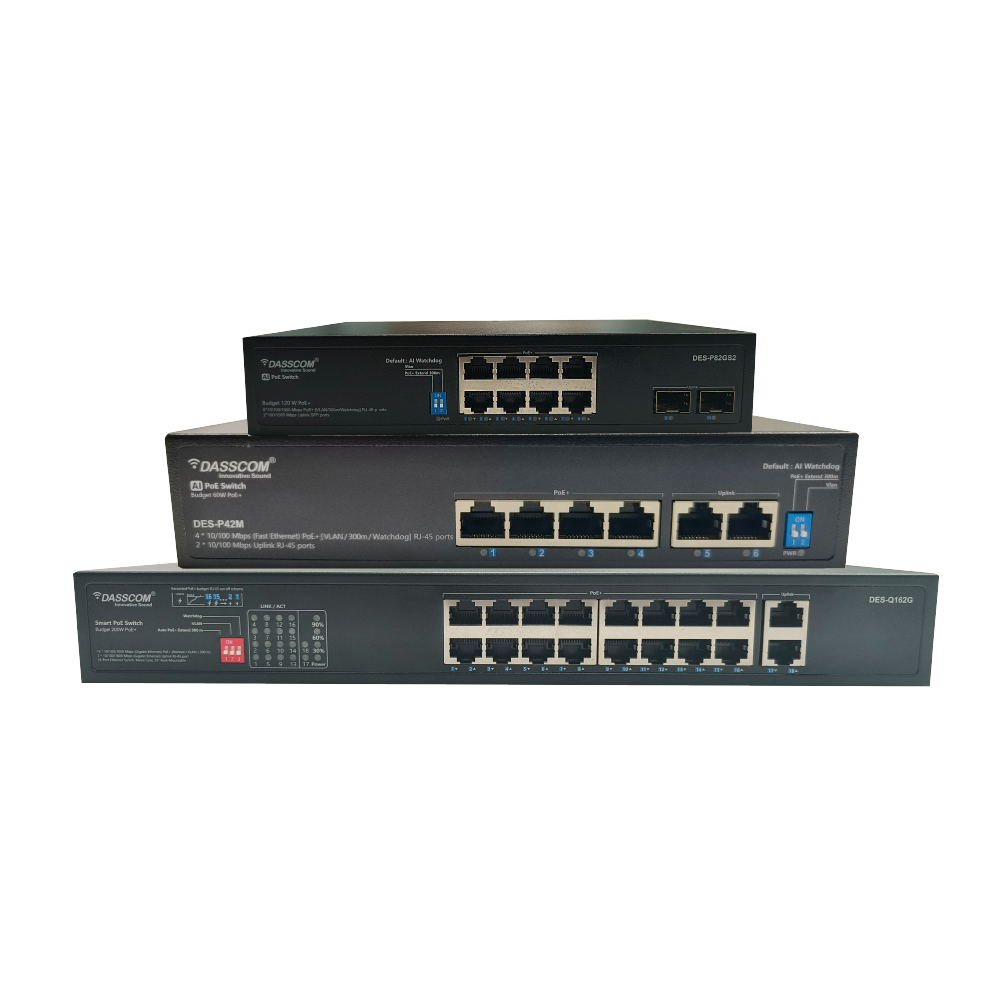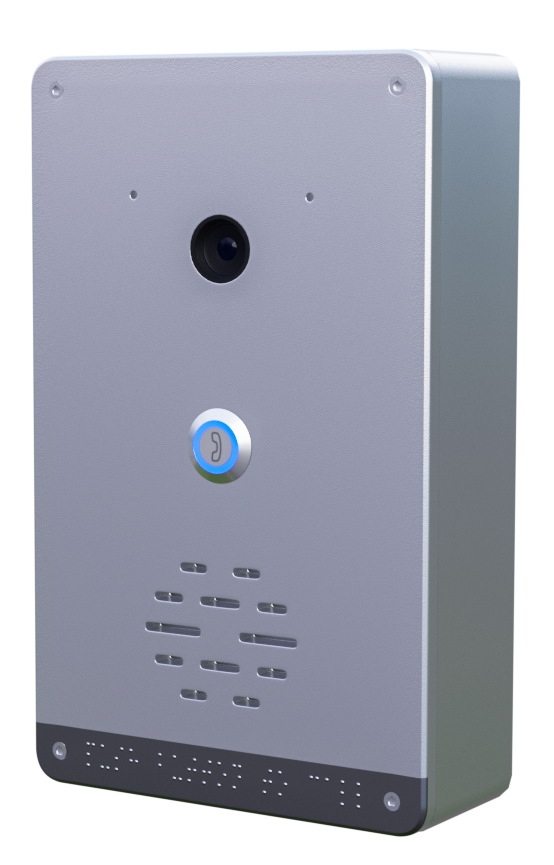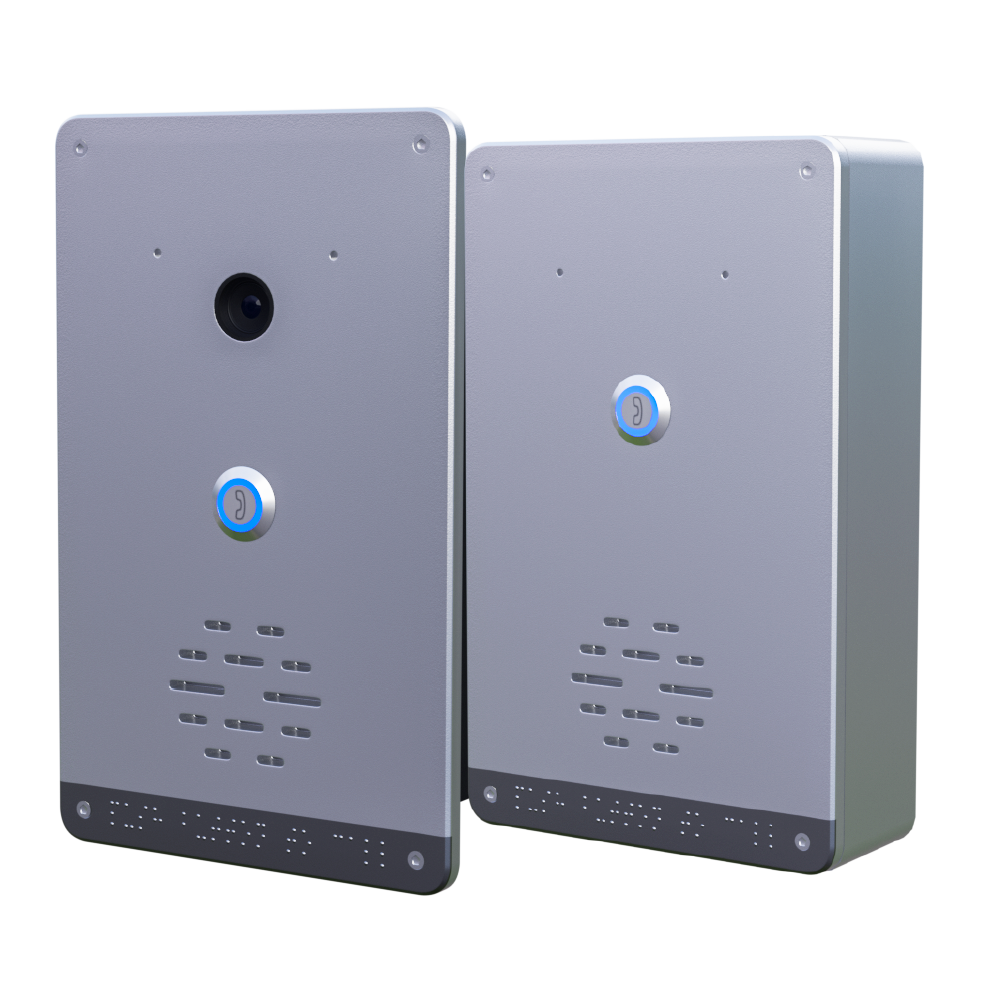
Unmanaged Switch: The Essential Guide to a Plug-and-Play Network Solution

Unmanaged Switch: The Essential Guide to a Plug-and-Play Network Solution

Unmanaged Switch: The Essential Guide to a Plug-and-Play Network Solution

Building a reliable network doesn’t always require complex configurations or advanced management. For small offices, home setups, or environments that demand simplicity, the unmanaged switch provides a straightforward and cost-effective solution. With its plug-and-play design, an unmanaged network switch eliminates the need for technical expertise while ensuring seamless device connectivity.

fffs

Building a reliable network doesn’t always require complex configurations or advanced management. For small offices, home setups, or environments that demand simplicity, the unmanaged switch provides a straightforward and cost-effective solution. With its plug-and-play design, an unmanaged network switch eliminates the need for technical expertise while ensuring seamless device connectivity.

In this guide, we’ll explore the fundamentals of unmanaged switches, their benefits, use cases, and how they compare in the discussion of managed v unmanaged switch technology. We’ll also dive into specific types such as the unmanaged PoE switchunmanaged gigabit switch, and unmanaged industrial ethernet switch, helping you decide if they are the right fit for your business.

What is an Unmanaged Switch?

An unmanaged switch is a network device that connects multiple devices (such as computers, printers, IP phones, and cameras) within a Local Area Network (LAN). Unlike a managed switch, it offers no configuration options—meaning it works right out of the box. Simply plug in the Ethernet cables, and the switch automatically establishes communication between devices.

Key characteristics:

Benefits of Using an Unmanaged Switch

Despite their simplicity, unmanaged switches have several advantages that make them ideal for specific scenarios:

Unmanaged vs Managed Switch

When considering managed vs unmanaged switch, the decision comes down to control and complexity.

FeatureManaged SwitchUnmanaged Switch
ConfigurationFull control (VLANs, QoS, ACLs)None, plug-and-play
MonitoringSNMP, traffic monitoring, logsNo monitoring features
SecurityAdvanced (port security, ACLs, VLANs)Basic, physical security only
CostHigher investmentLow-cost, entry-level
Use CaseEnterprises, data centers, complex LANsHomes, SMBs, or temporary setups

An unmanaged network switch is the right choice when simplicity and affordability outweigh the need for advanced management.

The Role of Gigabit Connectivity

Modern businesses demand faster speeds, which makes the unmanaged gigabit switch a popular choice. With support for 10/100/1000 Mbps, these switches can handle high-bandwidth applications like video streaming, large file transfers, and VoIP calls.

Benefits of an unmanaged gigabit switch:

For organizations with expanding data demands but limited IT staff, the unmanaged gigabit switch offers a perfect balance of performance and simplicity.

Understanding PoE in Unmanaged Switches

Power over Ethernet (PoE) allows both power and data to be transmitted over a single Ethernet cable. An unmanaged PoE switch integrates this functionality, enabling devices such as VoIP phones, wireless access points, and IP cameras to be powered without separate adapters.

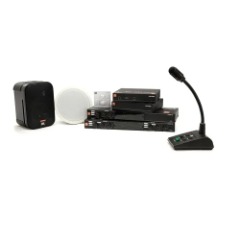
types of call center

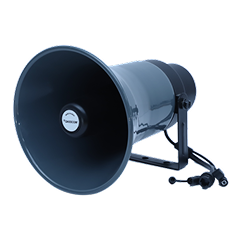
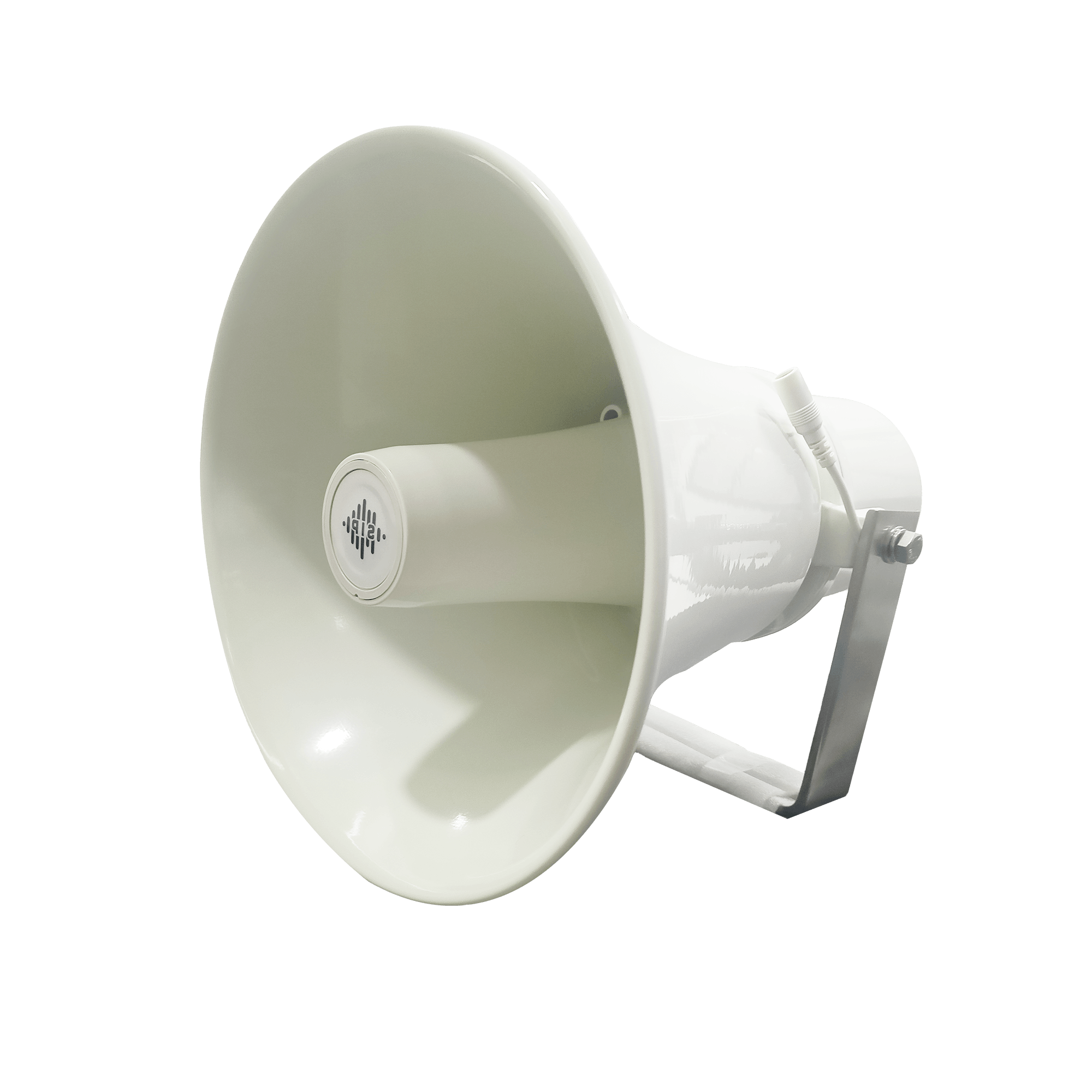
DS-15H

15 watt Horn speaker Support SIP IP 65 Rating Support BGM and announcement
DS-10C

10 watt Ceiling Speaker Support SIP PoE enabled Support BGM & announcement
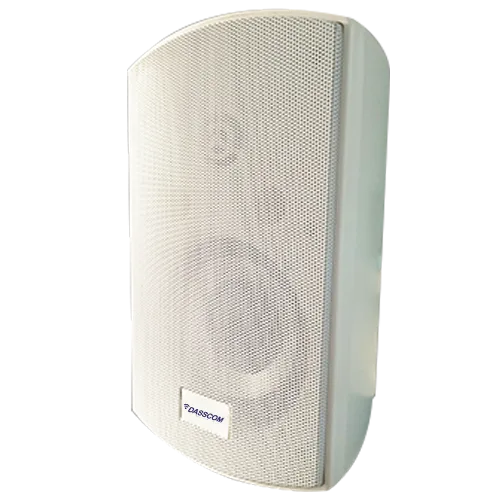
DS-15W

15 watt wall-mount speaker Support SIP PoE enabled Support BGM and announcement
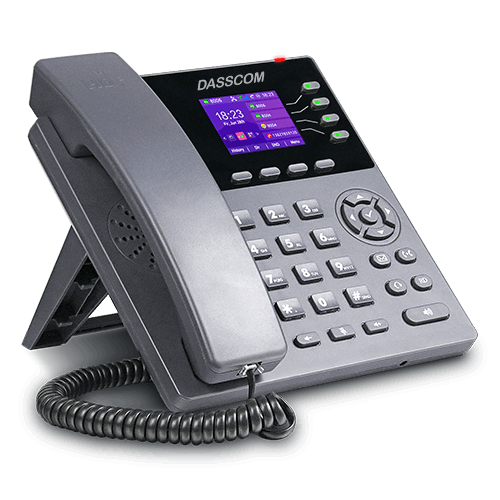
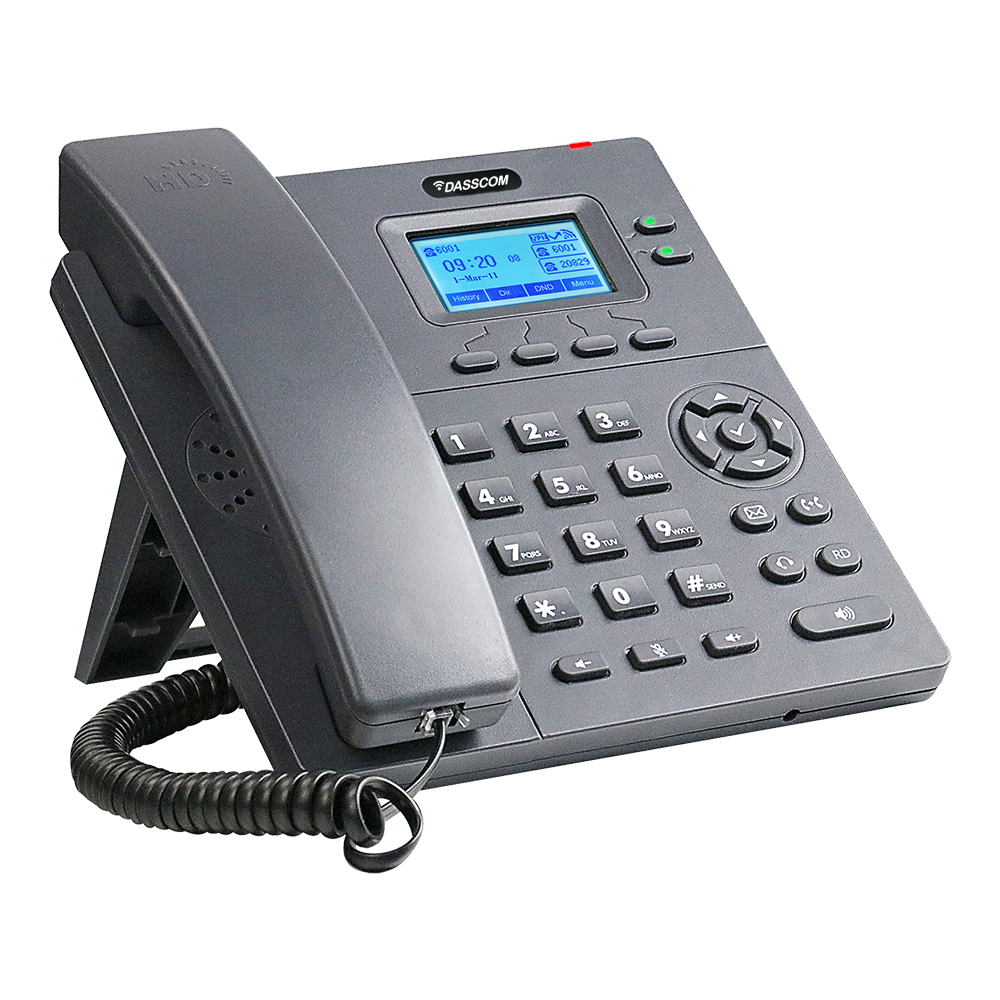
DXP-7200N

4 SIP Account PoE phone Colour Screen HD Voice
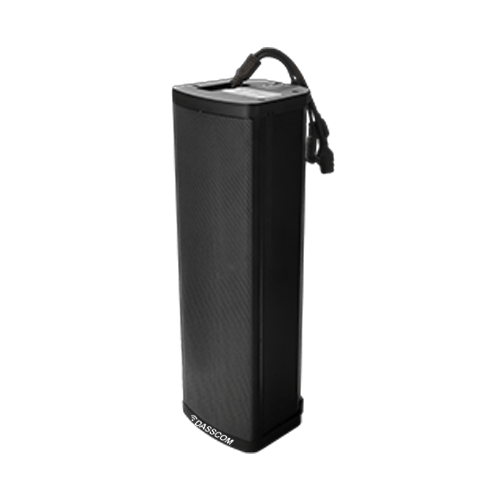
DS-30ECL

1.Built-in 30W amplifier, 2.Class D Amplifier
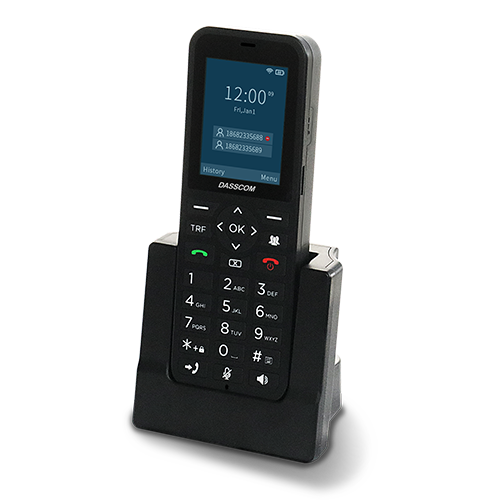
DW-100

DW-100

2 SIP accounts Wi-fi Support Cordless Phone

Why choose an unmanaged PoE switch?

Although an unmanaged PoE switch lacks advanced controls like power budgeting or priority settings found in managed models, it remains a strong choice for small deployments.

Industrial Unmanaged Switches

Industrial environments such as factories, oil rigs, and transport hubs require robust networking hardware. The unmanaged industrial ethernet switch is designed with rugged housings, extended temperature tolerance, and resistance to vibration and dust.

Features of industrial unmanaged switches:

These industrial unmanaged switches are especially useful in environments where network downtime is unacceptable, but advanced configurations are not required.

Deployment Scenarios for Unmanaged Switches

Limitations of Unmanaged Switches

While the unmanaged network switch is effective in many cases, it does come with limitations:

If your network requires control and monitoring, moving towards a managed or smart switch may be necessary.

How to Choose the Right Unmanaged Switch

When selecting an unmanaged ethernet switch, consider:

The Future of Unmanaged Switches

With the rise of IoT devices, unmanaged switches remain relevant. Unmanaged gigabit switches and unmanaged PoE switches will continue to serve small networks, while industrial unmanaged switches will play a crucial role in Industry 4.0 applications.

As demands grow, hybrid models may evolve—offering partial manageability while retaining plug-and-play simplicity.

Conclusion

The unmanaged switch is a vital networking component for small businesses, homes, and industrial environments that demand simple connectivity without the need for technical expertise. From the unmanaged network switch to the unmanaged PoE switch, and from the unmanaged gigabit switch to the industrial unmanaged switch, each variant brings unique advantages tailored to specific needs.

When comparing managed v unmanaged switch, organizations must weigh the trade-off between simplicity and control. For smaller setups or rugged environments, the unmanaged ethernet switch delivers dependable performance at an affordable price point, making it a go-to solution in many networking scenarios.

Quick summary

See how Nextiva transforms the sales and support team productivity.

Call Center Software FAQs

1. What is the main purpose of an unmanaged switch?
An unmanaged switch is designed to connect multiple devices in a network without requiring any configuration. It’s a plug-and-play solution ideal for small businesses and homes.
Choose an unmanaged PoE switch when you need to power devices like IP phones, wireless APs, or security cameras without using separate power adapters.
Yes. An unmanaged gigabit switch ensures faster speeds (up to 1000 Mbps), which is essential for bandwidth-heavy tasks such as video calls, large file transfers, and cloud applications.
An industrial unmanaged switch is built to withstand harsh environments, with rugged casings, extended temperature tolerance, and shock resistance, while a standard unmanaged ethernet switch is meant for office or home use.
If you require advanced features like VLANs, QoS, and traffic monitoring, a managed switch is better. But if your priority is cost, simplicity, and quick deployment, an unmanaged network switch is sufficient.

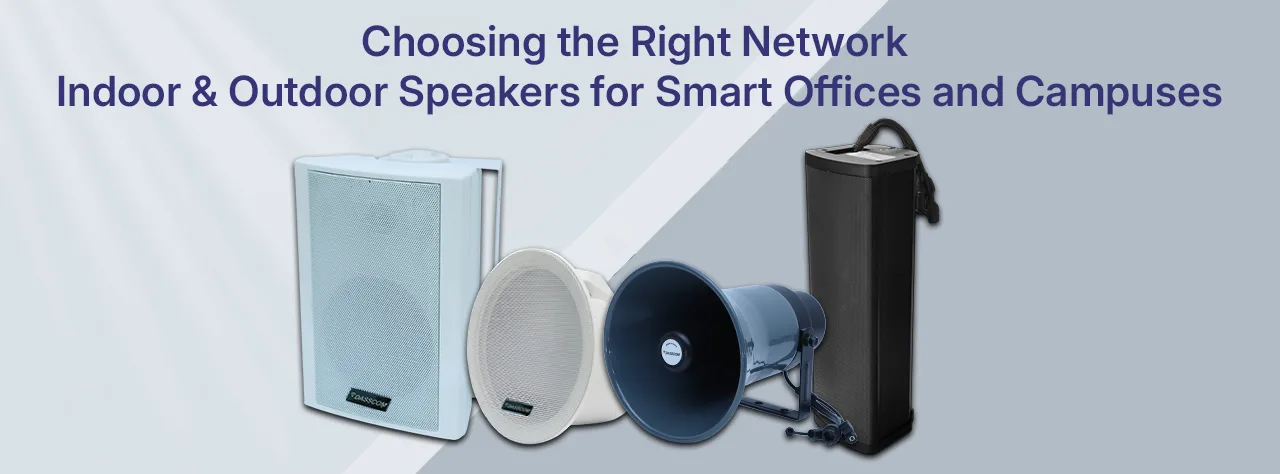
Choosing the Right Network Indoor & Outdoor Speakers for Smart Offices and Campuses

Choosing the Right Network Indoor & Outdoor Speakers for Smart Offices and Campuses

Choosing the Right Network Indoor & Outdoor Speakers for Smart Offices and Campuses

In today’s connected world, smart offices and modern campuses demand advanced communication systems that go beyond traditional methods. Whether it’s delivering announcements, enhancing collaboration, or providing high-quality audio for events, indoor and outdoor speakers play a critical role. Selecting the right indoor speakers and outdoor speaker solutions ensures clarity, reliability, and performance in every environment.

fffs

In today’s connected world, smart offices and modern campuses demand advanced communication systems that go beyond traditional methods. Whether it’s delivering announcements, enhancing collaboration, or providing high-quality audio for events, indoor and outdoor speakers play a critical role. Selecting the right indoor speakers and outdoor speaker solutions ensures clarity, reliability, and performance in every environment.

This guide explores the benefits, features, and applications of various speakers—both indoor and outdoor—helping businesses, educational institutions, and enterprises make informed decisions.

Why Speaker Systems Matter for Smart Workspaces

speaker system in offices and campuses is not just about sound—it’s about seamless communication, safety, and user experience. High-quality indoor and outdoor speakers ensure that messages reach everyone clearly, whether in a small meeting room, a large auditorium, or an open campus ground.

Key Benefits:

Types of Speakers for Smart Offices and Campuses

1. Indoor Speakers

Indoor environments demand clear, distortion-free audio that adapts to closed spaces.

2. Outdoor Speakers

Open environments like campuses, parking lots, and gardens need weatherproof, durable, and high-volume speakers.

Features to Consider When Choosing Indoor & Outdoor Speakers

When investing in indoor outdoor speakers, organizations should evaluate the following technical features:

1. Audio Quality & Coverage

types of call center

DS-15H

15 watt Horn speaker Support SIP IP 65 Rating Support BGM and announcement

DS-10C

10 watt Ceiling Speaker Support SIP PoE enabled Support BGM & announcement

DS-15W

15 watt wall-mount speaker Support SIP PoE enabled Support BGM and announcement

DXP-7200N

4 SIP Account PoE phone Colour Screen HD Voice

DS-30ECL

1.Built-in 30W amplifier, 2.Class D Amplifier

DW-100

DW-100

2 SIP accounts Wi-fi Support Cordless Phone

2. Durability

3. Integration with PA Systems

4. Flexibility & Scalability

5. Application-Specific Needs

Applications of Indoor & Outdoor Speaker Systems

Corporate Offices

Educational Institutions

Smart Campuses

Retail & Hospitality

Indoor vs Outdoor Speakers: A Technical Comparison

FeatureIndoor SpeakersOutdoor Speakers
DesignCompact, wall/ceiling mountableWeatherproof, durable casing
Audio ProjectionBalanced, optimized for enclosed spacesLong-range, high volume
ApplicationsOffices, classrooms, meeting roomsCampuses, parking lots, open spaces
ExamplesIndoor wall speakersindoor ceiling speakersBest outdoor loudspeakersbest outdoor speaker system

Future of Speaker Systems in Smart Offices & Campuses

The next generation of indoor and outdoor speakers is moving towards:

With IoT and automation, best indoor speakers and best outdoor loudspeakers will evolve to play an even greater role in communication, safety, and productivity.

Conclusion

Selecting the right indoor and outdoor speakers for smart offices and campuses requires a balance of durability, audio quality, and system integration. From indoor wall speakers to best outdoor loudspeakers, every environment needs the right solution for efficient communication.

By investing in the best indoor speakers and best outdoor speaker system, businesses and institutions can create smarter, safer, and more connected environments.

Quick summary

See how Nextiva transforms the sales and support team productivity.

Call Center Software FAQs

Q1. What makes an outdoor speaker different from an indoor speaker?
An outdoor speaker is designed to withstand environmental conditions like rain, dust, and heat, while indoor speakers are optimized for enclosed, climate-controlled spaces.
The best speakers for outside are weatherproof, high-volume units like the best outdoor loudspeakers, ideal for open campuses, gardens, and parking areas.
Yes, wall speakers provide excellent sound clarity while saving space, making them a top choice for offices and classrooms.
Yes, a best outdoor speaker system can integrate seamlessly with indoor public address systems, ensuring centralized control.
The best indoor speakers are indoor wall speakers and indoor ceiling speakers, offering clarity, coverage, and aesthetics.
Yes, indoor outdoor speakers improve communication, security, and event management, making them an essential part of modern campus infrastructure.

How Noise-Cancelling Headsets Improve Productivity in Hybrid Work Settings

How Noise-Cancelling Headsets Improve Productivity in Hybrid Work Settings

How Noise-Cancelling Headsets Improve Productivity in Hybrid Work Settings

In today’s fast-paced professional world, hybrid work has become the new normal. Employees split their time between home and office, relying heavily on clear, uninterrupted communication tools. Yet, background noise—from coworkers chatting to household disturbances—remains one of the biggest hurdles to productivity.

fffs

As we approach 2026, the modern workplace continues to evolve at lightning speed. From hybrid offices to fully remote setups, the one thing that remains constant is the need for clear, uninterrupted communication. Whether you’re managing virtual meetings, customer calls, or collaborative discussions, your headset is your voice to the world.


This is where noise-cancelling headsets become indispensable. Whether you’re attending back-to-back virtual meetings or collaborating across continents, investing in the best noise cancelling headset can drastically enhance focus, communication, and efficiency.

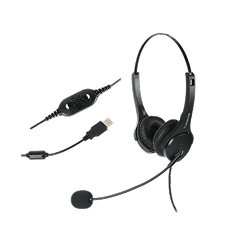
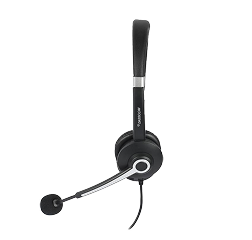
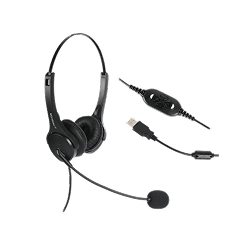
Let’s dive deep into how noise reduction headphones with mic transform hybrid work experiences and why Dasscom’s Divine (DS-900)Tatva (DS-1100), and Veda (DS-52) series stand out as powerful allies for today’s professionals.

The New Reality of Hybrid Work

Hybrid work offers flexibility, but it also introduces distractions. Working from open offices, home environments, or public spaces means battling unpredictable sounds that disrupt concentration.

noise cancelling headset with mic helps create a controlled sound environment—allowing professionals to stay engaged in meetings, listen attentively, and respond confidently. In fact, research shows that employees using headset noise cancelling with microphone solutions report improved communication clarity and a 25% increase in focus.

How Noise Cancellation Works

Modern headsets use Active Noise Cancellation (ANC)—a technology that detects external sounds and generates opposite sound waves to neutralize them. This not only blocks distractions but also ensures your own voice is transmitted cleanly.

The best noise cancelling headphones with mic combine acoustic insulation with digital signal processing to deliver professional-grade clarity. You hear the conversation, not the chaos.

How Noise-Cancelling Headsets Boost Productivity

A. Stay Focused, Wherever You Work

From buzzing coworkers to city noise, distractions are everywhere. With noise reduction headphones with mic, you can carve out a quiet workspace anywhere—keeping your mind centered on what truly matters.

B. Communicate with Precision

USB headset with microphone noise cancelling ensures every call is crystal clear. Whether you’re presenting to clients or brainstorming with your team, background noise won’t disrupt your message.

C. Reduce Fatigue During Long Calls

Straining to hear through noise leads to mental exhaustion. Wired headphones with mic noise cancelling reduce auditory fatigue, helping you stay energized throughout the workday.

D. Adapt Seamlessly Between Devices

Hybrid work means switching between laptops, IP phones, and mobile devices. Dasscom’s Divine DS-900Tatva DS-1100, and Veda DS-52 are designed for this fluidity—offering multiple interface options for effortless transitions.

types of call center

DS-15H

15 watt Horn speaker Support SIP IP 65 Rating Support BGM and announcement

DS-10C

10 watt Ceiling Speaker Support SIP PoE enabled Support BGM & announcement

DS-15W

15 watt wall-mount speaker Support SIP PoE enabled Support BGM and announcement

DXP-7200N

4 SIP Account PoE phone Colour Screen HD Voice

DS-30ECL

1.Built-in 30W amplifier, 2.Class D Amplifier

DW-100

DW-100

2 SIP accounts Wi-fi Support Cordless Phone

Dasscom’s Professional Headset Lineup: Tailored for Every Workstyle

Dasscom understands that no two professionals work alike. That’s why its Divine, Tatva, and Veda series headsets cater to varied preferences and environments—without compromising on clarity or comfort.

Divine Series – DS-900

Ideal for executives and hybrid professionals, the DS-900 is a dual-connectivity headset that supports both USB and RJ interfaces, ensuring compatibility with laptops, softphones, and desk phones.

Explore the Dasscom Divine Series DS-900 here.

Tatva Series – DS-1100

Engineered for call centers and dynamic offices, the Tatva DS-1100 combines performance with versatility.

Explore the Dasscom Tatva Series DS-1100 here.

Veda Series – DS-52

Perfect for education, remote work, and daily business communication, the Veda DS-52 delivers reliable performance at an affordable value.

Explore the Dasscom Veda Series DS-52 here.

Wired vs. Wireless Headsets: Which Fits Your Hybrid Workflow?

Choosing between wired headphones with mic noise cancelling and wireless headphones noise cancelling with microphone depends on your mobility needs.

FeatureWired HeadsetsWireless Headsets
Connection StabilityAlways reliableMay vary with distance
Battery RequirementNoneRequires charging
PortabilityModerateExcellent
Ideal ForOffice & fixed setupsMobile professionals


Professionals who prioritize reliability—especially in customer service and VoIP-based communication—often prefer USB headsets with microphone noise cancelling models like Dasscom’s DS-900 or DS-1100.

Why Companies Choose Noise-Cancelling Headsets for Hybrid Teams

Forward-thinking organizations are realizing that best noise cancelling headset technology is not just a perk—it’s a productivity investment.

Key business benefits include:

With reliable devices like the Dasscom DS-900DS-1100, and DS-52, businesses ensure that every conversation—internal or client-facing—remains professional and effective.

Tips for Choosing the Best Noise Cancelling Headset

When selecting your headset, look for:

These models provide not just clear sound—but also the confidence to perform at your best in any workspace.

The Future of Work: Sound Clarity Equals Efficiency

As hybrid work continues to redefine modern business, the importance of clear communication tools will only grow. Investing in noise reduction headphones with mic or best noise cancelling headset ensures professionals can maintain focus, clarity, and confidence—no matter where they work.

With Dasscom’s Divine (DS-900), Tatva (DS-1100), and Veda (DS-52) series, organizations can empower employees with premium usb headset with microphone noise cancelling solutions tailored for hybrid productivity.

Quick summary

See how Nextiva transforms the sales and support team productivity.

Call Center Software FAQs

1. What makes noise-cancelling headsets ideal for hybrid work?
They eliminate background disturbances and improve call clarity, allowing professionals to stay productive in both home and office environments.
It actively filters out external noise so that only your voice is transmitted clearly—ideal for virtual meetings and VoIP calls.
Yes, models like the DS-900, DS-1100, and DS-52 support multiple interfaces including USB, RJ, and 3.5mm jacks, ensuring seamless compatibility.
Wired headphones with mic noise cancelling provide uninterrupted connectivity, while wireless headphones noise cancelling with microphone offer mobility and flexibility.
Absolutely. Their noise isolation and ergonomic design help minimize ear strain and mental fatigue.
The Tatva DS-1100 is optimized for call centers and high-volume communication environments, offering robust build and versatile connectivity.
Yes. All Dasscom models are compatible with major VoIP platforms, including Zoom, Microsoft Teams, and Cisco Webex.
Because Dasscom combines clarity, comfort, and connectivity, ensuring every hybrid professional communicates with precision and confidence.

USB Headsets 2026: What Features Matter for Business Users

USB Headsets 2026: What Features Matter for Business Users

USB Headsets 2026: What Features Matter for Business Users

As we approach 2026, the modern workplace continues to evolve at lightning speed. From hybrid offices to fully remote setups, the one thing that remains constant is the need for clear, uninterrupted communication. Whether you’re managing virtual meetings, customer calls, or collaborative discussions, your headset is your voice to the world.

fffs

As we approach 2026, the modern workplace continues to evolve at lightning speed. From hybrid offices to fully remote setups, the one thing that remains constant is the need for clear, uninterrupted communication. Whether you’re managing virtual meetings, customer calls, or collaborative discussions, your headset is your voice to the world.

That’s why USB headsets have become an essential business tool. Their plug-and-play simplicity, superior sound performance, and digital noise cancellation make them ideal for today’s professionals. But not all headsets are created equal.

In this blog, we’ll explore what features truly matter when selecting the best USB headsets for business use in 2026—along with why Dasscom’s professional range, including the Divine (DS-900)Tatva (DS-1100), and Veda (DS-52) series, leads the way in reliability and performance.

Why USB Headsets Are Dominating the Business Market

The shift toward digital communication has pushed businesses to adopt equipment that guarantees consistent audio clarity. Traditional analog headsets often fall short due to interference, poor sound quality, or compatibility issues.

USB headsets solve these problems by offering:

Whether it’s a USB wired headset for desktop professionals or a USB wireless headset for on-the-go executives, this category has become the backbone of efficient communication networks worldwide.

What Makes a Great USB Headset in 2026?

When evaluating the best USB headset with mic for business use, these features make the real difference:

a. Noise Cancellation

In open offices or hybrid setups, background noise can disrupt calls. A usb headset with microphone noise cancelling uses digital signal processing to eliminate unwanted sounds—letting your voice come through with clarity.

b. Comfort for Long Sessions

Business users spend hours on calls daily. Headsets like Dasscom’s Tatva DS-1100 and Divine DS-900 feature cushioned ear pads, lightweight frames, and adjustable headbands, ensuring fatigue-free communication.

c. Dual Connectivity Options

While most headsets use a single interface, Dasscom offers both USB and 3.5mm/RJ options in models like Veda DS-52, allowing flexibility across multiple devices.

d. Durable Build for Heavy Use

Professionals need headsets that last. Reinforced cables, high-quality plastics, and QD connectors make Dasscom’s range ideal for long-term use in offices or call centers.

types of call center

DS-15H

15 watt Horn speaker Support SIP IP 65 Rating Support BGM and announcement

DS-10C

10 watt Ceiling Speaker Support SIP PoE enabled Support BGM & announcement

DS-15W

15 watt wall-mount speaker Support SIP PoE enabled Support BGM and announcement

DXP-7200N

4 SIP Account PoE phone Colour Screen HD Voice

DS-30ECL

1.Built-in 30W amplifier, 2.Class D Amplifier

DW-100

DW-100

2 SIP accounts Wi-fi Support Cordless Phone

e. Consistent Audio Quality

The latest USB type headphones come with advanced digital-to-analog converters (DACs) that ensure clean, balanced sound for both calls and multimedia usage.

Dasscom’s USB Headset Lineup for Professionals

Dasscom’s USB headset collection is designed with one goal: seamless communication without compromise. Built for enterprise environments, they combine ergonomic comfort, acoustic precision, and cross-platform compatibility.

Divine Series – DS-900

The Dasscom DS-900 is the benchmark for business-grade USB headsets. Designed for professionals who demand clarity and comfort, it supports both RJ and USB interfaces—making it suitable for laptops, IP phones, and PCs alike.

Key Highlights:

Learn more about the Dasscom Divine DS-900 here.

Tatva Series – DS-1100

For high-performance call environments and corporate users, the Tatva DS-1100 offers unmatched adaptability. It’s the perfect USB headset with mic for teams that switch between PCs, softphones, and IP desk phones.

Key Highlights:

Explore the Dasscom Tatva DS-1100 here.

Veda Series – DS-52

The Veda DS-52 offers a compact and efficient solution for professionals who value simplicity and performance. It’s the go-to choice for SMEs, educators, and hybrid workers.

Key Highlights:

Explore the Dasscom Veda DS-52 here.

USB Wired vs. USB Wireless Headsets: Which One Should You Choose?

FeatureUSB Wired HeadsetUSB Wireless Headset
Power SourceNo charging neededBattery-powered
MobilityLimited to cable lengthExcellent freedom of movement
Reliability100% stable connectionMay vary with range
Cost EfficiencyMore affordablePremium pricing
Ideal Use CaseDesktops & call centersHybrid & remote professionals

Both options have strong use cases in business. USB wired headsets like the Dasscom Veda DS-52 deliver consistent quality for stationary users, while usb wireless headsets are ideal for executives who move between meetings and workstations.

Why Businesses Are Upgrading to USB Headsets

Modern organizations recognize that effective communication = business efficiency. USB headsets play a crucial role in enhancing team performance, especially in hybrid and digital-first companies.

Top Reasons for the Shift:

By 2026, IT procurement teams are prioritizing USB headset with microphone noise cancelling models for every workstation—an investment in clarity, efficiency, and comfort.

The Role of USB Headsets in Unified Communication (UC)

In unified communication systems, consistency is key. Whether through Teams, Zoom, or SIP-based VoIP networks, USB headsets ensure reliable performance across devices.

Dasscom’s lineup supports all major UC platforms and provides instant integration with VoIP PBX systems. Features like auto device recognitiondigital volume control, and noise isolation enhance collaboration without requiring manual configuration.

The result? Faster, smoother communication workflows that let professionals focus on their core tasks—not troubleshooting audio issues.

The Future of USB Type Headphones in 2026 and Beyond

As hardware evolves, USB type headphones are also undergoing innovation. Expect features such as:

Dasscom is already aligning with these trends, building future-ready headsets that anticipate the needs of a more mobile and connected workforce.

Key Buying Checklist for 2026

Before investing in a usb headset with mic, check for:

✅ Noise-cancelling microphone – essential for clarity.

✅ Comfortable ear cushions – for long work hours.

✅ Cross-platform compatibility – supports softphones and VoIP.

✅ Build quality – flexible, reinforced materials.

✅ Dual connectivity – USB + 3.5mm or RJ for flexibility.

✅ Brand reputation – Choose reliable providers like Dasscom.

The best USB headsets combine these factors to deliver performance that scales with your business needs.

Quick summary

See how Nextiva transforms the sales and support team productivity.

Call Center Software FAQs

1. What makes USB headsets better than traditional analog headsets?
USB headsets provide digital audio transmission, offering clearer sound and better noise isolation compared to analog connections.
Yes, most modern USB headset with mic models, like Dasscom’s DS-900, DS-1100, and DS-52, support both desktop and VoIP systems.
No. They are plug-and-play, meaning they connect instantly without additional setup.
USB wired headsets offer continuous power and stable audio, while USB wireless headsets prioritize mobility with Bluetooth or dongle-based connectivity.
Absolutely. Dasscom headsets integrate seamlessly with all major conferencing platforms.
The Tatva DS-1100 is perfect for call centers thanks to its durability, comfort, and superior noise-cancelling microphone.
Yes, ergonomic designs and soft ear padding ensure comfort during extended use.
Yes. With trends moving toward USB-C and AI-driven noise filtering, Dasscom continues to upgrade its lineup to stay ahead.

Choosing the Right IP Phone: Wired vs WiFi vs Hybrid

Choosing the Right IP Phone: Wired vs WiFi vs Hybrid

Choosing the Right IP Phone: Wired vs WiFi vs Hybrid

In today’s fast-paced digital ecosystem, communication is at the heart of every business operation. From front-desk interactions to executive boardrooms and customer support centers, the IP phone has become a cornerstone of modern connectivity.

fffs

In today’s fast-paced digital ecosystem, communication is at the heart of every business operation. From front-desk interactions to executive boardrooms and customer support centers, the IP phone has become a cornerstone of modern connectivity.

But with rapid advancements in technology, professionals now face a key decision — should they go for wiredWiFi, or hybrid IP phones?

Each type of VoIP phone offers unique benefits, tailored to different work environments and budgets. This guide breaks down everything you need to know to choose the best device for your needs — whether you’re setting up a small office, scaling a medium enterprise, or upgrading your existing IP phone systems.

And we’ll show how Dasscom’s VoIP portfolio, designed and engineered for reliability, perfectly fits every communication scenario.

Understanding IP Phones and How They Work

An IP phone (Internet Protocol phone) uses the internet to transmit voice calls rather than traditional telephone lines. It connects through Ethernet or WiFi, converting your voice into digital data packets that travel over your network.

The result?

Whether you’re using a wired VoIP phone connected via LAN, a WiFi IP phone for mobility, or a hybrid IP phone offering both, the underlying principle remains — efficient, internet-driven communication that boosts productivity.

Dasscom’s range of IP phones is purpose-built for this ecosystem, ensuring excellent audio, secure connectivity, and enterprise-level reliability.

Why Businesses Are Moving to IP-Based Communication

In 2026, organizations of all sizes — from startups to global enterprises — are migrating to VoIP phone systems for better scalability and flexibility.

Here’s why:

Dasscom’s VoIP phones deliver all these benefits while maintaining ease of deployment and enterprise-grade support — making them ideal for medium businesses, IT offices, and industries

Types of IP Phones: Wired, WiFi, and Hybrid

When choosing your communication setup, understanding the difference between these three is crucial.

A. Wired IP Phones: Stable and Reliable

Wired IP phones remain the go-to choice for most enterprises that demand consistent, high-quality voice connectivity.

Advantages:

Dasscom’s Basic IP Phones such as DXP-5150NDXP-6100HP, and DXP-7200N are excellent examples of cost-effective, high-performance wired models.

They feature HD audio, programmable keys, and robust SIP compatibility — perfect for everyday business communication.

B. WiFi IP Phones: Mobility Meets Flexibility

As the workplace evolves, mobility has become a priority. WiFi IP phones allow users to stay connected without being tied to a desk.

Advantages:

Dasscom’s DW-100 is a top-tier WiFi VoIP phone that combines enterprise-grade audio with wireless freedom. It’s built for professionals who move between meeting rooms, departments, or even remote sites — without losing call quality or connectivity.

C. Hybrid IP Phones: The Best of Both Worlds

Can’t decide between wired or wireless? Hybrid IP phones bridge that gap.

They support both Ethernet and WiFi connections — allowing seamless switching between the two based on your environment.

Advantages:

Dasscom’s DXP-4100DXP-7250, and DXP-7500G are advanced hybrid IP phones that provide high-definition voice, Gigabit Ethernet, and WiFi dual-band connectivity. They’re designed for professionals and executives who require uninterrupted performance, flexibility, and modern design.

Comparing Wired, WiFi, and Hybrid IP Phones

FeatureWired IP PhonesWiFi IP PhonesHybrid IP Phones
ConnectivityEthernet (LAN)Wireless (WiFi)Ethernet + WiFi
MobilityFixedHighModerate to High
Power SourcePoE or adapterBattery or adapterPoE/WiFi
StabilityExcellentDepends on signalExcellent
InstallationRequires cablingEasy setupFlexible
Use CaseDesks, call centersHybrid offices, roaming usersExecutives, flexible workspaces


Each type suits different operational needs — which is why businesses often deploy a mix of VoIP phone systems for optimized communication.

types of call center

DS-15H

15 watt Horn speaker Support SIP IP 65 Rating Support BGM and announcement

DS-10C

10 watt Ceiling Speaker Support SIP PoE enabled Support BGM & announcement

DS-15W

15 watt wall-mount speaker Support SIP PoE enabled Support BGM and announcement

DXP-7200N

4 SIP Account PoE phone Colour Screen HD Voice

DS-30ECL

1.Built-in 30W amplifier, 2.Class D Amplifier

DW-100

DW-100

2 SIP accounts Wi-fi Support Cordless Phone

Factors to Consider Before Choosing an IP Phone

Before finalizing your purchase, evaluate these core factors to ensure your device aligns with your communication goals:

a. Network Infrastructure

If your office already has a strong wired network, a wired IP phone will be more reliable. However, in spaces where Ethernet cabling is limited, WiFi or hybrid IP phones make deployment simpler.

b. Budget and VoIP Phone Price

While wired IP phones are typically more affordable, WiFi and hybrid models offer flexibility that justifies their higher price in dynamic environments. Dasscom provides options at multiple voip phone price points to suit every budget.

c. Usage Environment

d. Compatibility

Ensure the phone supports standard SIP protocols to work with your VoIP phone systems for medium business, IP PBX setups, and cloud-hosted platforms.

e. Audio and Build Quality

HD audio, echo cancellation, and sturdy design are non-negotiable — all Dasscom models come equipped with these essentials.

Dasscom: A Trusted VoIP Phone Manufacturer

As one of India’s most trusted VoIP phone manufacturers, Dasscom stands for innovation, reliability, and scalability. Our product line caters to diverse business needs — from budget-conscious startups to enterprise communication networks.

Our VoIP Phone Categories:

🔹 Basic IP Phones (DXP-5150N, DXP-6100HP, DXP-7200N)

🔹 WiFi Phones (DW-100)

🔹 Hybrid IP Phones (DXP-4100, DXP-7250, DXP-7500G)

🔹 Executive IP Phones (DXP-7250, DXP-7500G)

🔹 Video Phones (DXV-3050)

By offering a complete portfolio, Dasscom ensures that every business — small or large — can find the perfect match within its IP phone systems.

The Future of IP Phone Systems

The next generation of VoIP phone systems is evolving rapidly. Businesses can expect:

Dasscom is already developing these next-gen communication solutions — ensuring your investment remains relevant as technology advances.

Why Medium Businesses Should Upgrade Now

For growing enterprises, reliable communication is non-negotiable. VoIP phone systems for medium business offer scalability and integration without high infrastructure costs.

Benefits for medium businesses:

With Dasscom, you get tailored solutions — combining VoIP phonesgateways, and PBX systems for a complete, unified setup.

Common Myths About VoIP Phones — Busted!

Myth 1: VoIP phones are expensive.
✅ Fact: Dasscom offers models at competitive voip phone price points — often cheaper than maintaining analog lines.

Myth 2: VoIP phones need complex setup.
✅ Fact: Plug-and-play configuration makes installation quick and simple.

Myth 3: Voice quality isn’t as good as landline.
✅ Fact: With HD codecs and noise suppression, ip phones often outperform analog telephony.

Myth 4: WiFi phones are unreliable.
✅ Fact: With WiFi 6 and QoS optimization, today’s wireless voip phone systems are incredibly stable.

Quick summary

See how Nextiva transforms the sales and support team productivity.

Call Center Software FAQs

1. What is the difference between an IP phone and a VoIP phone?
Both refer to internet-based communication devices. An IP phone is the hardware, while VoIP (Voice over IP) is the technology it uses.
Yes, provided you have strong WiFi coverage. Modern WiFi models like Dasscom’s DW-100 ensure uninterrupted connectivity.
It varies by model and features — basic models are budget-friendly, while hybrid and executive ones cost more due to added capabilities.
Absolutely. Dasscom IP phones are compatible with most IP phone systems and SIP-based PBX platforms.
Hybrid models like DXP-7250 offer flexibility and future readiness, making them ideal for voip phone systems for medium business.
Yes, Dasscom is among India’s reliable voip phone manufacturers, offering locally designed, globally compatible devices.
All Dasscom devices come with advanced encryption and secure SIP protocols for safe communication.
Yes! Many businesses deploy hybrid setups using both wired and WiFi ip phones for maximum efficiency.

4-Port Network Switches: Powering Small Networks with Big Performance

4-Port Network Switches: Powering Small Networks with Big Performance

4-Port Network Switches: Powering Small Networks with Big Performance

In connected environments, even compact networks demand reliability, speed, and intelligent traffic control. Whether powering a surveillance setup, a smart office, or an industrial control network, the right switch ensures smooth data flow and dependable performance. That’s where 4-port network switch models are proving to be an excellent choice—offering enterprise-grade capabilities in a compact footprint.

fffs

In connected environments, even compact networks demand reliability, speed, and intelligent traffic control. Whether powering a surveillance setup, a smart office, or an industrial control network, the right switch ensures smooth data flow and dependable performance. That’s where 4-port network switch models are proving to be an excellent choice—offering enterprise-grade capabilities in a compact footprint.

A common misconception is that small switches equal limited functionality. Modern designs prove otherwise. With capabilities like VLANs, PoE+, fiber uplinks, and routing support, a 4 port switch can now perform like larger core switches—just without the complexity, space requirements, or cost.

This article explores how next-generation switches—like the Dasscom DES-22S2MG-IND —are transforming office, industrial, and security deployments, while also helping professionals understand what features matter when evaluating 4 port network switch price, reliability, and performance.

Why 4-Port Switches Still Matter

While large-scale networks often rely on 24-port or 48-port switches, many deployments require only a compact yet capable solution. A 4 port internet switch has become essential for:

Despite the small physical footprint, performance expectations remain high. Today’s networks must support:

A basic unmanaged network switch may support plug-and-play scenarios, but organizations demanding control, security, and reliability increasingly look toward manageable network switch models.

Managed vs. Unmanaged: Why the Difference Matters

Not all switches are built alike. Before selecting hardware, it’s important to understand the differences.

FeatureUnmanaged Network SwitchManaged Network Switch
Configuration RequiredNoneYes
VLAN Support❌ No✔ Yes
PoE ManagementLimited/NoneFull control
Network Security Rules❌ Not supported✔ Supported
Advanced Routing❌ No✔ Yes
Monitoring & DiagnosticsBasic LEDsReal-time analytics
Best ForHomes & basic office useEnterprises, factories, CCTV, VoIP

manageable network switch ensures the network remains secure, optimized, and scalable—especially when handling VoIP traffic, IP cameras, or automation systems.

Highlight Product: Dasscom DES-22S2MG-IND

To demonstrate how small switches deliver industrial-grade capability, let’s look at the Dasscom model: DES-22S2MG-IND. This Managed Industrial 4-Port PoE+ Switch is engineered for harsh and demanding environments where uptime, safety, and high bandwidth are critical.

Key Technical Features:

With PoE+, the switch powers:

without requiring separate electrical wiring.

How PoE+ Improves Real-World Deployments

switch PoE 4 port design offers flexibility and simplicity:

This is especially important for surveillance systems and VoIP deployments—where uptime is critical and cabling flexibility enables expansion.

Understanding 4 Port Network Switch Price Factors

When evaluating a 4-port network switch price, consider more than just cost. Pricing varies based on:

SpecificationImpact on Price
PoE or PoE+ SupportHigh
Industrial-grade buildHigh
Fiber SFP portsMedium
Layer-2 or Layer-3 managementMedium to High
Security features (ACL, VLAN, STP)Medium
Working temperature and rugged enclosureHigh

Entry-level 4 port network switch price ranges fall lower when unmanaged, but managed industrial models—like DES-22S2MG-IND—offer a far better return on investment for long-term deployments.

types of call center

DS-15H

15 watt Horn speaker Support SIP IP 65 Rating Support BGM and announcement

DS-10C

10 watt Ceiling Speaker Support SIP PoE enabled Support BGM & announcement

DS-15W

15 watt wall-mount speaker Support SIP PoE enabled Support BGM and announcement

DXP-7200N

4 SIP Account PoE phone Colour Screen HD Voice

DS-30ECL

1.Built-in 30W amplifier, 2.Class D Amplifier

DW-100

DW-100

2 SIP accounts Wi-fi Support Cordless Phone

Who Should Choose a Managed 4-Port Switch?

Organizations that need:

should select a manageable network switch rather than an unmanaged one.

Ideal Use Cases for Dasscom DES-22S2MG-IND

IndustryUse Case
ManufacturingMachine controllers + PLC communication
RetailCCTV + POS + Wi-Fi access point
Smart CityOutdoor surveillance nodes
OfficeVoIP phones + AP + workstations
EducationClassroom networks + projectors
HospitalityCameras + VoIP + kiosk displays

Conclusion

4-port network switch may be compact, but with advanced features such as PoE+, VLAN, routing, and industrial-grade redundancy, it can unlock high-performance networking for small and medium deployments.

Quick summary

See how Nextiva transforms the sales and support team productivity.

Call Center Software FAQs

1. What makes a 4-port switch useful when larger switches exist?
It provides compact deployment, lower power consumption, and targeted connectivity for smaller but critical network segments.
A PoE switch powers devices like cameras and VoIP phones through the same cable, while non-PoE switches only handle data.
Yes—its industrial design supports demanding environments with redundancy and ring protection.
It eliminates separate power wiring and ensures scalable plug-and-play expansion.
For security, scalability, and control—yes. Managed switches offer VLAN, routing, and monitoring tools that unmanaged switches lack.
Yes—two SFP ports enable long-distance backbone connection.
PoE support, industrial certification, fiber ports, and management capabilities.
Absolutely—QoS, VLAN, and PoE+ make it ideal for both.

What Are the Best Features to Look For in a USB Noise-Cancelling Headset?

What Are the Best Features to Look For in a USB Noise-Cancelling Headset?

What Are the Best Features to Look For in a USB Noise-Cancelling Headset?

Choosing the right headset is no longer just a comfort decision—it’s a productivity decision. As businesses shift to hybrid work, virtual collaboration, cloud telephony, and VoIP platforms, high-quality noise headphones have become essential for maintaining professional communication.

fffs

Choosing the right headset is no longer just a comfort decision—it’s a productivity decision. As businesses shift to hybrid work, virtual collaboration, cloud telephony, and VoIP platforms, high-quality noise headphones have become essential for maintaining professional communication.

USB headsets, in particular, are now the go-to choice for call centers, offices, remote workers, and customer-facing professionals. But with so many models available—wired, wireless, USB-A, USB-C, on-ear, over-ear—how do you decide which one is right for you?

This guide breaks down the features that truly matter when selecting the best noise cancelling headset, along with insights into how noise-cancelling technology works, what USB connectivity offers, and why both comfort and durability directly impact work performance.

What Makes USB Noise-Cancelling Headsets So Popular?

USB headsets have a clear advantage: they provide digital audio processing, making voice transmission more stable and accurate compared to analog 3.5mm jacks. When paired with noise reduction headphones with mic technology, they significantly improve clarity in meetings, support queues, and customer conversations.

Modern users demand:

USB noise-cancelling headphones deliver all of these, making them one of the best noise reduction headset choices for modern workplaces.

Key Features to Look for in USB Noise-Cancelling Headsets

Below is a detailed breakdown of the features that actually matter and directly affect your communication quality.

1. Advanced Noise-Cancelling Microphone (Must-Have)

The microphone is the heart of any professional headset. If it captures too much background noise, your callers struggle—not you. A noise cancelling headset must have:

If your goal is clear customer communication, choose noise reduction headphones with mic, especially those designed for BPOs, customer support, telesales, and remote meetings.

2. Comfortable, Long-Wear Ergonomics

Hours of meetings or calls require a headset that’s comfortable enough for extended use. When selecting noise headphones with USB connectivity, check for:

Comfort affects posture, productivity, and call quality—so never compromise here.

3. USB Digital Connectivity (USB-A or USB-C)

USB connectivity ensures stable digital audio processing with no signal loss. USB headsets are available in two interface types:

USB-A

USB-C

Choosing usb noise cancelling headphones or noise cancelling usb c headphones depends entirely on your device ecosystem.

4. High-Definition Audio Output

Whether you’re listening to customers, attending team meetings, or reviewing recordings, audio clarity is everything. The best noise cancelling headset must offer:

High-definition sound ensures crisp communication, reducing misunderstandings and the need for repetition.

types of call center

DS-15H

15 watt Horn speaker Support SIP IP 65 Rating Support BGM and announcement

DS-10C

10 watt Ceiling Speaker Support SIP PoE enabled Support BGM & announcement

DS-15W

15 watt wall-mount speaker Support SIP PoE enabled Support BGM and announcement

DXP-7200N

4 SIP Account PoE phone Colour Screen HD Voice

DS-30ECL

1.Built-in 30W amplifier, 2.Class D Amplifier

DW-100

DW-100

2 SIP accounts Wi-fi Support Cordless Phone

5. Wired vs Wireless: Which Should You Choose?

While this guide focuses on USB, many modern headsets offer hybrid connectivity. Understanding the difference is important:

Wired USB Headsets

Wireless Noise Cancelling Head Phones

If mobility matters, wireless noise cancelling head phones are ideal. For call centers and long shift environments, wired USB headsets are more practical.

6. Build Quality and Durability

Professional usage demands strong construction. When selecting the best noise reduction headset, ensure that:

Cheap headsets break fast; durable ones save cost long-term.

7. Compatibility With UC & VoIP Platforms

Your headset must work seamlessly with:

USB ensures most plug-and-play compatibility, but enterprise environments benefit from headsets tested with UC platforms.

8. Inline Controls or Touch Controls

Essential controls include:

Inline controls help maintain workflow without switching windows.

9. Noise Isolation & Ear Cushion Design

Beyond microphone noise cancellation, the ear cushions themselves should reduce external distractions. Look for:

This helps users stay focused even in noisy environments.

10. Pricing, Warranty & Support

The best noise cancelling headset is a long-term tool—not a one-use gadget. Always check:

Organizations should consider reliability as much as audio quality.

Recommended USB Noise-Cancelling Headsets

Dasscom offers three professional-grade models suitable for different business needs:

Quick summary

See how Nextiva transforms the sales and support team productivity.

Call Center Software FAQs

1. What makes noise headphones better for office or call center use?
Noise headphones reduce ambient distractions, making conversations clearer and improving focus, especially in open workspaces.
The best models include advanced ENC microphones, USB connectivity, and long-wear comfort. Executive-grade options like Dasscom’s Divine Series provide excellent clarity.
A best noise reduction headset uses acoustic and digital filters to block background noise while delivering clearer voice capture.

They give clearer outbound audio, essential for customer calls, remote meetings, and technical support environments.

Yes—modern wireless models offer stable connectivity, but battery life must be considered for long shifts or call center use.
USB headsets are ideal for VoIP calls, webinars, customer support, BPO operations, and daily office meetings.
USB-C headsets offer improved digital handling and compatibility with newer devices, while USB-A remains universal for desktops.
Check comfort, microphone quality, build durability, device compatibility, and whether the features justify the price.

Intercom System: Use Cases and Benefits

Intercom System: Use Cases and Benefits

Intercom System: Use Cases and Benefits

An effective intercom system has become a core component of modern communication infrastructure—whether in offices, commercial buildings, residential complexes, factories, hospitals, or public facilities. As organizations shift towards smart, secure, and connected environments, intercoms play a critical role in daily coordination, security management, emergency response, and workflow efficiency.

fffs

An effective intercom system has become a core component of modern communication infrastructure—whether in offices, commercial buildings, residential complexes, factories, hospitals, or public facilities. As organizations shift towards smart, secure, and connected environments, intercoms play a critical role in daily coordination, security management, emergency response, and workflow efficiency.

Today’s intercoms have evolved significantly. From simple audio communication panels, they have transformed into advanced IP-based platforms that support video intercomwireless intercom, mobile connectivity, and VoIP integration. This evolution has made intercom solutions more reliable, scalable, and easier to deploy across large or distributed spaces.

In this guide, we explore the major use cases, benefits, and business applications of modern intercom technology—particularly for enterprises looking to deploy an office intercom system or a commercial intercom system that meets operational, security, and communication needs.

What Is an Intercom System and How Does It Work?

An intercom system is a communication platform that allows two-way voice—or voice and video—interaction between designated points. It typically consists of call panels, indoor stations, speakers, microphones, and a communication controller (analog or IP-based).

Modern intercoms include:

These systems integrate into access control, CCTV, announcement systems, and workplace communication workflows, offering a centralized solution for both security and communication.

1. Office Intercom System: Enhancing Workplace Communication

An office intercom system improves real-time communication within teams, departments, and floors. It supports voice calling, paging announcements, emergency alerts, and secure entry management.

Where office intercoms are used:

Benefits for offices:

For modern workplaces adopting hybrid models, IP-based and wireless intercom solutions make deployment easier without heavy cabling.

2. Commercial Intercom System: Scalable for Large Facilities

commercial intercom system is critical for facilities like malls, hospitals, warehouses, corporate campuses, hotels, and large industrial buildings. These environments require structured communication to maintain both operations and security.

Key use cases:

Commercial benefits:

Because commercial spaces deal with high foot traffic and sensitive operations, choosing wired or wireless intercom system models depends on infrastructure layout.

3. Wireless Intercom Systems: Flexible & Fast Deployment

wireless intercom system is ideal for spaces where cabling is difficult or costly—such as heritage buildings, outdoor facilities, warehouses, schools, or large open areas.

Benefits of wireless intercom solutions:

The rise of Wi-Fi and IP-based communication has made wireless intercom options highly reliable, with low latency and secure encrypted channels.

4. Video Intercom Systems: Reinforcing Identity Verification

video intercom adds face-to-face verification before granting entry or responding to an alert. This significantly enhances security for residential and commercial buildings.

Where video intercom is used:

Key advantages:

For businesses, integrating a video intercom with access control and CCTV creates a unified security environment.

types of call center

DS-15H

15 watt Horn speaker Support SIP IP 65 Rating Support BGM and announcement

DS-10C

10 watt Ceiling Speaker Support SIP PoE enabled Support BGM & announcement

DS-15W

15 watt wall-mount speaker Support SIP PoE enabled Support BGM and announcement

DXP-7200N

4 SIP Account PoE phone Colour Screen HD Voice

DS-30ECL

1.Built-in 30W amplifier, 2.Class D Amplifier

DW-100

DW-100

2 SIP accounts Wi-fi Support Cordless Phone

5. VoIP Intercom Systems: Modern, Scalable & Network-Ready

voip intercom connects directly to the organization’s IP network. This allows it to communicate with IP phones, softphones, mobile devices, and PBX systems without separate wiring.

VoIP intercom benefits:

VoIP-based intercoms also enhance intercom system for business environments by supporting cloud-based communication and multi-location connectivity.

Use Cases Across Different Industries

Modern intercom systems serve a wide range of use cases across various business sectors. Below are real-world examples:

Healthcare

Education

Retail & Malls

Industrial Facilities

Residential & Hospitality

Top Benefits of Deploying an Intercom System for Business

A modern intercom system for business offers advantages that improve both security and operational efficiency.

Quick summary

See how Nextiva transforms the sales and support team productivity.

Call Center Software FAQs

1. What is the purpose of an intercom system?
An intercom system enables two-way voice or video communication across rooms, floors, or buildings, improving coordination, security, and emergency response.
An office intercom system helps manage visitor entry, internal communication, announcements, and safety alerts—making operations more efficient.
Yes, modern wireless intercom system models use Wi-Fi and encrypted IP networks, making them reliable for offices, warehouses, and multi-building layouts.
video intercom is ideal for secure entry points, visitor lobbies, gated boundaries, and locations requiring visual identity confirmation.
commercial intercom system supports communication across malls, hospitals, campuses, factories, and multi-floor corporate buildings.
Yes—voip intercom solutions connect directly to IP PBX systems, softphones, and mobile apps, enabling cross-platform communication.
An intercom system for business should support video, VoIP, wireless connectivity, and integration with access control or PA systems.
Yes. IP models allow easy expansion across floors and buildings without major rewiring.

TEC-Certified Dasscom VoIP Phones: Redefining Trust and Compliance in India

TEC-Certified Dasscom VoIP Phones: Redefining Trust and Compliance in India

TEC-Certified Dasscom VoIP Phones: Redefining Trust and Compliance in India

India’s telecom landscape is evolving rapidly, driven by digital transformation, cloud adoption, and the growing demand for secure, scalable communication. In this environment, compliance is no longer optional—it is critical. Dasscom’s VoIP Phone Series being officially TEC Certified marks a significant milestone, reinforcing trust, regulatory compliance, and long-term reliability for Indian enterprises and service providers.

fffs

India’s telecom landscape is evolving rapidly, driven by digital transformation, cloud adoption, and the growing demand for secure, scalable communication. In this environment, compliance is no longer optional—it is critical. Dasscom’s VoIP Phone Series being officially TEC Certified marks a significant milestone, reinforcing trust, regulatory compliance, and long-term reliability for Indian enterprises and service providers.

This certification is not just a badge—it is a strong assurance to customers that every certified ip phone from Dasscom meets stringent Indian telecom standards and is ready for mission-critical deployments.

What Is TEC Certification and Why It Matters

TEC (Telecommunication Engineering Centre) certification is issued under the Department of Telecommunications (DoT), Government of India. It validates that telecom products comply with national standards related to safety, security, performance, and interoperability.

For organizations deploying voip phones at scale, TEC certification ensures:

In short, TEC certification builds trust at every level of deployment.

Dasscom VoIP Phones: Now TEC Certified

Dasscom’s range of VoIP desk phones has successfully achieved TEC certification, strengthening our commitment to quality and regulatory alignment. Each certified voip ip phone is tested to meet India-specific telecom requirements, making them suitable for both private enterprises and operator-led rollouts.

This achievement directly benefits:

Contact Sales

What TEC Certification Means for Customers

TEC-Certified Dasscom VoIP Phone Models

Dasscom’s certified portfolio includes popular desk phone models used across enterprises and service providers. These models are designed for different usage scenarios—from basic office extensions to advanced enterprise communication.

TEC-certified Dasscom VoIP phone models include:

These models deliver consistent performance, making them ideal ip phone choices for compliant deployments.

Find a Dealer

Why TEC Certification Is Critical for VoIP Deployments in India

India has unique regulatory and network requirements. Using non-certified equipment can lead to:

By choosing TEC-certified Dasscom voip phones, organizations avoid these challenges while aligning with national telecom policies.

Benefits for VoIP Service Providers and Enterprises

For VoIP Service Providers

For Enterprises

Buy Now

Supporting Make in India & Digital Transformation

Dasscom’s TEC certification aligns with India’s broader digital and telecom modernization goals. By offering Make-in-India ready voip solutions, we actively contribute to strengthening the nation’s communication backbone.

Our certified devices support:

This positions Dasscom as a trusted partner in India’s digital growth story.

Cost, Value, and Compliance

Organizations often weigh compliance against cost. With Dasscom, compliance does not mean higher complexity. Our certified models offer a competitive voip phone price, making it easier to adopt compliant communication without inflating budgets.

For businesses comparing value across vendors, Dasscom delivers:

Wireless and Desk-Based VoIP Ecosystems

While desk phones remain the backbone of enterprise voice, many deployments combine them with a wireless voip phone for mobility-focused roles. Dasscom’s certified desk phones integrate smoothly into such hybrid environments, supporting flexible and scalable voip system architectures.

Why Dasscom Stands Out

For organizations evaluating voip solutions, Dasscom offers a rare combination of compliance, reliability, and affordability.

Request a Demo

Conclusion

TEC certification marks a defining moment for Dasscom and a clear advantage for our customers. By choosing TEC-certified Dasscom voip ip phone models, businesses and service providers gain compliance assurance, network reliability, and long-term confidence.

In a market where trust and regulation matter as much as performance, Dasscom’s certified voip phones set a new benchmark for enterprise communication in India.

types of call center

DS-15H

15 watt Horn speaker Support SIP IP 65 Rating Support BGM and announcement

DS-10C

10 watt Ceiling Speaker Support SIP PoE enabled Support BGM & announcement

DS-15W

15 watt wall-mount speaker Support SIP PoE enabled Support BGM and announcement

DXP-7200N

4 SIP Account PoE phone Colour Screen HD Voice

DS-30ECL

1.Built-in 30W amplifier, 2.Class D Amplifier

DW-100

DW-100

2 SIP accounts Wi-fi Support Cordless Phone

Quick summary

See how Nextiva transforms the sales and support team productivity.

Call Center Software FAQs

1. What does TEC certification mean for an IP phone?
TEC certification confirms that an ip phone complies with Indian telecom standards for safety, security, and interoperability.

TEC-certified voip phones reduce deployment risk, ensure regulatory compliance, and work reliably with Indian telecom networks.

No. Selected desk phone models are certified. The DXV-3050 video phone is not TEC certified.
It enables voip service providers to deploy compliant endpoints confidently and qualify for regulated and enterprise projects.
No. Dasscom maintains a competitive voip phone price while meeting certification requirements.
Yes. They are ideal for large-scale voip phone system and voip system deployments.

Absolutely. They integrate seamlessly with modern voip solutions and hosted PBX platforms.


Look for best voip service providers that deploy TEC-certified endpoints like Dasscom phones to ensure compliance and reliability.

What Is a Network Switch and How Does It Work?

What Is a Network Switch and How Does It Work?

Why Your Network Needs a 24-Port Managed PoE Switch

In today’s connected world, reliable data flow is the backbone of every digital operation—from small offices to large industrial facilities. At the center of this connectivity sits the Network Switch, a fundamental device that enables multiple devices to communicate efficiently within a local area network (LAN). Understanding how it works and which type to choose can significantly impact performance, security, and scalability.

fffs

In today’s connected world, reliable data flow is the backbone of every digital operation—from small offices to large industrial facilities. At the center of this connectivity sits the Network Switch, a fundamental device that enables multiple devices to communicate efficiently within a local area network (LAN). Understanding how it works and which type to choose can significantly impact performance, security, and scalability.

This guide explains what a network switch is, how it works, the different types available, and how businesses can select the right switch for their environment.

What Is a Network Switch?

Network Switch is a networking device that connects multiple devices—such as computers, IP phones, servers, printers, and access points—within a LAN. It receives data packets from one device and intelligently forwards them only to the intended destination device.

Unlike older hub-based networks that broadcast data to all connected devices, a network switch makes communication faster, more secure, and more efficient.

How Does a Network Switch Work?

A network switch operates primarily at Layer 2 (Data Link Layer) of the OSI model, though advanced switches may also operate at Layer 3.

Here’s how it works step by step:

This intelligent packet handling is what makes switches essential for modern business networks.

Why Network Switches Are Critical for Businesses

Businesses rely on consistent uptime and fast data transfer. A Network Switch ensures:

From office VoIP systems to surveillance networks, switches play a central role in daily operations.

Types of Network Switches

Not all switches are the same. Choosing the right type depends on network size, control requirements, and operating environment.

1. Unmanaged Network Switch

An unmanaged network switch is a plug-and-play device that requires no configuration. Simply connect devices, and it starts working automatically.

Key Characteristics

Best Use Cases

An unmanaged network switch is suitable when simplicity is more important than control. However, it lacks advanced features such as traffic prioritization and security policies.

2. Managed Network Switch

managed network switch offers complete control over network traffic and performance. Network administrators can configure, monitor, and optimize network behavior.

Key Characteristics

Best Use Cases

managed network switch is essential where performance optimization, segmentation, and security are critical.

3. Industrial Network Switch

An industrial network switch is designed for harsh environments where standard switches cannot operate reliably.

Key Characteristics

Best Use Cases

An industrial network switch ensures stable communication in mission-critical environments where downtime is not an option.

types of call center

DS-15H

15 watt Horn speaker Support SIP IP 65 Rating Support BGM and announcement

DS-10C

10 watt Ceiling Speaker Support SIP PoE enabled Support BGM & announcement

DS-15W

15 watt wall-mount speaker Support SIP PoE enabled Support BGM and announcement

DXP-7200N

4 SIP Account PoE phone Colour Screen HD Voice

DS-30ECL

1.Built-in 30W amplifier, 2.Class D Amplifier

DW-100

DW-100

2 SIP accounts Wi-fi Support Cordless Phone

Managed vs Unmanaged vs Industrial: Quick Comparison

FeatureUnmanagedIndustrialManaged
ConfigurationNoneLimitedAdvanced
VLAN SupportNoBasicFull
MonitoringNoLimitedYes
Security ControlsNoBasicAdvanced
CostLowMediumHigher

This comparison helps businesses align network needs with the right switch type.

How to Choose the Right Network Switch

When selecting a Network Switch, consider the following factors:

Network Switches in Modern Business Applications

Network switches support a wide range of applications:

Each application places different demands on the switch, reinforcing the importance of choosing the right type.

Final Thoughts

Network Switch is more than just a connectivity device—it is the foundation of efficient, secure, and scalable networks. Whether you choose an unmanaged network switch for simplicity, a manageable network switch for growing needs, a managed network switch for enterprise-grade control, or an industrial network switch for harsh environments, the right decision directly impacts network performance and reliability.

Understanding how switches work and where each type fits ensures smarter investments and stronger network infrastructure for the future.


Quick summary

See how Nextiva transforms the sales and support team productivity.

Call Center Software FAQs

1. What is the main purpose of a Network Switch in a business network?

Network Switch connects multiple devices within a local area network and ensures data is delivered only to the intended device. This improves speed, reduces congestion, and enhances overall network reliability.

managed network switch allows configuration, monitoring, and traffic control, while an unmanaged network switch works on a plug-and-play basis with no customization options. Managed switches are ideal for enterprises, whereas unmanaged ones suit small or simple networks.


manageable network switch is suitable for small and medium businesses that need basic control such as VLANs and simple monitoring, without the complexity or cost of a fully managed switch.


An industrial network switch is built for harsh environments. It can withstand extreme temperatures, dust, vibration, and electrical noise, making it ideal for factories, outdoor installations, and critical infrastructure.

 
Yes. Especially with a managed network switch, features like VLANs, access control, and traffic monitoring help isolate devices and reduce security risks within the network.

For networks running VoIP, video conferencing, or surveillance systems, a managed network switch is recommended as it supports traffic prioritization and ensures consistent performance.


The right Network Switch depends on network size, required control, scalability plans, and operating environment. Small setups may use unmanaged switches, growing offices benefit from manageable switches, enterprises need managed switches, and harsh environments require industrial switches.

 
Yes. Many organizations use a mix—for example, a managed network switch at the core, manageable network switches at access layers, and an industrial network switch in production areas—to balance performance, cost, and reliability.