SIP Speaker Buying Guide: Ceiling, Wall-Mount or Horn Speaker?

SIP Speaker Buying Guide: Ceiling, Wall-Mount or Horn Speaker?
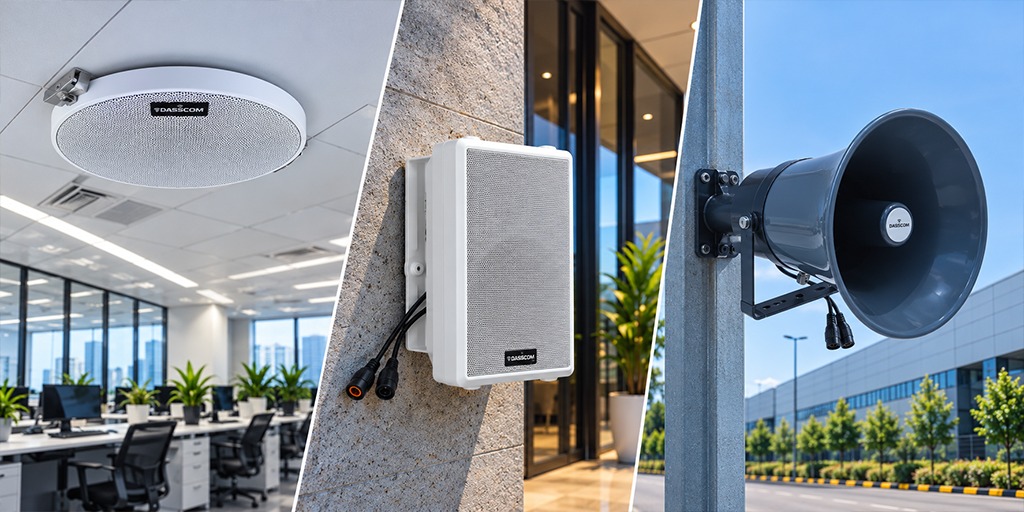
SIP Speaker Buying Guide: Ceiling, Wall-Mount or Horn Speaker?

Choosing the right speaker improves announcement clarity, coverage, and communication across facilities. This guide compares ceiling, wall-mount, and horn speakers for offices, schools, hospitals, factories, and campuses.

fffs

Modern facilities need reliable communication for daily announcements, emergency alerts, and background music. An IP-based public address system makes it possible to distribute audio across different areas using network-connected equipment. However, the quality of the system depends on choosing speakers suited to each location.

A SIP speaker connects to an IP communication network using the Session Initiation Protocol (SIP), allowing it to work with compatible SIP servers and paging systems. Depending on the model, it may also support Power over Ethernet (PoE), helping simplify installation.

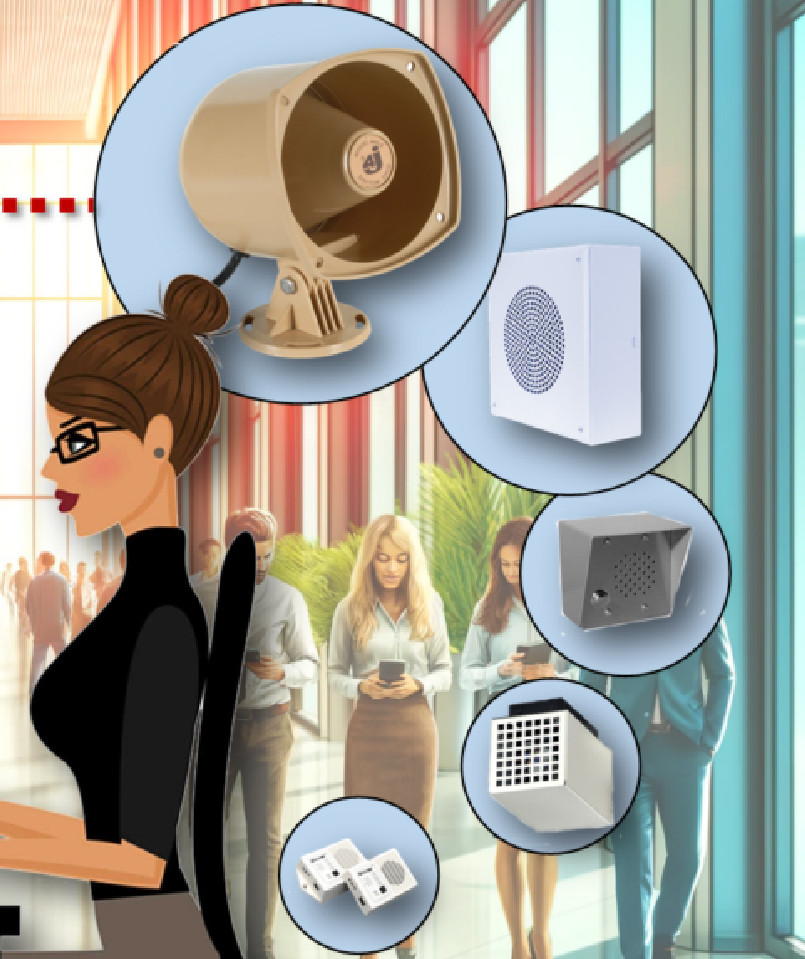
The right choice depends on where the speaker will be installed. Ceiling speakers suit discreet indoor coverage, wall-mounted speakers provide practical sound distribution in rooms and corridors, and horn speakers are designed for applications requiring sound projection across outdoor or noisy areas.

What Is a SIP Speaker?

A SIP speaker is a network-enabled speaker that can receive audio announcements through compatible IP communication systems. Instead of relying exclusively on a traditional centralized amplifier and conventional speaker wiring, SIP-enabled models can communicate through an IP network.

This makes them useful for organizations that need announcements across multiple rooms, floors, buildings, or outdoor areas. Depending on the system, users can broadcast live announcements, scheduled messages, alerts, or background music.

An IP-based PA system can also help organizations manage communication across designated zones. For example, a school may need separate announcements for classrooms and outdoor areas, while a factory may require communication across production floors and warehouse spaces.

Before purchasing, check the speaker’s SIP compatibility, power requirements, mounting design, environmental protection, and integration requirements.

Ceiling vs. Wall-Mount vs. Horn Speakers

Each speaker type serves a different purpose. The most suitable option depends on the size of the area, the installation surface, ambient noise, and the required sound coverage.

Speaker type

Best suited for

Main consideration

Ceiling speaker

Offices, classrooms, clinics, corridors

Discreet installation and distributed indoor audio

Wall-mount speaker

Meeting rooms, reception areas, corridors, commercial spaces

Wall placement and directed coverage

Horn speaker

Outdoor areas, factories, parking areas, campuses

Sound projection and environmental protection

A facility may also benefit from combining different speaker types. Indoor rooms can use ceiling or wall-mounted models, while outdoor zones can use suitable horn speakers connected to the same compatible paging infrastructure.

1. SIP Ceiling Speaker: Best for Discreet Indoor Coverage

A SIP ceiling speaker is installed in or on the ceiling, helping maintain a clean interior appearance while distributing announcements across the room.

This design is particularly useful in offices, classrooms, hospitals, hotels, retail stores, and other indoor environments where speakers should blend into the surroundings.

Ceiling-mounted speakers can provide practical coverage in spaces where people are distributed across a room rather than gathered in one direction. However, the number of speakers and their placement should be planned according to room dimensions, ceiling height, acoustic conditions, and background noise.

When Should You Choose a Ceiling Speaker?

Choose a ceiling speaker when:

  • The installation is primarily indoors.
  • A discreet appearance is important.
  • Announcements need to reach people across a room.
  • The building has suitable ceiling space and mounting conditions.

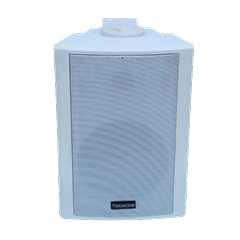
Dasscom DS-10C Ceiling Speaker

Dasscom’s DS-10C is a 10W ceiling speaker with SIP and PoE support, designed for announcements and background music.

It can be considered for offices, classrooms, clinics, and other indoor spaces that require network-based paging.

2. SIP Wall-Mount Speaker: Best for Rooms and Corridors

A SIP wall-mount speaker is installed on a wall and can be positioned to suit the layout of the room or passageway.

Wall-mounted designs are useful when ceiling installation is difficult, when the ceiling is too high, or when the building layout makes wall placement more practical. They can also help direct sound toward the intended listening area.

These speakers are commonly considered for offices, reception areas, hospital corridors, hotels, commercial facilities, and educational buildings.

When Should You Choose a Wall-Mount Speaker?

Consider a wall-mounted model when:

  • Ceiling installation is impractical.
  • The area is long or narrow, such as a corridor.
  • Sound needs to be positioned toward a particular listening area.
  • The installation requires accessible wall-mounted equipment.

The correct placement is important. A speaker installed too high, too low, or behind an obstruction may not provide the intended coverage. The final arrangement should be tested in the actual environment.

Dasscom DS-15W and DS-30W

Dasscom’s DS-15W is a 15W wall-mount speaker with SIP and PoE support. The DS-30W is listed as a 30W wall-mount model supporting SIP and PoE, with background music and announcement capabilities.

These models can be evaluated for indoor applications according to the required output, room size, mounting conditions, and system design.

View Dasscom Wall-Mount Speakers

3. SIP Horn Speaker: Best for Outdoor and Noisy Environments

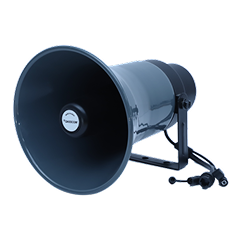
A SIP horn speaker is designed to project sound into open areas or environments where announcements need to be heard over greater distances or competing background noise.

Horn speakers are commonly considered for factory premises, warehouses, parking areas, school grounds, transport facilities, industrial sites, and large campuses.

Unlike a discreet ceiling speaker, a horn speaker prioritizes sound projection. The correct mounting direction, installation height, spacing, and output are important for ensuring that announcements reach the intended audience.

When Should You Choose a Horn Speaker?

Consider a horn speaker when:

  • The installation is outdoors or in a large open area.
  • Background noise may affect speech intelligibility.
  • Announcements must cover yards, parking areas, or industrial premises.
  • The speaker needs an enclosure suited to the installation environment.

Outdoor equipment should be selected according to the actual environmental conditions. Check the speaker’s IP protection rating, mounting hardware, power requirements, and operating specifications before installation.

Dasscom DS-15H and DS-30H

Dasscom’s DS-30H is a 30W SIP-enabled horn speaker with an IP65 protection rating. Its published features include PoE support, SIP integration, paging, notifications, and background music capabilities.

It can be evaluated for applications such as industrial sites, campuses, parking areas, and other outdoor environments.

How to Choose the Right Speaker for Your Facility

Before selecting a model, evaluate the environment and the purpose of the communication system.

1. Identify the Installation Area

Start by separating indoor and outdoor zones. Offices, classrooms, and meeting rooms generally require different mounting arrangements from factory yards, parking areas, and open campuses.

For mixed environments, a combination of ceiling, wall-mount, and horn speakers may be more practical than using one type everywhere.

2. Assess Coverage Requirements

Room dimensions, ceiling height, wall materials, and ambient noise affect speaker placement and performance.

Do not select a speaker based only on its wattage. Higher output does not automatically guarantee better intelligibility throughout an area. Consider the speaker’s design, coverage characteristics, mounting position, and the number of units required.

3. Check SIP Compatibility

The speaker should be compatible with the SIP server or paging system used by your organization. Confirm supported protocols, configuration options, and any integration requirements.

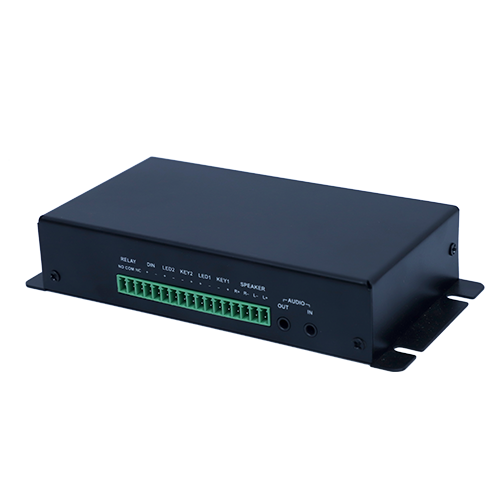
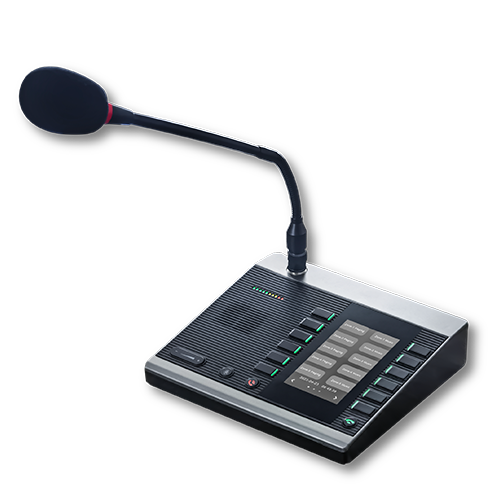
If you are building an IP-based PA system, also check whether the speakers can integrate with the intended paging controller, audio management software, or other components.

4. Evaluate Power and Network Connectivity

Many network speakers support PoE, allowing power and network connectivity to be delivered through a compatible Ethernet connection.

However, PoE requirements vary by model. Check the supported PoE standard, switch capacity, cabling, and total power budget before installation.

For larger deployments, also evaluate network bandwidth, VLAN requirements, and the way audio traffic will be managed.

5. Consider Future Expansion

A well-planned IP-based PA system should accommodate the organization’s future communication needs

A growing school may add classrooms, a factory may expand its production area, or a hotel may add another building. Consider whether new speakers and zones can be incorporated into the planned architecture without a major redesign.

Why SIP Speakers Are Useful for Modern PA Systems

SIP speakers can connect paging and audio communication with an organization’s IP infrastructure. This is particularly useful for facilities that need centralized communication across several areas.

Depending on the supported system and configuration, organizations can use network paging for live announcements, scheduled messages, alerts, and background music.

For example, a hospital may use indoor speakers for routine announcements and suitable speakers in designated areas for alerts. A factory may combine indoor paging with outdoor horn speakers for operational notifications.

The actual capabilities depend on the selected speakers, server, paging software, and system integration. Confirm that the required features are supported before specifying the installation.

Common Buying Mistakes to Avoid

One common mistake is choosing the same speaker type for every location. Ceiling speakers may suit indoor rooms, but they are not automatically the right choice for an exposed industrial yard.

Another mistake is focusing only on wattage while ignoring coverage, mounting, environmental protection, and intelligibility. The loudest speaker is not necessarily the most appropriate speaker for the space.

Businesses should also avoid overlooking SIP compatibility and PoE requirements. Confirm the specifications of each model and ensure that the network infrastructure can support the installation.

Finally, consider the whole paging system rather than evaluating speakers in isolation. Network connectivity, zone management, audio sources, and the intended announcement workflow all contribute to the final result.

Dasscom Offerings

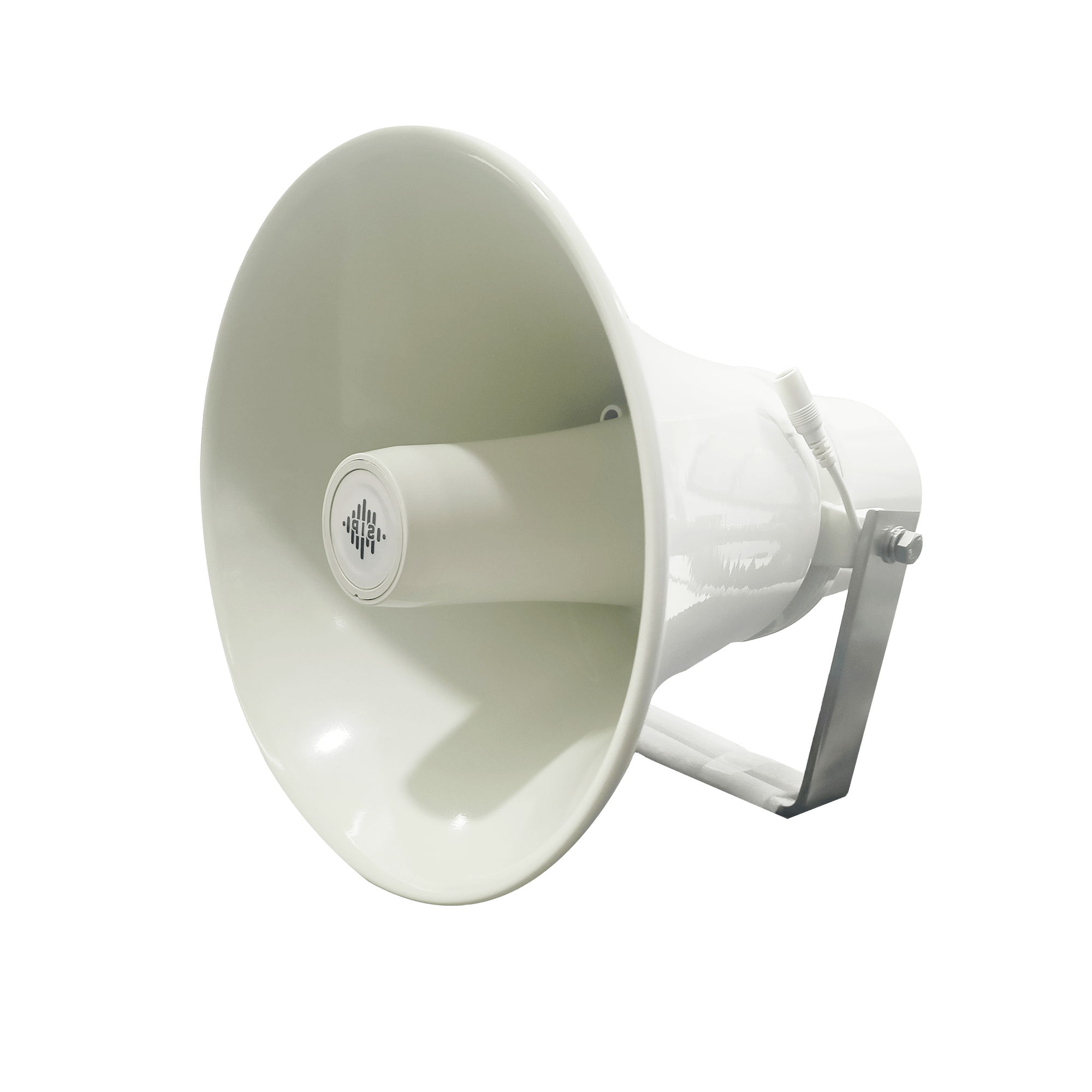
DS-15H

15 watt Horn speaker Support SIP IP 65 Rating Support BGM and announcement
DS-10C

10 watt Ceiling Speaker Support SIP PoE enabled Support BGM & announcement
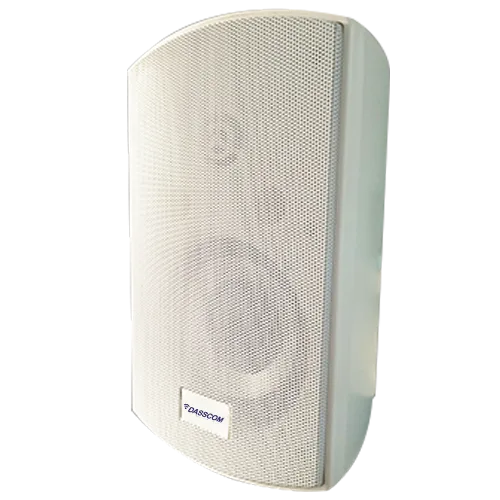
DS-15W

15 watt wall-mount speaker Support SIP PoE enabled Support BGM and announcement

Final Thoughts

The right speaker depends on the environment, coverage requirements, mounting options, and network compatibility. Choose ceiling speakers for discreet indoor audio, wall-mounted models for flexible room coverage, and horn speakers for outdoor projection. Dasscom offers SIP-enabled options for organizations building reliable, scalable public address systems.

Frequently Asked Questions (FAQs)

1. What is the difference between ceiling, wall-mount, and horn speakers?

Ceiling speakers suit discreet indoor coverage, wall-mount speakers provide flexible placement in rooms and corridors, and horn speakers are designed for sound projection in open or noisy environments.

The DS-10C ceiling speaker and DS-15W or DS-30W wall-mount speakers are options to evaluate for indoor office applications. The right model depends on room layout, mounting conditions, and coverage requirements. 

They can work with a compatible SIP server or paging system, but integration depends on protocol support, configuration, and the capabilities of the existing equipment.

Some are specifically designed for outdoor environments. Dasscom’s DS-30H is listed with an IP65 protection rating. Always confirm the environmental specifications of the chosen model before installation. 

Some models do. Dasscom’s DS-10C, DS-15W, and DS-30H are listed with PoE support. Verify the required PoE standard and available switch power before deployment. 

How to Choose a Noise-Cancelling Microphone Headset for a Busy Call Centre

How to Choose a Noise-Cancelling Microphone Headset for a Busy Call Centre

How to Choose a Noise-Cancelling Microphone Headset for a Busy Call Centre

Learn how to choose the right headset for a busy call centre by comparing microphone noise cancellation, audio clarity, comfort, connectivity, durability, and compatibility with business communication systems.

fffs

In a busy call centre, clear communication is essential. Agents handle customer enquiries, sales calls, technical support requests, and service complaints while conversations and background noise continue around them. The wrong headset can make it difficult to hear customers clearly and prevent customers from hearing agents properly.

A noise-cancelling microphone headset helps address this challenge by reducing unwanted background sounds captured by the microphone. When combined with comfortable construction, reliable connectivity, and clear audio, it can support professional communication throughout long working shifts.

For businesses choosing headsets, the priority should be understanding the working environment, identifying the right noise-reduction features, and selecting equipment compatible with the existing telephone or computer setup.
Why Does a Call Centre Need a Noise-Cancelling Headset?

Call centres often operate with multiple agents working in close proximity. Conversations, keyboard sounds, office equipment, and other background noise can interfere with customer calls.

A suitable headset helps agents concentrate on conversations and communicate without holding a telephone handset. Microphone noise reduction can also help reduce unwanted environmental sounds transmitted to customers.

This is especially useful for BPOs, customer service departments, sales teams, IT helpdesks, and technical support centres where employees handle calls throughout the day.

However, not all noise-cancellation technologies work in the same way. Understanding the difference between microphone noise cancellation and headphone noise cancellation is an important first step.

Microphone Noise Cancellation vs. Headphone Noise Cancellation

These two features address different problems.

Microphone noise cancellation focuses on reducing unwanted sounds picked up by the microphone and transmitted to the other person on the call. It is particularly important when agents work in shared spaces.

Headphone noise cancellation focuses on reducing the background noise an agent hears. Depending on the technology, this may involve passive isolation from the ear cushions or active noise cancellation.

When evaluating a noise-cancelling microphone headset, prioritize microphone performance if your main concern is preventing customers from hearing surrounding conversations. If agents also struggle to concentrate because of office noise, consider the headset’s listening-side isolation as well.

Do not assume that a noise-cancelling microphone automatically means the headset includes active noise cancellation for the wearer. Check the specifications of the particular model.

6 Important Features to Check Before Buying

1. Microphone Quality and Noise Reduction

Microphone performance should be one of the first considerations when selecting professional headsets.

Look for a microphone designed for voice communication, with suitable noise-reduction characteristics and an adjustable boom that can be positioned correctly. Directional pickup patterns can help focus on the speaker’s voice, depending on the microphone design.

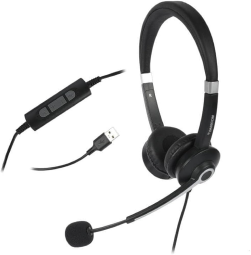
Dasscom’s DS-52 datasheet specifies a bidirectional microphone with a noise-cancelling pickup pattern, along with a flexible microphone boom. 

Before purchasing in bulk, test the headset in a realistic working environment. Have agents make calls while colleagues are speaking nearby and assess whether the customer’s side of the conversation remains clear.

2. Comfort for Long Working Hours

Call centre agents may wear headsets for extended periods, so comfort directly affects day-to-day usability.

Look for lightweight construction, an adjustable headband, comfortable ear cushions, and a microphone boom that can be positioned without repeated adjustments.

Dasscom’s call centre range includes features such as adjustable headbands, cushioned ear interfaces, and lightweight designs intended for professional use. 

Whenever possible, let agents test shortlisted models before ordering equipment for an entire team. Individual comfort preferences can differ.

3. Connectivity With Existing Equipment

A headset must work with the equipment agents use every day. Some call centres operate through desktop computers and softphones, while others use desk phones or IP phones.

Common connection options include USB, RJ-09, 3.5mm, 2.5mm, and Quick Disconnect (QD), depending on the headset model and configuration.

A USB headset for calls can be a practical choice for PC-based communication because it connects directly to a compatible computer. For desk-phone deployments, verify the headset’s connector and compatibility with the specific telephone model.

4. Audio Clarity

Both the agent and the customer should be able to hear conversations comfortably.

Look for a headset designed for professional voice communication, with specifications appropriate for telephone calls. The microphone should capture the agent’s voice clearly, while the headphone speakers should reproduce customer speech intelligibly.


Wideband audio can support a broader voice frequency range where the headset, telephone system, and communication platform all support it.

Remember that call quality also depends on the telephone system, network connection, software, and the audio settings used by the organization.

5. Durability and Maintenance

Headsets in busy contact centres experience frequent daily use. Employees may repeatedly wear, remove, adjust, and reposition them throughout their shifts.

Consider build quality, cable durability, replaceable parts, availability of accessories, and after-sales support. For larger deployments, standardizing on a few suitable models can also simplify purchasing, maintenance, and replacement.

6. In-Line Controls and Ease of Use

Depending on the model, in-line controls can make everyday call handling more convenient. Features may include volume adjustment and microphone mute.

Check which controls are available and whether they work as expected with the intended communication setup. Simple, consistent operation can be especially useful when onboarding large teams.

Which Dasscom Headset Should You Consider?

Dasscom offers three models in its professional call centre headset range: the DS-52, DS-900, and DS-1100. Their published configurations provide different connectivity options for business communication environments. 

Dasscom DS-52 — Veda Series

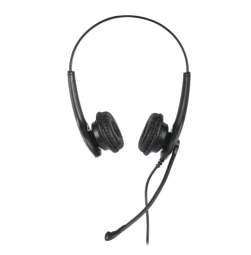
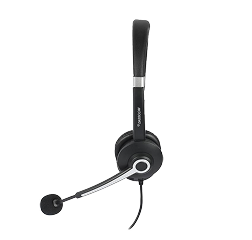
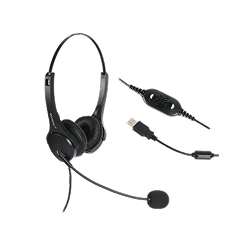
The DS-52 is a lightweight binaural headset with an adjustable headband and soft leatherette ear cushions. Its published specifications identify a noise-cancelling microphone pickup pattern and options for USB, 3.5mm, and RJ-09 connectivity, depending on the configuration.

It is worth considering for businesses that need a straightforward headset for desk phones, IP phones, computers, or compatible mobile devices.

Dasscom DS-900 — Divine Series

The DS-900 is designed for professional communication environments and is available in configurations for desk phones, IP phones, soft dialers, laptops, and PCs. The specific connection depends on the selected version. 

It can be considered by organizations that need flexibility across different communication setups.

Dasscom DS-1100 — Tatva Series

The DS-1100 offers multiple interface options, including USB, 3.5mm, 2.5mm, RJ, and QD configurations, depending on the version. Dasscom positions it for high-volume call centre environments that need connectivity flexibility.

For larger teams, confirm the exact interface, microphone features, and compatibility requirements before standardizing on this model.

The best choice depends on the equipment already in use, the noise conditions, and the comfort preferences of your agents—not just the model name.

Wired or Wireless: Which Is Better for a Call Centre?

Wired headsets are often practical for fixed workstations. They do not require battery charging and can simplify deployment across large teams.

Wireless headsets offer more freedom of movement, which can be useful for supervisors or employees who need to move away from their desks. However, battery life, charging arrangements, wireless connectivity, and device management must be considered.

For a traditional fixed-desk contact centre, wired equipment may provide the simplest solution. For more mobile workflows, wireless options may be worth evaluating.

How to Test a Headset Before Bulk Purchasing

Before ordering headsets for dozens or hundreds of agents, conduct a practical evaluation.

First, test microphone performance in the actual call centre environment. Ask someone on the other end of a call to assess how clearly the agent’s voice comes through while other people are speaking nearby.

Next, assess comfort over a representative working period. Check headband pressure, ear-cushion comfort, microphone positioning, and ease of adjustment.

Then verify compatibility with the existing telephone or computer setup. Test volume controls, mute functionality, and call handling where supported.

Finally, collect feedback from the agents who will use the equipment daily. This can help identify usability problems before they affect an entire team.

Common Buying Mistakes to Avoid

One common mistake is focusing only on headphone noise cancellation while overlooking the microphone. In a busy call centre, the sounds transmitted to customers can be just as important as the sounds the agent hears.

Another mistake is purchasing headsets without checking connector compatibility. A USB model may not connect directly to a desk phone that requires a different interface.

Businesses should also avoid selecting equipment based only on price. Comfort, durability, compatibility, maintenance, and replacement availability all contribute to long-term value.

Finally, do not assume every headset in a product range has identical features. Confirm the exact model and configuration before purchasing.

types of call center

DS-15H

15 watt Horn speaker Support SIP IP 65 Rating Support BGM and announcement

DS-10C

10 watt Ceiling Speaker Support SIP PoE enabled Support BGM & announcement

DS-15W

15 watt wall-mount speaker Support SIP PoE enabled Support BGM and announcement

DXP-7200N

4 SIP Account PoE phone Colour Screen HD Voice

DS-30ECL

1.Built-in 30W amplifier, 2.Class D Amplifier

DW-100

DW-100

2 SIP accounts Wi-fi Support Cordless Phone

Final Thoughts

Choosing the right headset means balancing microphone noise reduction, comfort, connectivity, durability, and compatibility. Test shortlisted models in realistic working conditions before bulk purchasing. Dasscom’s DS-52, DS-900, and DS-1100 offer options for different professional communication setups and contact centre requirements.

Frequently Asked Questions (FAQs)

1. What is a noise-cancelling microphone headset?

It is a headset with a microphone designed to reduce unwanted background sounds captured during voice communication. Its effectiveness depends on the microphone design, processing, and surrounding conditions.

Professional call centre headsets are designed for voice communication and frequent calling. Depending on the model, they may offer a boom microphone, business-focused connectivity, adjustable construction, and features suited to extended use.

Yes, if agents use compatible computers or softphones. Before deployment, confirm operating-system and application compatibility, microphone performance, and the controls available on the selected headset.

Consider the DS-52, DS-900, and DS-1100 based on your devices, connector requirements, microphone needs, and working environment. Confirm the precise configuration with Dasscom before purchasing.

It is important in shared workspaces because it can help reduce surrounding sounds transmitted to customers. Testing the microphone in the actual environment is the best way to assess whether it meets your needs.

How to Choose an IP PBX System for a 20–100 Employee Office

How to Choose an IP PBX System for a 20–100 Employee Office

How to Choose an IP PBX System for a 20–100 Employee Office

Discover how to choose the right IP PBX system for a 20–100 employee office by evaluating extensions, simultaneous calls, essential features, network readiness, scalability, and communication costs.

fffs

As an office grows, managing business calls becomes more complex. Employees need direct extensions, reception teams need efficient call transfers, and managers need reliable communication with colleagues, customers, and suppliers. A traditional telephone setup may become difficult to expand as these requirements increase.

An IP PBX system for office communication provides centralized call management over an IP network. It can support internal calling, call routing, voicemail, and other business telephony functions, depending on the system selected.

For an office with 20–100 employees, the right system depends on more than headcount. You need to evaluate the number of extensions, simultaneous external calls, existing telephone lines, required features, and future expansion plans. Choosing the right capacity at the beginning helps avoid unnecessary expenditure and operational limitations later.

What Is an IP PBX System?

An IP PBX, or Internet Protocol Private Branch Exchange, is a business telephone system that manages calls using IP-based communication technology.

Instead of assigning a separate traditional telephone line to every employee, an IP PBX can connect compatible IP phones through the office network. Employees can use individual extensions to call colleagues, transfer calls, and access other supported telephony features.

An IP PBX can also connect to external telephone services through SIP trunks or compatible gateways. Hybrid configurations can support selected analog telephone lines and devices, depending on the system’s interfaces and configuration.

For growing businesses, IP PBX solutions provide a structured way to manage internal and external communication while allowing the telephone system to expand as staffing and operational requirements change.

How Much IP PBX Capacity Does Your Office Need?

The first step is to separate three requirements: employee count, extension count, and simultaneous call capacity.

Employee count refers to the number of people who need communication access. Extension count refers to the individual telephone extensions or registered endpoints required. Simultaneous call capacity refers to how many calls the system can handle at the same time.

These figures are related, but they are not interchangeable.

For example, a 50-employee office might require 50 extensions but only a smaller number of simultaneous external calls during normal business hours. A sales team or customer support department may need more concurrent call capacity than an office where most employees make occasional calls.

Use the following as a starting point for planning:

Office size

Initial planning considerations

20–30 employees

Extensions for employees, reception, and key departments

30–60 employees

Departmental call routing, additional call capacity, and growth

60–100 employees

Extension management, higher concurrent-call demand, and structured expansion

These are planning categories, not fixed system specifications. The actual requirements depend on calling patterns, remote users, departments, and external call volumes.

Before purchasing an IP PBX system for office deployment, document how many users need extensions, how many calls typically occur simultaneously, and how much expansion is expected over the next three to five years.

Key Features to Look for in an IP PBX

1. SIP Extension Support

SIP extensions allow compatible IP phones and other supported endpoints to register with the telephone system.

Each employee can have an individual extension, making it easier to route internal calls and manage communication between departments. Depending on the configuration, users may also benefit from call transfers, forwarding, conferencing, and voicemail.

When evaluating SIP extensions, check the system’s supported extension capacity and confirm whether the stated figure refers to registered extensions, users, or another licensing category.

2. Call Routing and IVR

Call routing helps direct incoming calls to the appropriate department or employee. An Interactive Voice Response (IVR) menu can allow callers to select options, such as sales, support, accounts, or reception.

For offices receiving frequent customer enquiries, these features can improve call organization and reduce the need for manual transfers.

3. Voicemail and Call Recording

Voicemail helps employees receive messages when they are unavailable. Call recording can support training, quality review, or recordkeeping where appropriate.

Availability and functionality vary by system, so confirm whether the required features are built in, configurable, or subject to additional licensing or storage requirements.

4. Remote and Multi-Location Communication

Businesses with employees working from different locations may need remote extension support or connectivity between offices.

Before deployment, verify the system’s remote-access capabilities, security requirements, and compatibility with the organization’s network. Remote access should be configured securely rather than exposed directly to the public internet without appropriate protection.

5. Hybrid Telephony Support

Some offices still use analog phones, fax equipment, or traditional telephone lines. A hybrid IP PBX or compatible gateway can help integrate supported legacy equipment with IP-based communication.

This can allow businesses to modernize gradually instead of replacing every component at once.

Explore Dasscom IP PBX Systems

Choosing the Right Dasscom IP PBX System

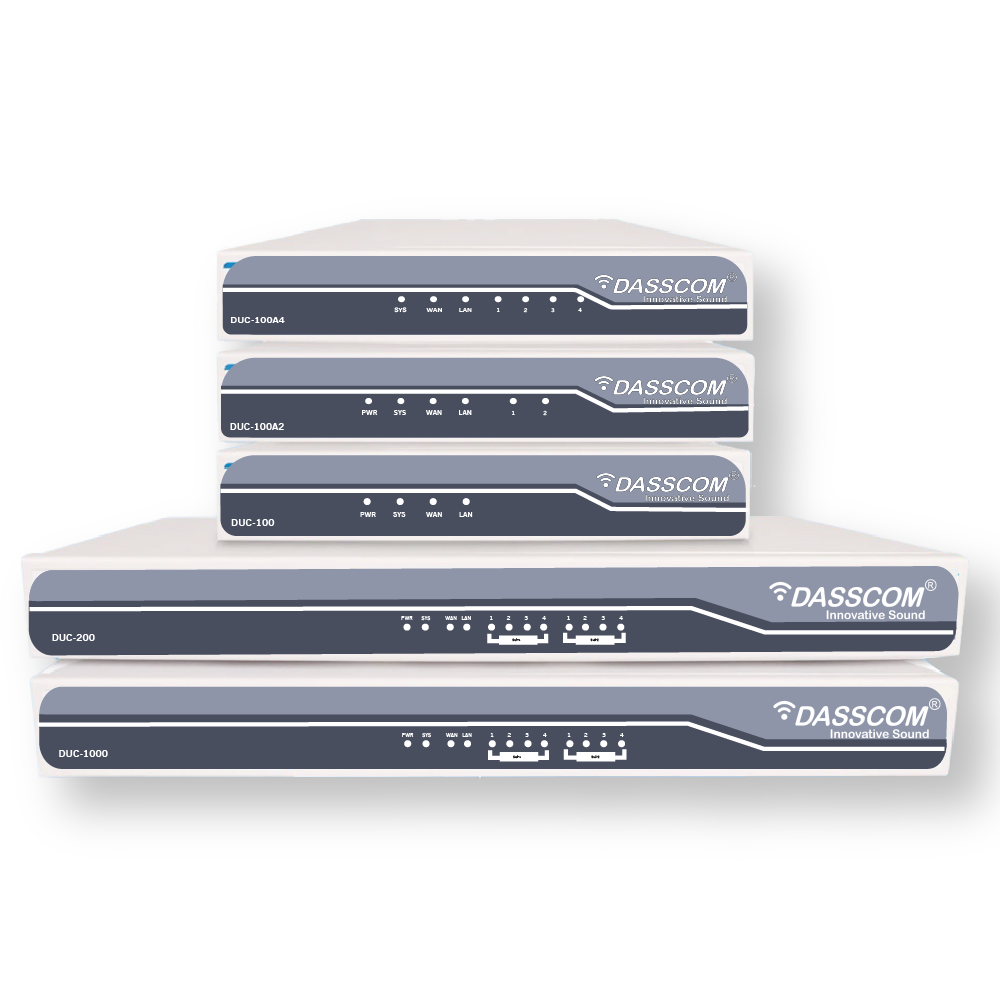
Dasscom’s DUC Series includes IP PBX options with different published extension capacities and telephony features. The appropriate model depends on the office’s actual requirements rather than employee count alone.

Dasscom DUC-100

Dasscom lists the DUC-100 as supporting up to 500 extensions, with built-in IVR, call recording, and remote extension support. 

For a 20–100 employee business, this published extension capacity provides room to evaluate future growth. However, extension capacity should not be treated as a guarantee of simultaneous-call capacity. Confirm the system’s concurrent-call specifications and configuration requirements before selecting it.

Dasscom DUC-100A2

The DUC-100A2 is listed with support for up to 500 extensions, built-in IVR, call recording, remote extension support, and two FXO interfaces.

Its additional analog-line support can be relevant for an office that needs to integrate compatible traditional telephone lines with an IP-based setup.

Dasscom DUC-200

The DUC-200 is listed with support for up to 800 extensions, built-in IVR, call recording, and two module slots for FXO, FXS, or GSM interfaces. 

It may be worth evaluating when an organization requires additional extension capacity or modular connectivity. A smaller office should still compare the actual call load, required interfaces, and expansion plans before selecting a larger system.

These published extension figures are product specifications, not recommendations that every office needs hundreds of extensions. For any shortlisted model, verify simultaneous calls, licensing, interface configuration, and other deployment-specific requirements with Dasscom.

IP PBX Solutions - DUC Series

DUC-100

DUC-100

Supports up to 500 extensions | Built IN IVR

DES-P82M - 2

DUC-100A2

500 extensions | Built in call recording

DUC 200-500

DUC-200

800 extensions | 2 Module slot for FXO/FXS/GSM

IP PBX vs. a Traditional Business Telephone System

Traditional telephone systems can meet basic communication needs, but expansion may require additional hardware or telephone-line changes, depending on the setup.

An IP PBX manages compatible voice endpoints through IP-based infrastructure. This can make extension administration and network-based communication more flexible.

A modern business VoIP phone system can also support a combination of IP phones, SIP trunks, and compatible gateways. Depending on the configuration, businesses may benefit from centralized call management, flexible extension provisioning, and integration with existing telephony infrastructure.

However, an IP PBX is not automatically cheaper or better for every office. Compare the total cost of hardware, phones, licenses, SIP services, installation, maintenance, and network readiness before making a decision.

Network Requirements Before Installation

Voice communication depends on a stable network. Before deploying an IP PBX, confirm that the office LAN can support the expected call traffic alongside everyday data applications.

Important considerations include:

  • Bandwidth: Ensure sufficient network capacity for expected concurrent calls.
  • Quality of Service (QoS): Where supported, prioritize voice traffic to help manage congestion.
  • Power over Ethernet: Compatible PoE switches can supply power to supported IP phones through Ethernet cables.
  • Network segmentation: Consider suitable VLAN configuration to separate voice and data traffic where appropriate.
  • Security: Use strong credentials, secure remote access, and appropriate firewall and access policies.
  • Internet connectivity: If external calls rely on SIP trunks or cloud services, assess internet reliability and any backup requirements.

A suitable business VoIP phone system should be planned together with the office network rather than installed as an isolated piece of equipment.

How to Calculate the Cost of an IP PBX System

The total cost depends on the selected PBX model, number and type of phones, interfaces, licenses, installation, and ongoing telephone services.

A practical budget should include the following:

  1. IP PBX hardware and any required modules.
  2. IP phones, headsets, and other endpoints.
  3. SIP trunk subscriptions or external calling charges.
  4. Network switches, cabling, and any required upgrades.
  5. Installation, configuration, and staff training.
  6. Maintenance, support, and future expansion

Businesses should also distinguish between initial purchase cost and long-term operating cost. A system that is inexpensive initially may require additional modules or licensing later, while a system with more capacity than needed may increase upfront expenditure without delivering an immediate benefit.

Request a configuration-based quotation that clearly states the supported extensions, concurrent calls, included features, and additional costs.

Request an IP PBX Consultation

Common Mistakes to Avoid

One common mistake is choosing a system based only on the number of employees. A 70-person office with a busy sales team may have very different calling requirements from a 70-person office where most employees make occasional calls.

Another mistake is assuming that the maximum number of extensions equals the number of simultaneous calls. These are separate capacity considerations and should be verified independently.

Businesses should also avoid overlooking analog-line requirements, remote access, network readiness, and future expansion. Planning these details before installation can reduce unexpected costs and help the system meet operational needs.

Finally, confirm the compatibility of IP phones, gateways, and other endpoints with the chosen PBX before purchasing equipment.

Final Thoughts

Choosing the right IP PBX starts with understanding extensions, simultaneous calls, features, and network readiness. Compare verified product specifications, total ownership costs, and future expansion requirements before investing. For a 20–100 employee office, a properly sized system can provide organized calling and support business growth without unnecessary complexity.

Frequently Asked Questions (FAQs)

1. Which IP PBX system is suitable for a 20–100 employee office?

The right model depends on extension requirements, concurrent calls, telephony interfaces, features, and growth plans. Compare the published specifications of shortlisted systems and confirm capacity with the manufacturer.

A starting estimate is one extension per employee who requires a telephone endpoint, plus any shared or departmental extensions. The final count depends on roles, shared devices, remote users, and how the office handles calls.

Extension capacity indicates how many extensions the system can support, while simultaneous-call capacity indicates how many calls can be handled at once. Always verify both specifications.

Yes, if the selected PBX supports the required analog interfaces or can connect through a compatible gateway. Check the number and type of ports needed for your existing setup.

Many IP PBX systems support expansion, but the limits depend on the model, licenses, hardware modules, and configuration. Confirm available capacity before purchasing if significant growth is expected.

PoE Switch Power Budget: How to Size Your Network for IP Phones and Access Points

PoE Switch Power Budget: How to Size Your Network for IP Phones and Access Points

PoE Switch Power Budget: How to Size Your Network for IP Phones and Access Points

Learn how to calculate PoE power requirements, compare switch budgets, and choose the right network switch for IP phones and wireless access points without overspending or limiting future growth.

fffs
When planning a business network, selecting a switch with enough Ethernet ports is only part of the decision. The switch must also supply sufficient electrical power to connected devices such as IP phones and wireless access points.

This is where the PoE switch power budget becomes important. It determines how much total power a switch can distribute across its Power over Ethernet ports. If the budget is too low, some devices may not receive power, even when unused Ethernet ports are available.

The right approach is to calculate the power requirements of all connected devices, check the switch’s total power capacity, and allow room for future expansion. This helps businesses build a reliable network without paying for more capacity than they need.

What Is a PoE Switch Power Budget?

A PoE power budget is the total electrical power a switch can provide to connected PoE devices. It is measured in watts (W) and is separate from the switch’s Ethernet port count or data-transfer capacity.

For example, a switch may have eight PoE-enabled ports and a total power budget of 120W. Although every port may support a specified maximum output, the switch cannot necessarily supply that maximum to all ports simultaneously if their combined demand exceeds 120W.

This distinction is essential when deploying IP phones, wireless access points, surveillance cameras, and other powered network devices.

A PoE network switch should therefore be selected based on three factors: the number of devices, the power required by each device, and the total power available from the switch.

PoE vs PoE+: Understanding Power Requirements

Before calculating your network’s power needs, understand the difference between standard PoE and PoE+.

Feature

Standard PoE

PoE+

IEEE standard

802.3af

802.3at

Maximum power supplied by the switch per port

15.4W

30W

Typical applications

Compatible IP phones and lower-power devices

Compatible phones, access points, and higher-power devices

These are maximum power levels defined by the standards. The power available to a device after transmission losses is lower, and the actual requirement depends on the connected equipment. 

When comparing PoE vs PoE+, do not assume that every access point requires PoE+ or that every IP phone can operate on standard PoE. Check the power specifications of the exact device model before choosing a switch.

How to Calculate Your PoE Power Budget

Calculating the required capacity is straightforward when you know the power requirements of your devices.

Use this formula:

Total required power = Sum of the power requirements of all connected devices

For example, imagine an office network containing:

  • 12 IP phones requiring 15.4W each
  • 4 wireless access points requiring 30W each

The estimated device power requirement is:

12 × 15.4W = 184.8W

4 × 30W = 120W

Total device power requirement = 304.8W

These figures are illustrative. Use the manufacturer’s stated power requirements for your actual devices.

Next, check the switch’s available PoE budget and confirm that it can support the required load, accounting for how the switch allocates power and any applicable transmission losses.

For a practical design, leave additional capacity for future devices and changes in power demand instead of selecting a switch that operates continuously at its limit.

Explore Dasscom PoE Switches
Why You Should Leave Spare Power Capacity

A network’s power requirements can change as the business grows. New employees may need IP phones, additional access points may be installed, or existing devices may be upgraded.

A switch sized exactly for the initial deployment can leave little flexibility for these changes.

As a planning example, suppose your connected devices require 120W and you decide to retain a 20% planning allowance:

120W × 1.20 = 144W

A switch with a suitable available power budget of at least 144W would meet that illustrative planning target, provided its port-level limits and other specifications also satisfy the deployment requirements.

The 20% allowance is a planning example, not a mandatory industry rule. The appropriate reserve depends on the devices, expansion plans, and power-management behaviour of the selected switch.

Choosing a PoE Switch for IP Phones

IP phones are widely used in offices, reception areas, customer support departments, and enterprise communication environments. PoE allows compatible phones to receive both network connectivity and electrical power through a single Ethernet cable.

This can simplify desk installations and reduce the need for individual power adapters.

When selecting a PoE switch for IP phones, check the following:

  • The phone’s supported PoE standard.
  • Its specified power requirement.
  • The number of phones connected simultaneously.
  • The available PoE budget after accounting for other devices.
  • The Ethernet speed and network features required by the deployment.

Most importantly, do not calculate phone requirements using a generic wattage if the actual phone specifications are available.

For instance, if 20 compatible phones each require 7W, their combined estimated demand is 140W. If wireless access points share the same switch, their power requirements must be added before selecting the switch.

Choosing a PoE Switch for Access Points

Wireless access points distribute connectivity to laptops, smartphones, tablets, and other wireless devices. Their power requirements vary depending on the model and supported capabilities.

A PoE switch for access points should provide sufficient power per port as well as enough total capacity for the entire wireless deployment.

Wi-Fi generation alone does not determine the required PoE standard. Check the access point’s published power requirements, supported PoE input, and recommended power source.

For example, a business installing several access points should calculate their combined power demand before adding IP phones or other PoE devices to the same switch.

Also consider the Ethernet uplink capacity. An access point can receive sufficient power but still experience network limitations if its uplink or the wider network is undersized.

Example: Sizing a Switch for Phones and Access Points

Consider a small office planning to install 16 IP phones and four wireless access points.

For illustration, assume:

  • Each IP phone requires 15.4W.
  • Each access point requires 30W.

The phone requirement is:

16 × 15.4W = 246.4W

The access point requirement is:

4 × 30W = 120W

The total estimated power requirement is 366.4W.

If the business uses the same 20% planning allowance, the target becomes:

366.4W × 1.20 = 439.68W

The business should look for a switch with sufficient total PoE capacity for this target, compatible port-level power, and enough ports for all devices. It should also check whether its uplinks and management capabilities meet the network requirements.

This example illustrates why the number of ports alone is not enough to determine the right switch.

How to Evaluate Dasscom PoE Switches

Dasscom offers PoE switching options for different network sizes and deployment requirements. The following examples show how published power specifications can inform switch selection.

Dasscom DES-P82GS2

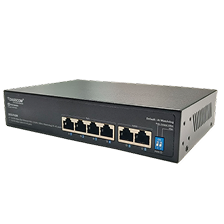
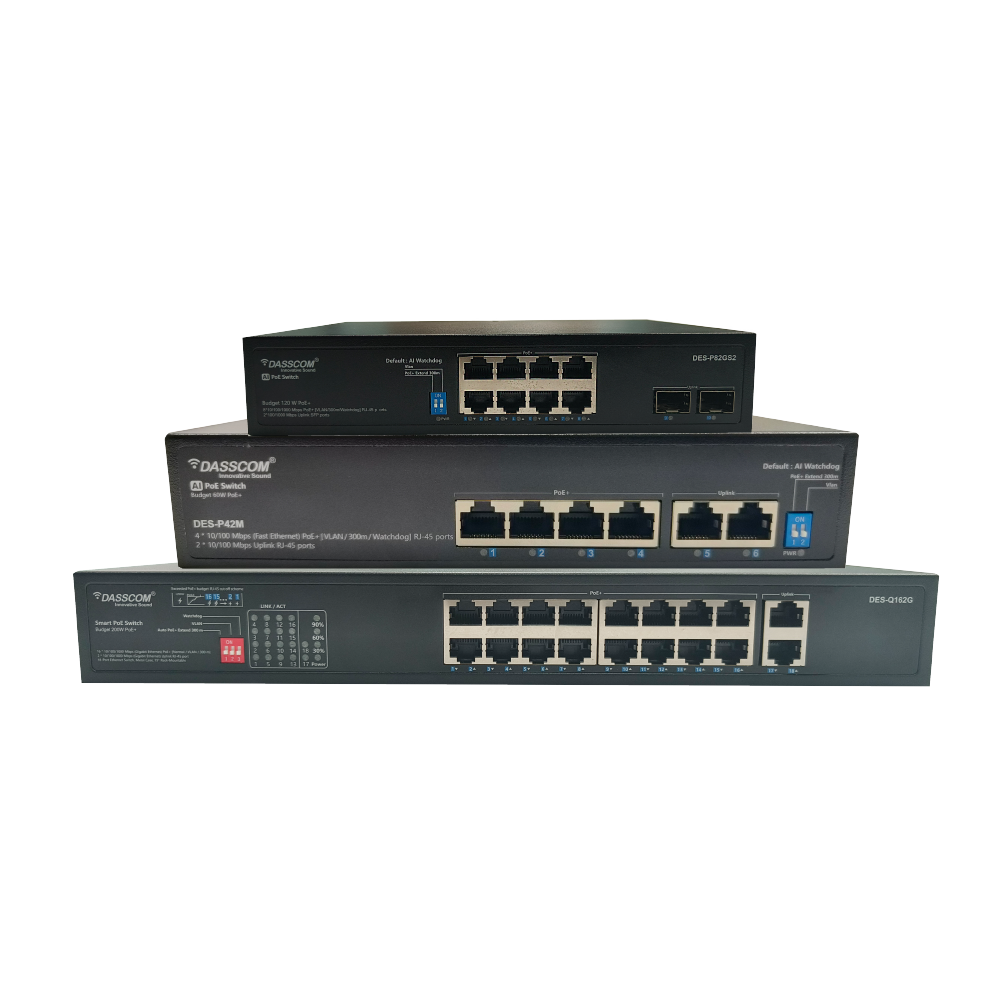
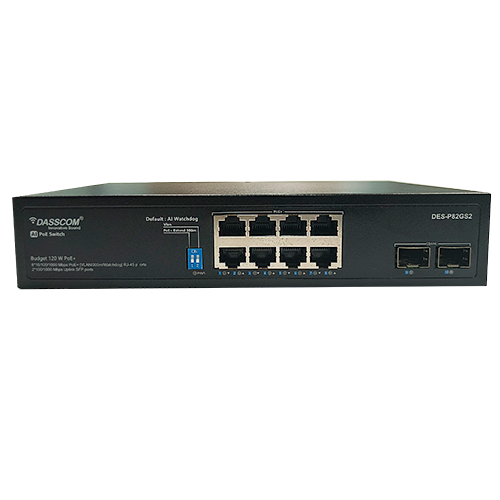
The DES-P82GS2 provides eight Gigabit PoE ports, two SFP uplink slots, and a total PoE power budget of 120W. Its PoE ports support IEEE 802.3af/at, with up to 30W per port. 

It can be considered for smaller deployments involving compatible IP phones, wireless access points, or surveillance devices. The total connected load must remain within the available budget.

Dasscom DES-Q162G

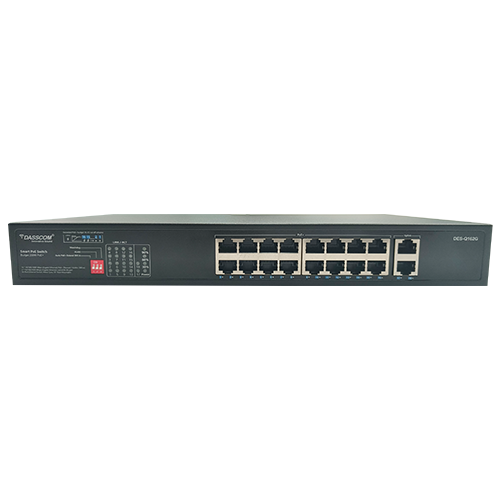
The DES-Q162G provides 16 Gigabit PoE ports and a published total PoE output of 200W. Its ports support IEEE 802.3af/at, with up to 30W per port. 

This model may be worth evaluating for a deployment with more powered devices, provided its total power capacity and other specifications match the planned load.

Dasscom DES-P242MGS1

The DES-P242MGS1 provides 24 PoE ports, two Gigabit RJ45 uplinks, one SFP uplink, and a published total PoE power budget of 300W. It supports IEEE 802.3af/at and up to 30W per PoE port. 

It can be considered for larger deployments that need more ports and power capacity. However, a larger switch is not automatically the best choice; compare the required device count, power budget, uplink requirements, and future expansion before deciding.

Discuss Your Network Requirements with Dasscom

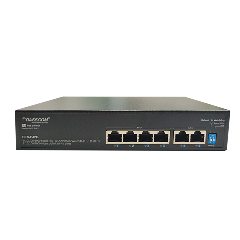
Dasscom PoE Switches

DES-P82GS2-500

DES-P82GS2

8×10/100/1000Base-T PoE ports and 2×1000M SFP uplink ports, supporting IEEE 802.3af/at with up to 30W per port and a total PoE power budget of 120W

DES-Q162G

DES-Q162G

16 x 10/100/1000M PoE ports and 2x1000M uplink RJ45 ports. Supporting IEEE 802.3af/at standards, each PoE port delivers up to 30W, with a total PoE power budget of 200W

DES-P242MGS1

24×10/100M PoE ports, 2×1000M RJ45 uplink ports, and 1×100/1000M SFP port. Supporting IEEE 802.3af/at standards, each PoE port delivers up to 30W, with a total power budget of 300W

DES-P42G

DES-P42G

4×100/1000M PoE ports and 2×100/1000M RJ45 uplink ports, supporting IEEE 802.3af/at with up to 30W per port and a total PoE output of 65W

Common PoE Budgeting Mistakes to Avoid

One common mistake is multiplying the maximum per-port output by the total number of ports and assuming the switch can supply that amount. The switch’s actual total PoE budget may be considerably lower.

Another mistake is ignoring the power requirements of wireless access points when calculating capacity for IP phones. Every powered device connected to the switch contributes to the overall demand.

Businesses should also avoid selecting a switch solely because it supports PoE+. Compatibility, port-level power, total budget, Ethernet performance, and management requirements all matter.

Finally, review the power budget when adding equipment to an existing network. A switch that supported the original installation may not have sufficient spare capacity for an expansion.

PoE Power Budget Checklist

Before purchasing a switch, confirm that you have:

  • Counted all planned PoE devices.
  • Checked the power requirements of each device.
  • Confirmed supported PoE standards.
  • Calculated the combined power requirement.
  • Allowed appropriate capacity for expansion.
  • Checked the maximum power available per port.
  • Verified the total switch power budget.
  • Confirmed the number and speed of Ethernet ports.
  • Reviewed uplink requirements and network management needs.

Following this process helps reduce unexpected power limitations and supports a more predictable network deployment.

Final Thoughts

Sizing a PoE network correctly starts with device-level power requirements, not port count alone. Calculate combined demand, verify per-port compatibility, and retain suitable capacity for growth. Dasscom’s PoE switches offer different port counts and published power budgets, helping businesses evaluate options for IP phones, access points, and evolving network requirements.

Frequently Asked Questions (FAQs)

1. What is a PoE switch power budget?

It is the total electrical power available for distribution to compatible PoE devices connected to a switch. It determines how much combined device load the switch can support.

The requirement varies by phone model and features. Check the manufacturer’s specifications and use the stated power requirement when calculating the total network load.

No. PoE+ supports a higher maximum power level per port, but standard PoE may be sufficient for devices with lower power requirements. Choose according to device compatibility and actual power demand.

Yes, if the switch supports the required PoE standards and has sufficient ports, total power capacity, and suitable network performance for all connected devices.

There is no single allowance for every deployment. Consider the possibility of adding devices, changes in power requirements, and the switch’s power-allocation behaviour. A planning reserve can help avoid premature replacement.

High-Density Wi-Fi Planning for Offices, Hotels and Campuses

High-Density Wi-Fi Planning for Offices, Hotels and Campuses

High-Density Wi-Fi Planning for Offices, Hotels and Campuses

High-density Wi-Fi planning helps offices, hotels, and campuses deliver reliable connectivity to many simultaneous users. Learn how access point placement, capacity, interference, and network design improve wireless performance.

fffs

As businesses, hotels, and educational institutions become more connected, their wireless networks must support more users, devices, and applications at the same time. Employees join video meetings, hotel guests stream content, and students access cloud platforms—all while using the same wireless infrastructure.

This makes high-density Wi-Fi planning essential. Instead of focusing only on signal coverage, organizations must design networks around the number of simultaneous users, application requirements, wireless interference, and available bandwidth.

The most effective approach combines a proper site survey, strategic access point placement, suitable hardware, channel planning, and ongoing monitoring. Adding more access points without considering these factors can create interference rather than improve performance. 
What Is High-Density Wi-Fi?

High-density Wi-Fi refers to a wireless network designed to serve many connected devices within a relatively limited area. Typical environments include corporate offices, conference rooms, hotel lobbies, university classrooms, libraries, auditoriums, and campus common areas.

In these locations, the challenge is not simply providing a strong wireless signal. The network must distribute available capacity efficiently among multiple users who may be browsing, streaming, downloading files, or participating in video calls simultaneously.

A well-designed high-density deployment considers both coverage and capacity. Coverage ensures users can connect where they need to, while capacity determines whether the network can handle demand during busy periods.

Why Offices, Hotels and Campuses Need High-Density Wi-Fi Planning

Different environments create different wireless challenges.

Offices: Employees may use multiple devices, cloud applications, VoIP communication, and video conferencing throughout the day. Meeting rooms can experience sudden increases in demand when teams gather for presentations or calls.

Hotels: Guest rooms, reception areas, restaurants, conference facilities, and recreational spaces have different connectivity requirements. Guest access must also be separated appropriately from internal business systems.

Educational campuses: Classrooms, libraries, lecture halls, laboratories, and hostels may have large numbers of students connecting simultaneously. Network demand can increase sharply between classes and during online examinations.

These environments benefit from a design that considers user behaviour, building layout, and peak usage rather than relying on a basic coverage estimate.

Key Elements of High-Density Wi-Fi Planning

1. Start With a Wireless Site Survey

A site survey helps establish where access points are needed and what may affect wireless performance.

A predictive survey uses floor plans and environmental information to estimate coverage and capacity. An on-site survey measures real conditions, while a post-installation survey helps validate the deployed network.

Building materials, walls, floors, furniture, neighbouring wireless networks, and sources of interference can all affect the final design. 

Before installation, map the main areas requiring coverage, identify locations with concentrated users, and estimate how many devices will connect during peak periods.

2. Plan for Capacity, Not Just Coverage

A strong signal does not automatically mean a fast connection. An access point may cover an entire meeting room but struggle when dozens of devices compete for wireless airtime.

Capacity planning should account for simultaneous users, the number of devices per user, application traffic, and peak usage periods.

A high-density access point should be evaluated against the expected workload and its published capabilities—not simply its advertised maximum user count.

For example, a classroom used for online assessments may need a different design from an office floor where most users perform routine browsing and email tasks.

3. Place Access Points Strategically

Access point placement directly affects coverage, interference, and the quality of connections.

Installing access points centrally in suitable locations can help distribute coverage. However, high-density environments may require more detailed placement based on room layouts, walls, ceiling heights, and the number of users in each zone.

Avoid assuming that placing an access point in a corridor will automatically provide good coverage inside every room. Validate the signal in the actual areas where people work, stay, or study.

Also, avoid placing multiple access points too close together without a channel and transmit-power plan. Overlapping wireless cells can increase interference and reduce available capacity. 

4. Manage Channels and Interference

Nearby access points may compete for the same wireless channels. This can increase contention and reduce performance, particularly in buildings with many access points or neighbouring networks.

Channel planning helps distribute access points across suitable channels. Channel width should also match the deployment environment: wider channels can offer higher peak throughput, but they consume more spectrum and may reduce channel reuse in crowded environments.

The objective is not to maximize every radio setting. It is to balance performance, channel availability, and interference for the actual site. 

Explore Dasscom Access Points

Choosing the Right Access Point for High-Density Environments

Hardware selection should follow the network design rather than determine it.

A suitable enterprise Wi-Fi access point should be evaluated for its Wi-Fi generation, supported frequency bands, throughput specifications, Ethernet connectivity, power requirements, security capabilities, and management options.

Wi-Fi 6 can improve efficiency in environments with many connected devices. Wi-Fi 7 introduces additional capabilities for higher potential throughput when supported by the access point, client devices, and network infrastructure.

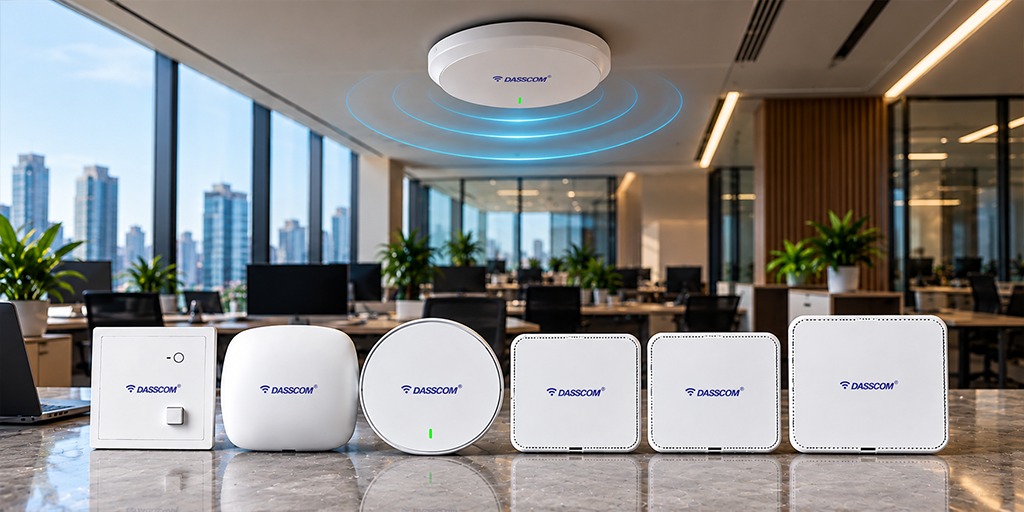
Dasscom offers several models for businesses to evaluate:

  • DAP-1100C: Wi-Fi 6, stated wireless throughput of up to 1.5 Gbps, Gigabit WAN/LAN, support for up to 128 users, WPA3, and Mesh support.
  • DAP-2200C: Wi-Fi 6, stated wireless throughput of up to 3 Gbps, support for up to 128 users, and Mesh capability.
  • DAP-3300C: Wi-Fi 7, stated wireless throughput of up to 5 Gbps, 2.5G WAN connectivity, PoE++ support, and capacity for up to 256 users.

These are published product specifications, not guarantees of real-world throughput. Actual performance depends on client devices, interference, configuration, and deployment conditions. 

The DAP-1100C, DAP-2200C, and DAP-3300C can therefore be considered when evaluating different wireless capacity and connectivity requirements.

When Should You Consider a High-Density Access Point?

A high-density access point is worth evaluating when a location experiences heavy simultaneous usage, such as a lecture hall, conference facility, busy hotel lobby, or shared office.

However, hardware alone cannot resolve every performance issue. Poor channel planning, limited wired uplinks, inadequate internet bandwidth, and incorrect placement can continue to affect the network even after newer access points are installed.

The right model should be selected after assessing both the wireless environment and the supporting network infrastructure.

Design for Each Environment

Offices and Corporate Workspaces

An access point for office deployments should be selected according to employee density, meeting-room usage, cloud application requirements, and the number of connected devices.

Open-plan offices may require a different layout from offices divided into small rooms. Meeting rooms often deserve special attention because many users can connect in the same space for short periods.

Businesses should also plan suitable wired uplinks and PoE capacity so access points receive the connectivity and power required for operation.

Hotels and Hospitality

Hotel wireless planning should consider guest rooms, corridors, lobbies, restaurants, event spaces, and back-office operations separately.

Guest traffic should be appropriately isolated from internal business systems. Coverage should be tested inside rooms rather than assumed from corridor signal strength alone.

A well-planned business Wi-Fi network can also account for staff mobility and guest movement between areas. Authentication, access policies, and bandwidth allocation should align with the hotel’s operational requirements.

Schools and University Campuses

Campus networks often need to support classrooms, laboratories, libraries, hostels, administrative offices, and outdoor common areas.

User density varies throughout the day, so planning should consider both normal activity and peak periods. Large lecture halls may need capacity-focused designs, while administrative offices may prioritize consistent coverage for everyday applications.

Where buildings are separated, the network design should also consider how each building connects to the wider campus infrastructure.

High Density Access Points

WIFI 6 DAP-1000C

DAP-1000C

Ideal for Hotels | Optimized for Multiple Users

access point for Enterprise

DAP-2205C

Offers Advanced Security for Business Networks

access point for Enterprise

DAP-3300C

Built for Hospitals or Smart Commercial Spaces

Optimize the Supporting Network Infrastructure

Wireless performance depends on more than the access point itself.

The Ethernet switch, uplink capacity, internet connection, cabling, and PoE supply all influence the end-user experience. If multiple access points share an undersized uplink, congestion may occur even when wireless coverage appears adequate.

Security also requires attention. Separate corporate, guest, and IoT traffic where appropriate, apply suitable authentication, and review access permissions.

A properly designed business Wi-Fi network should also include monitoring to help identify overloaded access points, unusual traffic patterns, and coverage complaints.

Common High-Density Wi-Fi Planning Mistakes

Several mistakes can undermine an otherwise capable wireless deployment.

First, installing more access points without a channel plan can increase interference. Second, relying only on maximum user specifications can result in insufficient capacity during busy periods. Third, ignoring wired uplinks and PoE requirements can create bottlenecks outside the wireless layer.

Another common mistake is testing the network only when few people are connected. Performance should be validated under realistic usage conditions wherever possible.

Finally, avoid treating the whole building as a single wireless zone. Offices, hotel rooms, conference halls, and campus spaces often have different needs and should be planned accordingly.

Discuss Your Wireless Network Requirements

Final Thoughts

Reliable wireless performance depends on planning, not simply installing more access points. Assess user density, building layouts, interference, wired capacity, and security before deployment. For offices, hotels, and campuses, the right access point and a validated network design can help deliver consistent connectivity as usage grows.

Frequently Asked Questions (FAQs)

1. What is high-density Wi-Fi planning?

High-density Wi-Fi planning is the process of designing wireless networks to support many simultaneous users and devices. It involves site surveys, capacity planning, access point placement, channel management, and performance validation.

There is no universal number. The requirement depends on building size, construction materials, user density, application demand, access point capabilities, and interference. A site survey helps determine an appropriate deployment.

Dasscom lists the DAP-1100C and DAP-2200C as Wi-Fi 6 options, with the DAP-3300C offering Wi-Fi 7 capabilities. Compare their published specifications with the site’s capacity, connectivity, and management requirements.

No. Additional access points can increase capacity when properly planned, but poor placement and channel overlap may create more interference. Access point density, transmit power, channel selection, and wired capacity must work together.

The distinction depends on the individual product. For business deployments, evaluate management options, security, PoE support, network compatibility, capacity, and the requirements of the installation rather than relying on the product label alone.