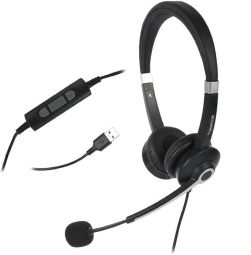
Best Noise Cancelling Headset for Call Centers: 2026 Buying Guide

Best Noise Cancelling Headset for Call Centers: 2026 Buying Guide
Best Noise Cancelling Headset for Call Centers: 2026 Buying Guide

This 2026 buying guide explains how to choose the best noise cancelling headset for call centers, covering noise reduction, microphone quality, comfort, connectivity, durability, and emerging trends.

fffs

Call centers have changed significantly in recent years. Agents now work across traditional contact centers, hybrid offices, remote locations, and distributed support teams. At the same time, customers expect conversations to be clear, quick, and professional.

In this environment, a headset is no longer simply an accessory. It directly influences how clearly agents hear customers, how effectively customers hear agents, and how comfortable employees remain during long shifts.

This makes choosing the best noise cancelling headset an important decision for customer service teams, BPOs, sales teams, IT helpdesks, and other voice-based operations.
In 2026, headset selection is also being influenced by new developments in AI-assisted audio processing, microphone-based background-noise suppression, flexible USB connectivity, hybrid work, and greater emphasis on employee comfort and productivity.

Why Noise Cancellation Matters in Call Centers

Call centers are often busy environments where multiple conversations, keyboards, office equipment, air-conditioning systems, and other background sounds occur simultaneously.
Without effective noise reduction, agents may struggle to concentrate on conversations. Customers may also hear surrounding conversations, reducing the perceived professionalism of the interaction.
A good headset addresses both sides of the conversation. The speakers or ear cushions help the agent hear the customer, while the microphone’s noise-reduction capabilities help ensure the customer’s voice is not competing with unnecessary background sound.

This is why noise reduction headphones with mic are increasingly relevant for professional communication environments.

What Makes the Best Noise Cancelling Headset?

There is no single headset that is perfect for every call center. The right choice depends on the working environment, communication platform, number of daily calls, connectivity requirements, and budget.
However, several features should be considered when evaluating professional headsets.

1. Effective Microphone Noise Reduction

For a call center, microphone performance is particularly important.
The headset should capture the agent’s voice clearly while minimizing surrounding sounds. Technologies such as directional microphones, environmental noise cancellation, background-noise suppression, and filtering can help improve outgoing voice clarity.
This is different from simply blocking noise for the person wearing the headset. A headset can make the agent’s environment quieter without necessarily preventing the customer from hearing nearby conversations.
Therefore, when comparing noise reduction headphones with mic, pay close attention to microphone performance.

2. Comfortable Design for Long Shifts

Call center agents may spend many hours wearing their headsets. Even excellent audio technology becomes less useful if the headset causes discomfort.
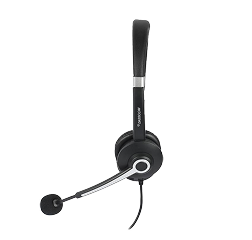
Look for lightweight construction, adjustable headbands, cushioned ear pads, suitable clamping pressure, and a microphone boom that can be positioned comfortably.

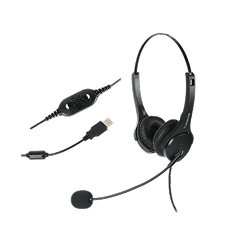
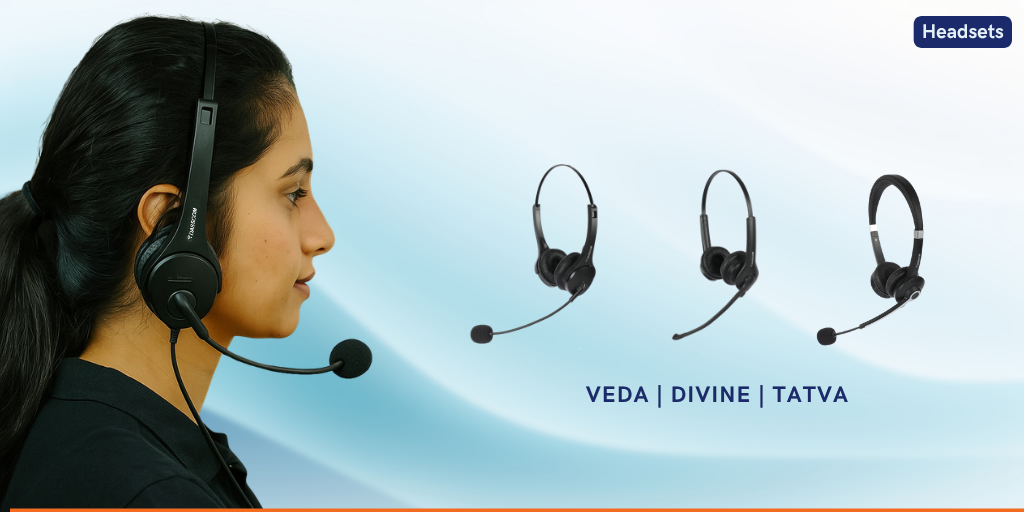
Dasscom’s Call Center Headsets are designed around lightweight ergonomics, adjustable headbands, and cushioned ear interfaces for extended use.

Explore Dasscom Call Center Headsets

3. Connectivity

Connectivity should match the equipment already used by the organization.
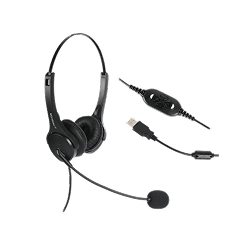
Call centers may operate with IP phones, desktop computers, laptops, softphones, dialers, or multiple platforms. USB, RJ-09, 3.5mm, 2.5mm, and QD connectivity can therefore be useful depending on the deployment.
Dasscom offers headset configurations designed for IP phones, PCs, softphones, laptops, and other communication equipment.

4. Durability

A contact-center headset can experience significantly more daily usage than a typical consumer headset.
Frequent wearing, removing, adjusting, cable movement, and microphone positioning can put stress on the equipment. Businesses should therefore consider construction quality, replacement availability, warranty, and after-sales support alongside the initial purchase price.

2026 Trends Shaping Call Center Headsets

The headset market is moving beyond basic audio reproduction. Several trends are particularly relevant in 2026.
AI and advanced digital signal processing are increasingly being used to improve voice communication. Newer audio products are incorporating sophisticated processing to separate voices from ambient sounds and improve call clarity.
For call centers, this trend means microphone intelligence and voice isolation are becoming increasingly important selection criteria.
The practical goal is simple: help the customer hear the agent clearly, even when the surrounding environment is not completely quiet.
Contact-center operations are no longer limited to large centralized offices. Hybrid and remote teams require headsets that work consistently across laptops, desktops, IP phones, and softphone applications.
This makes flexible connectivity and plug-and-play deployment more valuable in 2026.
Businesses are increasingly recognizing that employee comfort affects the overall communication experience.
A headset worn for several hours should not create unnecessary pressure or fatigue. Ergonomics, weight, ear-cushion design, microphone positioning, and ease of adjustment are consequently becoming important purchasing considerations.
USB headsets remain highly relevant for PC-based communication, while multi-interface headsets provide greater flexibility for organizations using different communication systems.
For businesses with changing technology environments, choosing a headset with appropriate connectivity can extend the useful life of the equipment.

Dasscom Noise Cancelling Headsets for Call Centers

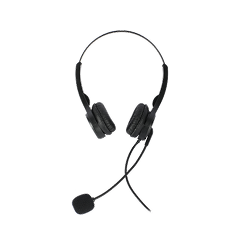
Dasscom offers a dedicated range of professional Call Center Headsets designed for customer support centers, BPOs, helpdesks, sales teams, and remote support operations. Its current range includes the DS-52, DS-900, and DS-1100.
The DS-52 is part of Dasscom’s Veda Series. It is a lightweight binaural headset available with different connectivity options, including USB, 3.5mm, and RJ-09 configurations.
This makes it suitable for organizations that need flexibility across desktop computers, laptops, desk phones, and IP phones.
For smaller and medium-sized contact centers looking for practical connectivity and comfortable daily use, the DS-52 can be a suitable option.
The DS-900 belongs to the Divine Series and is designed for professional agents who require flexibility across different communication environments.
Dasscom lists the model with connectivity options for desk phones, dialpads, IP phones, soft dialers, laptops, PCs, and USB-based setups, depending on the configuration.
This makes it particularly relevant for organizations where agents may work across multiple communication platforms.
The DS-1100 is part of Dasscom’s Tatva Series. It is designed for high-volume call-center environments and offers multiple interface options, including USB, 3.5mm, 2.5mm, RJ, and QD configurations.
Its broad compatibility with PCs, IP phones, softphones, and dialpads makes it useful for organizations with varied communication infrastructure.
Talk to Dasscom About Headsets

Wired or Wireless: Which Is Better?

The choice between wired and wireless headsets depends on how agents work.
Wired headsets are generally straightforward to deploy and well suited to fixed workstations. They can be a practical option for large teams where reliability, simplicity, and cost control are priorities.
Wireless headsets provide greater freedom of movement. They can be useful for supervisors, mobile agents, hybrid workers, and environments where employees need to move away from their desks.
However, wireless deployments introduce additional considerations such as battery life, charging, wireless connectivity, and device management.
For a conventional fixed-desk contact center, a professional wired headset can still be an extremely practical choice in 2026.

Single-Ear vs. Binaural Headsets

Single-ear headsets leave one ear open to the surrounding environment. They can be useful for supervisors or employees who need to communicate with colleagues while handling calls.
Binaural headsets cover both ears and can provide greater concentration in busy environments. They are often preferred where agents need to remain focused on customer conversations despite surrounding activity.
Dasscom offers binaural models including the DS-52, DS-900, and DS-1100.
The right choice depends on the environment and the agent’s workflow.

How to Choose the Right Headset for Your Call Center

Before purchasing, evaluate the actual working conditions.
First, determine what devices agents use. If the team primarily works on PCs and softphones, USB connectivity may be appropriate. If agents use IP phones, RJ connectivity may be more relevant.
Next, assess the noise environment. A busy BPO floor requires stronger microphone noise suppression than a relatively quiet home office.
Then consider wearing time. Agents working extended shifts should receive lightweight and comfortable equipment.
Finally, consider long-term value. A slightly higher initial investment in durable equipment can be preferable to frequent headset replacement.

A Practical 2026 Buying Checklist

Before selecting the best noise cancelling headset, check:
The objective is not simply to find the headset with the longest feature list. It is to identify the headset that matches your agents, technology environment, and operating conditions.

Why the Right Headset Is a Business Investment

A headset affects every customer conversation an agent handles.
Poor audio can result in customers repeating themselves, agents asking for clarification, and conversations taking longer than necessary. Good audio, meanwhile, helps agents concentrate and communicate more naturally.
For large contact centers, even small improvements in communication quality can matter across thousands of daily interactions.
This is why businesses should evaluate Call Center Headsets as part of their overall communication infrastructure rather than treating them as inexpensive peripherals.

Final Thoughts

The best noise cancelling headset is the one that combines clear voice transmission, effective noise reduction, comfort, durability, and connectivity for your specific call-center environment. In 2026, AI-assisted audio, hybrid work, and flexible device compatibility are making professional headsets even more important. Dasscom provides multiple options for diverse business communication requirements.

types of call center

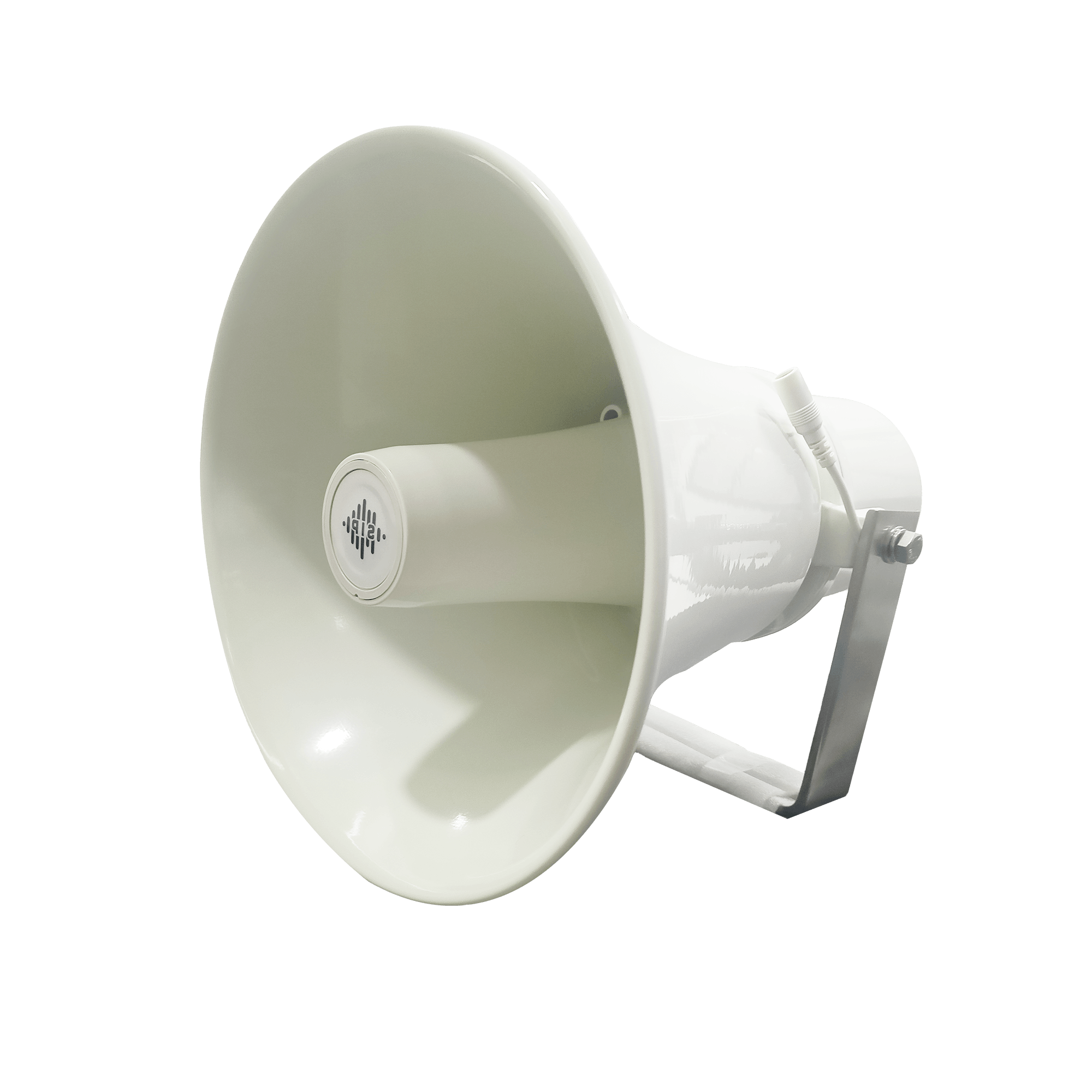
DS-15H

15 watt Horn speaker Support SIP IP 65 Rating Support BGM and announcement
DS-10C

10 watt Ceiling Speaker Support SIP PoE enabled Support BGM & announcement
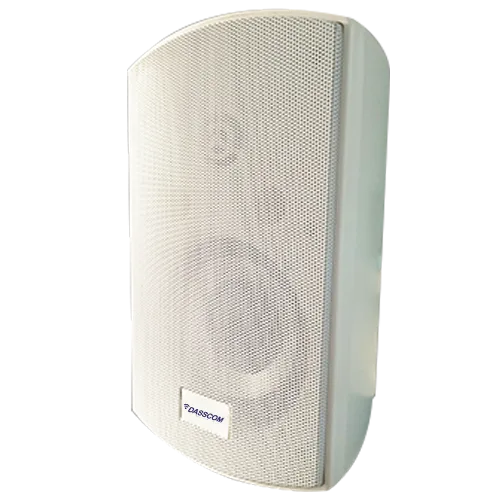
DS-15W

15 watt wall-mount speaker Support SIP PoE enabled Support BGM and announcement
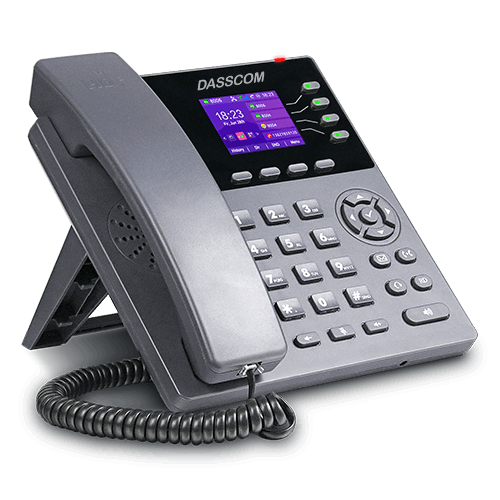
DXP-7200N

4 SIP Account PoE phone Colour Screen HD Voice
DS-30ECL

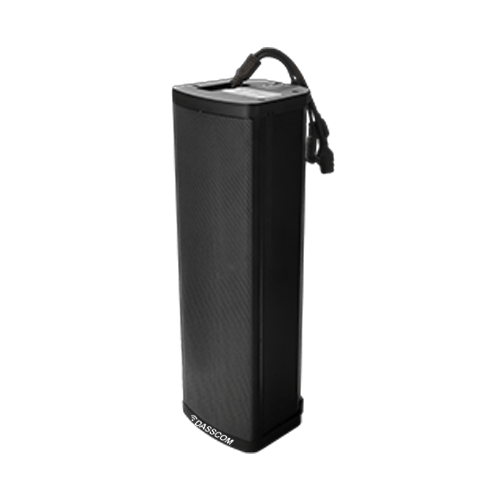
1.Built-in 30W amplifier, 2.Class D Amplifier
DW-100

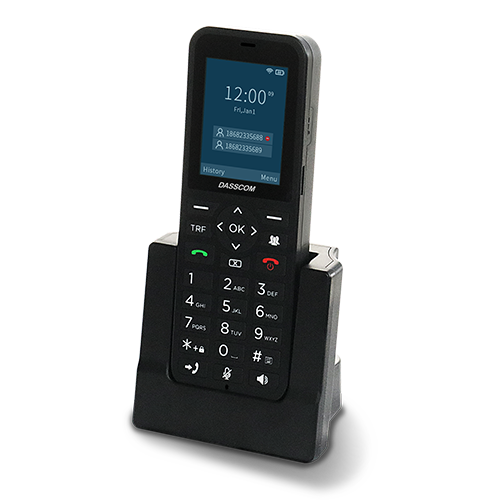
DW-100

2 SIP accounts Wi-fi Support Cordless Phone

Quick summary

See how Nextiva transforms the sales and support team productivity.
Frequently Asked Questions (FAQs)

What is the best noise cancelling headset for a call center?
The best headset depends on the environment, connectivity, usage duration, and noise levels. Professional models should provide clear microphone performance, comfortable long-term wearing, suitable connectivity, and reliable construction.
Yes. Noise reduction headphones with mic can help agents hear conversations more clearly while reducing unwanted background noise captured by the microphone. Microphone noise suppression is especially important in busy contact-center environments.
Dasscom currently offers the DS-52, DS-900, and DS-1100 Call Center Headsets. They provide different connectivity options and are designed for professional communication environments.
Wired headsets are practical for fixed workstations and large-scale deployments, while wireless models provide greater mobility. The best choice depends on how agents work and what communication equipment they use.
ANC can help reduce ambient noise reaching the wearer, while microphone noise cancellation focuses on reducing unwanted sounds transmitted to the customer. Both can contribute to a better communication experience.
Prioritize microphone noise reduction, voice clarity, comfort, connectivity, durability, compatibility, and suitability for your work environment. AI-assisted audio processing and flexible device compatibility are also increasingly relevant trends in 2026.

8 Port PoE Switch: Complete Guide for Small Networks & CCTV

8 Port PoE Switch: Complete Guide for Small Networks & CCTV

8 Port PoE Switch: Complete Guide for Small Networks & CCTV

This guide explains how an 8 port PoE switch supports CCTV, IP cameras, and small networks, covering PoE power, bandwidth, uplinks, installation, expansion, and switch selection.

fffs

Small businesses, retail stores, offices, clinics, warehouses, and residential properties increasingly rely on IP cameras for security. Unlike traditional analog CCTV systems, IP cameras use network connectivity to transmit video, making the network switch an important part of the surveillance infrastructure.
For smaller installations, an 8 port POE switch can provide an efficient way to connect and power multiple IP cameras using Ethernet cables. PoE, or Power over Ethernet, combines power and data transmission through a single network cable, simplifying installation and reducing the need for separate power adapters.

However, choosing the right switch requires more than simply counting ports. Power budget, Ethernet speed, uplink capacity, camera requirements, cable distance, and future expansion should all be considered.

What Is an 8 Port PoE Switch?

An 8 port POE switch is a network switch designed with eight Ethernet ports that can provide both network connectivity and power to compatible PoE devices.
For CCTV installations, each compatible IP camera can connect directly to a PoE port. The Ethernet cable carries the camera’s network traffic while also supplying power.
This approach can simplify surveillance installation because cameras do not necessarily need separate local power adapters or electrical connections. It can be especially useful when cameras are mounted on ceilings, walls, poles, or other locations where access to power outlets may be inconvenient.
A small PoE switch can also connect other compatible devices, including wireless access points, VoIP phones, and intercom systems, depending on the network requirements and available PoE capacity.

Why Use PoE for CCTV and IP Cameras?

PoE provides a practical advantage for surveillance networks because power and data can travel through the same Ethernet connection.
Consider a small retail store with six IP cameras. A conventional installation may require network connectivity as well as individual power arrangements for each camera. With compatible PoE equipment, the cameras can connect directly to the PoE switch.
This can reduce cabling complexity and make the installation easier to organize. It can also simplify troubleshooting because network connectivity and power delivery are centralized at the switch.
For businesses expanding their security infrastructure, PoE can therefore provide a cleaner and more scalable approach to IP surveillance.
Explore Dasscom PoE Switches

How Many Cameras Can an 8-Port Switch Support?

An 8-port PoE switch can provide connectivity for up to eight directly connected PoE devices, subject to the specific model’s configuration.
However, the practical number of cameras depends on more than port count. You should consider the power requirements and bandwidth generated by each camera.
A basic fixed IP camera may require significantly less power than a camera with additional functions. Similarly, higher-resolution cameras can generate greater network traffic.
Before installation, calculate the total power requirements of the cameras and compare them with the switch’s total PoE power budget. This ensures that the switch can support the planned devices reliably.

Key Features to Check Before Buying

1. PoE Power Budget

The total PoE power budget is one of the most important specifications for CCTV deployments.

A switch may have eight PoE ports but still have a limited total power budget. If multiple cameras require higher power, the total consumption must remain within the switch’s available capacity.
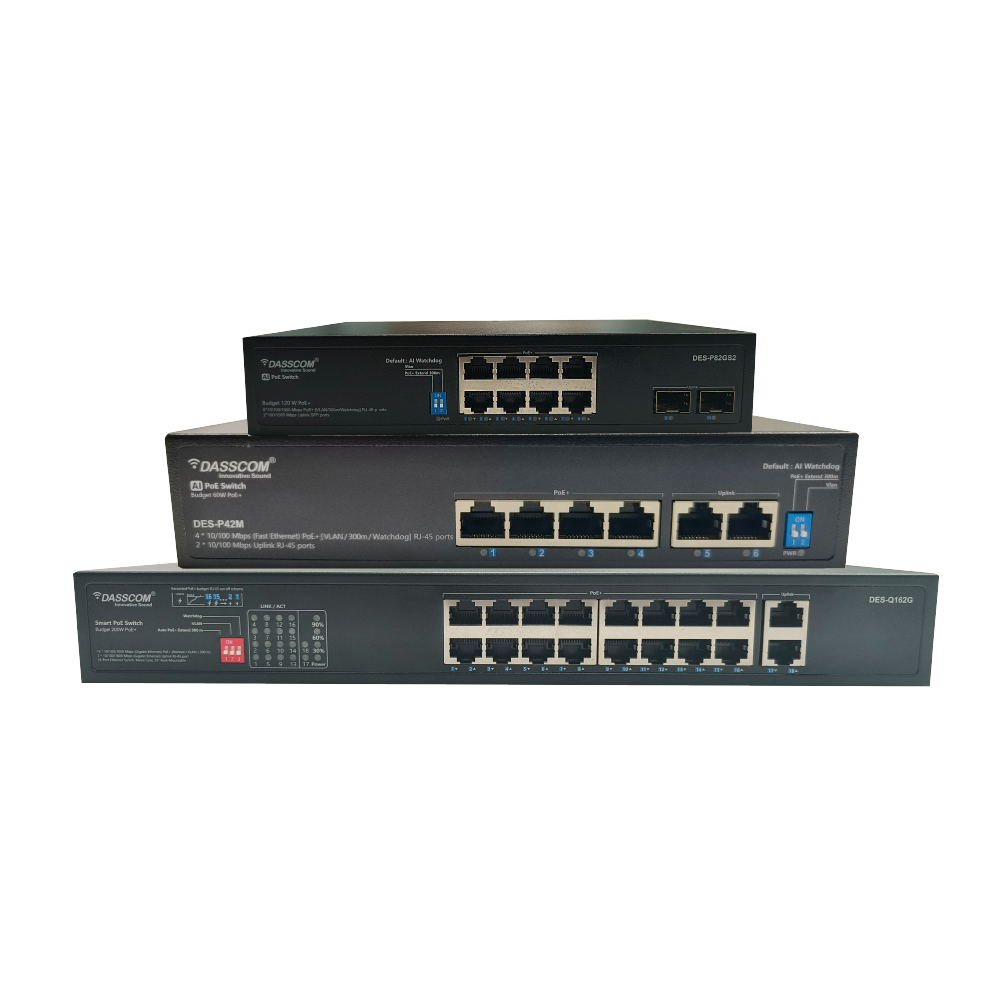
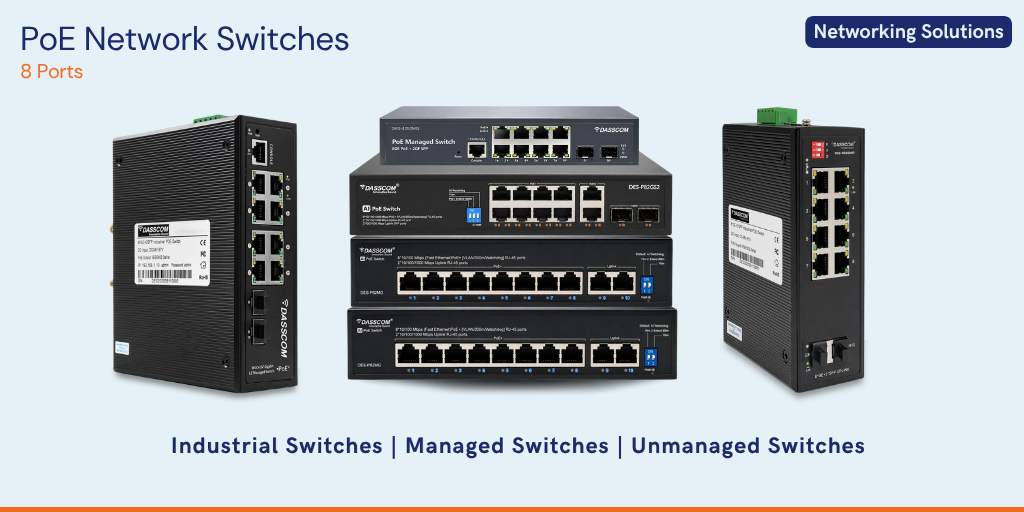
For example, Dasscom’s DES-82MG supports IEEE 802.3af/at, provides up to 30W per PoE port, and has a 120W total PoE budget.

2. Port Speed

Camera video streams continuously use network bandwidth. Resolution, frame rate, compression, and bitrate all influence bandwidth requirements.
When selecting an 8 port POE switch, check the speed of the camera-facing ports as well as the uplink ports.
Dasscom’s DES-P82GS2, for example, provides eight 10/100/1000Base-T PoE ports and two 100/1000Base-X SFP uplink slots, offering Gigabit connectivity on its PoE ports and fiber-capable uplinks.

3. Uplink Capacity

The uplink connects the PoE switch to equipment such as an NVR, router, server, or another network switch.
This becomes important when multiple cameras transmit video simultaneously. A suitable uplink helps move aggregated camera traffic from the access switch toward the NVR or wider network.

4. PoE Standard

Check which PoE standard the switch and cameras support.
Dasscom’s DES-P82M supports IEEE 802.3af/at, with its ports supporting up to 30W per port and a maximum PoE output of 96W. It is designed to support devices such as network surveillance cameras and wireless access points.
Compatibility between the switch and cameras should always be confirmed before deployment.

Dasscom 8-Port PoE Switches

Dasscom offers multiple 8-port PoE switching options for different network and surveillance requirements.

Dasscom DES-82MG

The DES-82MG is an unmanaged PoE switch with eight 10/100M PoE ports and two 10/100/1000M Gigabit uplink ports. It supports IEEE 802.3af/at, with up to 30W available per PoE port and a 120W total PoE power budget.
Its plug-and-play design makes it suitable for applications such as IP cameras, wireless access points, VoIP phones, and intercom systems. Dasscom positions the model for environments including SMBs, hotels, campuses, and factories.
View DES-82MG

Dasscom DES-P82M

The DES-P82M is a 10/100M unmanaged PoE switch with eight 10/100M PoE ports and two 10/100M uplink ports. Its PoE ports support IEEE 802.3af/at, with up to 30W per port and a maximum 96W PoE output.
The model also includes features such as port isolation/VLAN support and an extend mode designed for longer transmission distances under specified conditions. Its datasheet identifies applications including network surveillance cameras, wireless access points, VoIP devices, and visual intelligent building intercom systems.

Dasscom DES-P82GS2

For deployments requiring Gigabit PoE connectivity and SFP uplinks, the DES-P82GS2 provides eight 10/100/1000Base-T PoE ports and two 100/1000Base-X SFP uplink slots.
It supports IEEE 802.3af/at, offers up to 30W per port, and has a 120W PoE power budget. The model also supports features including port isolation/VLAN, AI-PoE network self-healing, and an AI Extend mode, according to its datasheet.
These options allow businesses to select an 8-port PoE solution based on their required port speed, uplink architecture, power budget, and deployment environment.

8-Port vs. 16-Port PoE Switch

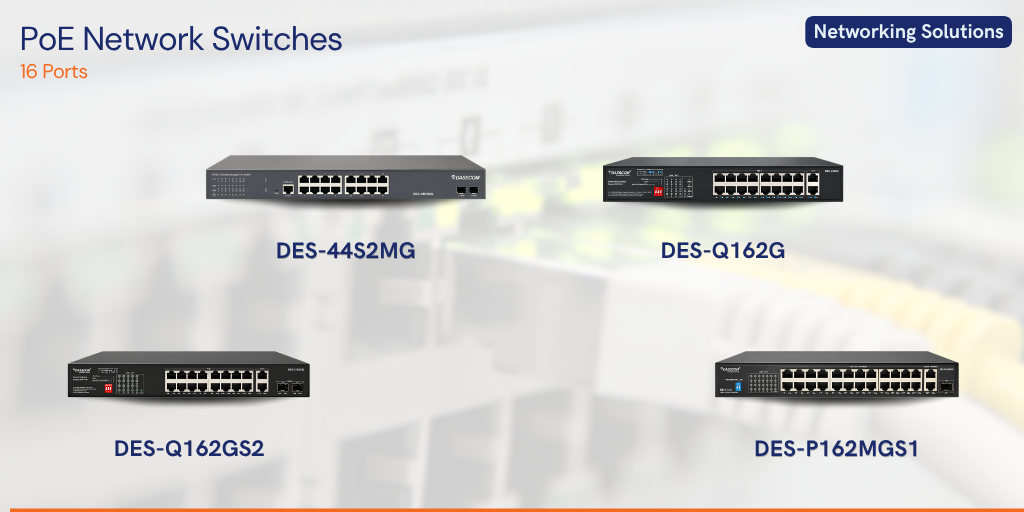
An 16 port POE switch becomes a better option when the CCTV installation has more cameras or requires additional capacity for future expansion.

An 8-port solution is generally appropriate for smaller installations where the number of connected devices is limited. A 16-port switch provides additional ports and can accommodate a larger surveillance deployment without immediately requiring another switch.
For example, a small shop with four to six cameras may not need 16 PoE ports. A larger office with 10–14 cameras may benefit from moving to a 16-port configuration.
The decision should therefore be based on the current camera count, planned expansion, and the other PoE devices that will share the network.

When Do You Need a 24-Port Managed Switch?

A 24 port managed switch is generally more appropriate for larger or more complex networks.

If CCTV is only one part of the infrastructure and the same network also supports computers, IP phones, wireless access points, servers, and other devices, additional ports and management capabilities can become valuable.
A 24 port managed switch can also provide greater control through features such as VLANs, traffic management, monitoring, and network segmentation, depending on the model.
For a small standalone CCTV installation, however, an eight-port PoE switch may be a simpler and more economical solution.

Consider Cable Distance

Camera location should also influence switch selection.
Ethernet networks have distance limitations, so the physical distance between the switch and each IP camera should be considered during network planning.
For a small office, cameras may be located close enough to the network rack for standard Ethernet cabling. Larger facilities such as warehouses, campuses, and factories may require a more carefully planned network architecture.
Some Dasscom PoE models include extended transmission features. For example, the DES-P82M datasheet specifies an extend mode supporting up to 300 metres under its stated operating conditions and limitations.
Always evaluate the actual cable type, distance, bandwidth, and operating conditions before deploying long-distance camera connections.

Managed or Unmanaged PoE Switch?

For a simple CCTV installation, an unmanaged switch can offer plug-and-play deployment with minimal configuration.
Managed switching becomes more valuable when the network requires greater control. Businesses may need to separate surveillance traffic, voice traffic, employee devices, and guest connectivity using VLANs or monitor network performance.
A 24 port managed switch may therefore be appropriate for a larger business infrastructure, while an unmanaged 8-port PoE model can be a practical choice for a compact surveillance system.
The right choice depends on the complexity of the network rather than simply the size of the business.

Common Mistakes to Avoid

The first mistake is selecting a switch based only on the number of ports. PoE power capacity and uplink bandwidth are equally important.
The second is ignoring future expansion. If additional cameras are likely to be installed, leave sufficient port and power capacity.
Another mistake is overlooking camera power requirements. Cameras with additional functions may require more power than basic models.
Finally, do not overlook uplinks. Multiple camera streams need to reach the NVR or network core, so uplink capacity should be considered as part of the overall design.

Quick Buying Checklist

Before purchasing a PoE switch for CCTV, check:
This checklist can help businesses avoid choosing a switch that looks suitable on paper but cannot meet the actual requirements of the surveillance installation.
Talk to Dasscom Network Experts

Final Thoughts

For small CCTV and business networks, an 8-port PoE switch can provide a compact and practical combination of connectivity and power. Before buying, evaluate camera count, PoE budget, bandwidth, uplinks, cable distances, and future growth. Dasscom’s 8-port PoE options provide different configurations for diverse surveillance and networking requirements.

types of call center

DS-15H

15 watt Horn speaker Support SIP IP 65 Rating Support BGM and announcement

DS-10C

10 watt Ceiling Speaker Support SIP PoE enabled Support BGM & announcement

DS-15W

15 watt wall-mount speaker Support SIP PoE enabled Support BGM and announcement

DXP-7200N

4 SIP Account PoE phone Colour Screen HD Voice

DS-30ECL

1.Built-in 30W amplifier, 2.Class D Amplifier

DW-100

DW-100

2 SIP accounts Wi-fi Support Cordless Phone

Quick summary

See how Nextiva transforms the sales and support team productivity.
Frequently Asked Questions (FAQs)

Is an 8 port POE switch suitable for CCTV?
Yes. An 8 port POE switch can be a practical choice for small CCTV installations with a limited number of compatible IP cameras. The total PoE power budget and camera bandwidth requirements should be checked before deployment.
PoE allows compatible cameras to receive power and network connectivity through the same Ethernet cable, simplifying installation and reducing the need for separate power connections.
Dasscom offers models including the DES-82MG, DES-P82M, and DES-P82GS2. All are designed to support PoE devices including IP cameras, with different port speeds, uplink options, and power specifications.
Choose an 8-port model when your camera deployment is small and additional capacity is not immediately required. A 16-port PoE switch is better when you have more cameras or expect significant expansion.
A 24 port managed switch is more suitable for larger networks requiring additional ports and advanced management features such as VLANs, monitoring, traffic control, and network segmentation.
Check both the maximum power available per port and the total PoE power budget. The combined requirements of all connected cameras should remain within the switch’s available power capacity.

16 Port PoE Switch: How to Choose the Right Switch for CCTV & IP Cameras

16 Port PoE Switch: How to Choose the Right Switch for CCTV & IP Cameras

16 Port PoE Switch: How to Choose the Right Switch for CCTV & IP Cameras

This guide explains how to choose a 16 port PoE switch for CCTV and IP cameras, covering PoE power, bandwidth, ports, uplinks, network management, scalability, and installation.

fffs

Modern CCTV systems increasingly rely on IP cameras instead of traditional analog surveillance equipment. IP cameras transmit video over Ethernet networks, making network infrastructure a critical part of any surveillance installation. A properly selected PoE switch can simplify this infrastructure by providing both network connectivity and power to compatible cameras through Ethernet cable

For many small and medium-sized surveillance deployments, a 16 port POE switch offers a practical balance between capacity, installation simplicity, and future expansion. However, selecting the right model requires more than simply counting the number of available ports.

Factors such as PoE power budget, network speed, uplink capacity, camera requirements, transmission distance, and network management should all be considered before purchasing a switch.

What Is a 16 Port PoE Switch?

A 16 port POE switch is a network switch equipped with 16 Ethernet ports that can provide network connectivity and, when supported, electrical power to compatible PoE devices.

In a CCTV installation, this means IP cameras can typically connect directly to the switch using Ethernet cables without requiring an individual power adapter for every camera. This can reduce cabling complexity and make installation easier.
The switch connects the cameras to the wider network, allowing video streams to reach a Network Video Recorder (NVR), monitoring workstation, server, or other authorized devices.
For a surveillance system with up to 16 wired PoE cameras, a 16-port configuration can therefore be a convenient starting point.
Explore PoE Networking Solutions

Why Use PoE for CCTV Cameras?

PoE simplifies surveillance infrastructure by combining power and data transmission over a single Ethernet cable.
Traditional camera installations may require separate network and power connections. With PoE-compatible cameras and switches, the Ethernet connection can handle both functions.
This can offer several practical advantages. Installers can reduce the number of cables running to cameras, simplify deployment, and avoid installing a separate power outlet close to every camera location.
PoE is particularly useful for cameras installed on ceilings, walls, poles, warehouses, parking areas, and other locations where running separate power connections may be inconvenient.

How Many Cameras Can a 16-Port PoE Switch Support?

A 16-port switch provides 16 Ethernet ports, but the number of cameras it can effectively support depends on the switch configuration and the requirements of the cameras.
If every port supports PoE, the switch can potentially connect multiple PoE cameras directly. However, the total PoE power budget must be sufficient for the connected devices.
For example, cameras with additional features such as infrared illumination, pan-tilt-zoom functionality, or other higher-power capabilities may consume more power than basic fixed cameras.
Therefore, when choosing a 16 port POE switch, calculate the combined power requirement of all planned cameras and compare it with the switch’s available PoE budget

Key Factors to Consider Before Buying

1. Number of PoE Ports

Start with the number of cameras you need to connect. If your surveillance system has 12 cameras, for example, a 16-port switch provides additional ports for expansion or other compatible devices.
Avoid planning a network that uses every port immediately. Leaving some capacity available can make future camera additions easier.

2. PoE Power Budget

PoE power capacity is one of the most important specifications for a CCTV switch.
The total power budget determines how much power the switch can distribute across its PoE ports. The requirement of each camera should be considered before installation.
Do not assume that 16 PoE ports automatically mean the switch can supply the maximum supported power to all 16 devices simultaneously.
Talk to Our Network Experts

3. Ethernet Speed

Video surveillance generates continuous network traffic. Camera resolution, frame rate, compression, and bitrate can affect bandwidth requirements.
Gigabit Ethernet can provide higher bandwidth for modern surveillance networks, particularly when multiple cameras transmit video simultaneously.
The switch should therefore provide suitable port speeds for the cameras and adequate uplink capacity for transferring aggregated video traffic to the NVR or wider network.

4. Uplink Ports

Uplink connectivity is another important consideration.
The individual camera ports may be handling multiple video streams at the same time, while the uplink connects the switch to an NVR, core switch, router, or server.
A suitable high-speed uplink can help prevent the aggregated camera traffic from becoming a bottleneck.

5. Managed or Unmanaged Operation

For straightforward CCTV installations, an unmanaged switch may be sufficient. However, managed switching can provide greater control over network traffic and configuration.
A managed switch can support features such as VLAN configuration, traffic monitoring, QoS, and other network management capabilities, depending on the model.
For larger surveillance networks or installations where cameras share infrastructure with other business devices, these capabilities can become valuable

16 Port PoE Switch vs. 8 Port PoE Switch

Choosing between a 16 port POE switch and an 8 port POE switch largely depends on the size of the camera deployment.

An 8-port configuration can be appropriate for a small CCTV installation with a limited number of cameras. It is compact and can be sufficient for small offices, retail stores, homes, or small branch locations.
A 16-port configuration provides twice the port capacity and is more suitable when the surveillance system has a larger number of cameras or is expected to expand.
If your installation is likely to grow beyond eight cameras, starting with a 16-port switch can provide additional flexibility and reduce the need for an immediate infrastructure upgrade.

When Should You Consider a 24-Port Managed Switch?

For larger surveillance deployments, a 24 port managed switch may be more appropriate.

A 24-port configuration provides additional connectivity for larger numbers of cameras and can also accommodate other network devices. If the CCTV system is part of a larger business network containing IP phones, wireless access points, computers, servers, and other equipment, the additional capacity can be useful.
A 24 port managed switch can also provide more network management capabilities when VLANs, traffic prioritization, monitoring, or segmentation are required.
The decision should therefore be based on both the current camera count and the broader network architecture.
Find the Right Switch for Your Network

Consider Camera Location and Cable Distance

Camera placement also affects switch selection.
Ethernet cabling has distance limitations, so installations should consider the physical distance between the switch and each camera. Large facilities such as warehouses, campuses, factories, and multi-floor buildings may require careful network planning.
If cameras are located far from the network equipment, the installation may require appropriate network architecture, additional switching equipment, or other infrastructure depending on the deployment.
Planning cable routes before purchasing the switch can help avoid connectivity problems during installation.

Should You Choose a Managed PoE Switch for CCTV?

A managed PoE switch can be particularly useful when surveillance is part of a larger business network.
For example, an organization may want to separate CCTV traffic from employee computers or voice communication using VLANs. Network administrators may also need greater visibility into connected devices and traffic patterns.
For smaller standalone camera systems, advanced management may not always be necessary. But as the network becomes larger and more complex, managed functionality can provide greater control.

Common Buying Mistakes to Avoid

One of the most common mistakes is selecting a switch based only on the number of ports. A 16-port switch may provide sufficient physical connectivity but still lack the required PoE power budget or uplink capacity.
Another mistake is ignoring future expansion. If the business expects to add more cameras, access points, or other PoE devices, additional capacity should be considered from the beginning.
It is also important to avoid underestimating bandwidth requirements. Multiple high-resolution cameras can generate significant traffic, making port speed and uplink capacity important parts of the purchasing decision.

Quick Buying Checklist

Before purchasing a 16 port POE switch for CCTV and IP cameras, check:
A switch that satisfies these requirements can provide a stronger foundation for a reliable IP surveillance network.

Final Thoughts

Choosing a CCTV switch requires consideration of more than port count. Evaluate PoE power, bandwidth, uplinks, cable distance, management, and future expansion. For many installations, a 16 port POE switch provides a practical foundation for reliable IP camera connectivity while keeping deployment simple and scalable.

types of call center

DS-15H

15 watt Horn speaker Support SIP IP 65 Rating Support BGM and announcement

DS-10C

10 watt Ceiling Speaker Support SIP PoE enabled Support BGM & announcement

DS-15W

15 watt wall-mount speaker Support SIP PoE enabled Support BGM and announcement

DXP-7200N

4 SIP Account PoE phone Colour Screen HD Voice

DS-30ECL

1.Built-in 30W amplifier, 2.Class D Amplifier

DW-100

DW-100

2 SIP accounts Wi-fi Support Cordless Phone

Quick summary

See how Nextiva transforms the sales and support team productivity.
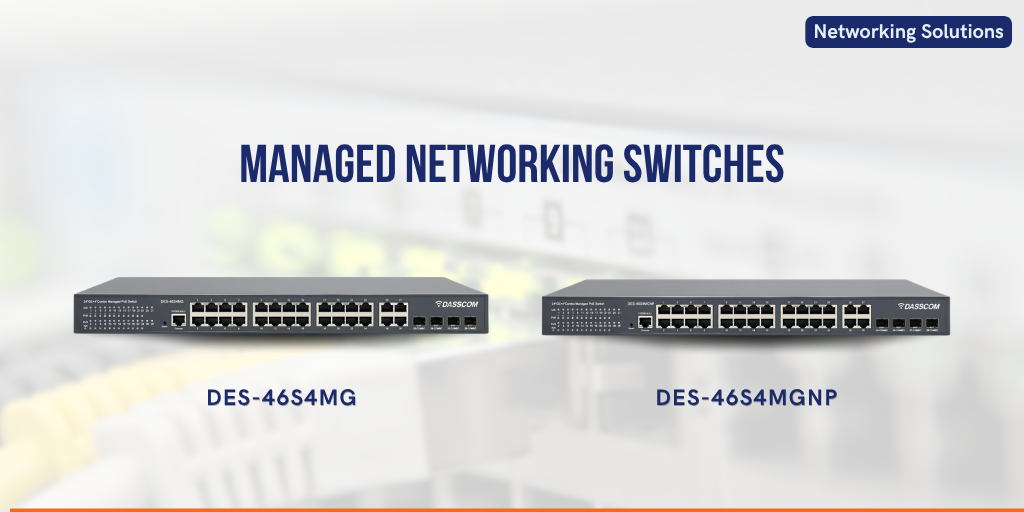
Frequently Asked Questions (FAQs)

Is a 16 port PoE switch good for CCTV?
Yes. A 16-port PoE switch can be a practical choice for CCTV installations requiring multiple IP cameras. The appropriate model should have sufficient PoE power, bandwidth, and uplink capacity for the planned deployment.
The primary difference is port capacity. An 8 port POE switch provides eight Ethernet ports, while a 16 port POE switch provides sixteen. The larger configuration is better suited to bigger camera deployments and future expansion.
Not necessarily. PoE availability depends on the specific switch model. Always check the product specifications to confirm the number of PoE-enabled ports and the total power budget.
A 24 port managed switch can be appropriate for larger surveillance networks or installations where CCTV cameras share the network with other business devices and require advanced network management.
It is extremely important. The total power requirement of all connected PoE cameras should remain within the switch’s available PoE power budget, with appropriate allowance for operational and future requirements.

24 Port Managed Switch: Complete Buying Guide for Business Networks

24 Port Managed Switch: Complete Buying Guide for Business Networks

24 Port Managed Switch: Complete Buying Guide for Business Networks

Choosing the right network switch can directly affect business connectivity, performance, security, and scalability. This guide explains what to consider when selecting a 24-port managed switch for modern business networks.

fffs

A reliable network infrastructure is essential for businesses that depend on computers, IP phones, wireless access points, CCTV cameras, servers, and other connected devices. As the number of network devices grows, organizations need switches that can provide sufficient ports while offering better control, security, and performance.
A 24 port managed switch is often an ideal choice for growing businesses because it provides enough connectivity for multiple devices while giving network administrators greater control over traffic and network configuration.
But not every switch is suitable for every business. Factors such as PoE requirements, port speed, VLAN support, network management, security, scalability, and power budget should be considered before making a purchase.

What Is a 24 Port Managed Switch?

A 24 port managed switch is a network switch with 24 Ethernet ports that can be configured and monitored by a network administrator. Unlike an unmanaged switch, a managed switch provides greater control over how devices communicate across the network.
Businesses can use managed switches to configure VLANs, monitor network traffic, prioritize certain types of data, and apply security policies. This makes them particularly useful for offices, educational institutions, hotels, healthcare facilities, warehouses, and other environments with multiple connected devices.
A 24-port configuration provides a practical balance between capacity and cost. It can accommodate current requirements while leaving room for additional devices as the business grows.
Explore Managed Network Switches

Why Choose a 24-Port Switch for a Business Network?

The number of connected devices in a business can increase quickly. A typical office network may include desktop computers, laptops, IP phones, Wi-Fi access points, printers, CCTV cameras, servers, and IoT devices.
A 24-port switch provides sufficient connectivity for many small and medium-sized network deployments without requiring a large chassis or excessive infrastructure.
Another advantage is centralized management. Instead of treating every connected device as an isolated endpoint, administrators can configure and monitor network connectivity from the switch itself.
For organizations planning structured network expansion, a 24-port configuration can also reduce the need for frequent switch replacements.

Managed vs. Unmanaged Switches

The main difference between managed and unmanaged switches is the level of control they provide.
An unmanaged switch is generally designed for simple plug-and-play connectivity. It can be useful for smaller networks where advanced configuration is not required.
A managed switch provides additional functionality. Depending on the model, administrators may be able to configure VLANs, Quality of Service (QoS), port settings, access controls, link aggregation, and network monitoring.
For a business environment with multiple departments, applications, users, and security requirements, a managed switch generally provides greater flexibility.

When Should You Choose a PoE Switch?

Power over Ethernet (PoE) allows compatible devices to receive power and network connectivity through a single Ethernet cable. This can simplify installation and reduce the requirement for separate power adapters.

A POE switch can be particularly useful when deploying IP phones, wireless access points, IP cameras, and other compatible network devices.

Before selecting a PoE model, businesses should evaluate both the number of PoE devices and their total power requirements. The switch’s overall PoE power budget is just as important as the number of PoE ports.
For example, if a network will support multiple cameras and access points, selecting a switch with an adequate power budget helps ensure reliable operation.
Request a Network Consultation

24 Port PoE vs. 16 Port and 8 Port PoE Switches

Port count should be based on the number of devices you need to connect today and the expected growth of your network.

An 16 port POE switch can be suitable for smaller deployments where the number of PoE devices is limited. It can provide a compact solution while leaving some capacity for network expansion.

An 8 port POE switch is better suited to smaller installations, branch offices, small retail locations, or limited deployments where only a few PoE devices need connectivity.

A 24-port PoE configuration becomes more attractive when a business has a larger number of IP cameras, IP phones, wireless access points, or other powered devices.
The right choice is therefore not simply about selecting the largest switch. It is about matching port capacity and PoE power availability to the actual deployment.

Key Features to Look for in a 24 Port Managed Switch

1. Gigabit Ethernet Ports

Modern business networks generate significant amounts of data. Gigabit Ethernet ports can provide the bandwidth required for applications such as cloud services, video conferencing, file transfers, IP surveillance, and VoIP communication.
Businesses should also consider whether uplink ports provide higher-speed connectivity for connecting the switch to core network equipment.

2. VLAN Support

Virtual LANs allow administrators to logically separate network traffic. For example, voice traffic, employee devices, guest users, and surveillance systems can be placed into different VLANs.
This can improve network organization, security, and traffic management.

3. Quality of Service

QoS allows administrators to prioritize important traffic. Voice and video applications can benefit from traffic prioritization because delays or packet loss can affect communication quality.
For organizations using IP phones, video conferencing, and other real-time applications, QoS can therefore be an important consideration.

4. PoE Power Budget

If you are purchasing a 24 port POE switch, don’t evaluate it only by the number of PoE ports. Check the total available PoE power budget.

Different powered devices have different power requirements. The switch should provide sufficient capacity for all connected devices, with some additional headroom for future expansion.

5. Network Security

Security features can help administrators control access to the network and reduce unauthorized connectivity.
Depending on the switch, features may include port security, access control mechanisms, VLAN segmentation, authentication, and monitoring capabilities.

6. Network Management

A managed switch should provide practical management options. Depending on the model, these may include a web-based interface, command-line configuration, SNMP monitoring, or other management capabilities.
The management interface should be easy enough for administrators to configure the network without creating unnecessary operational complexity.
Talk to Our Network Experts

How Many Ports Does Your Business Really Need?

Port planning should account for both current devices and future requirements.
Start by listing every device that needs a wired network connection. Include computers, printers, IP phones, cameras, access points, servers, and other Ethernet-enabled equipment.
Next, consider future expansion. A switch that is completely filled on day one may quickly become a limitation when additional employees or devices are added.

This is why a 24-port switch can be a practical choice for growing businesses. It provides more capacity than many small deployments need initially while avoiding the cost and physical requirements of much larger switching infrastructure.

Where Can a 24 Port Managed Switch Be Used?

A managed switch can support a wide range of business environments.
In offices, it can connect computers, IP phones, printers, servers, and wireless access points. In educational institutions, it can support classrooms, administrative systems, surveillance, and wireless connectivity.
For hotels and hospitality environments, switches can support access points, IP phones, security cameras, and other connected systems. Warehouses and industrial facilities can use managed switching to connect surveillance systems, access points, computers, and other network equipment.
The ability to segment and manage different types of traffic makes managed switching particularly useful in larger deployments.

Common Mistakes When Buying a Network Switch

One common mistake is focusing only on port count. A switch may have enough ports but lack the bandwidth, PoE capacity, management features, or security functionality required by the network.
Another mistake is underestimating future requirements. If an organization expects to add IP cameras, access points, or IP phones, those devices should be considered during switch selection.
Businesses should also avoid comparing switches solely on price. Network equipment is part of the organization’s core infrastructure, so reliability, manageability, scalability, and technical support should also influence the purchasing decision.

Choosing the Right PoE Port Capacity

The choice between an 8 port POE switch, an 16 port POE switch, and a 24-port PoE configuration depends primarily on deployment size.
An 8-port model can work well for a small installation with limited powered devices. A 16-port model provides additional capacity for medium-sized deployments. A 24-port PoE switch is better suited to environments with a larger number of connected and powered
If the network is expected to expand, selecting additional port capacity from the beginning can help avoid premature infrastructure upgrades.

Why Managed Switching Matters for Business Growth

Network infrastructure should support business growth rather than become a constraint.
Managed switches give administrators greater visibility and control over connected devices. As the network becomes more complex, these capabilities become increasingly valuable.

A properly selected 24 port managed switch can become an important part of a structured business network, supporting wired connectivity, network segmentation, traffic prioritization, security, and PoE deployments.

For businesses building an integrated communication infrastructure, managed switching can also provide the foundation for IP phones, wireless networking, IP surveillance, and other connected technologies.
Explore Dasscom Networking Solutions

Final Thoughts

Choosing the right business switch requires more than counting Ethernet ports. Consider current devices, future growth, PoE requirements, bandwidth, security, and management features. For growing networks, a 24 port managed switch can provide the capacity, control, and flexibility needed to build a reliable, scalable, and well-managed business network.

types of call center

DS-15H

15 watt Horn speaker Support SIP IP 65 Rating Support BGM and announcement

DS-10C

10 watt Ceiling Speaker Support SIP PoE enabled Support BGM & announcement

DS-15W

15 watt wall-mount speaker Support SIP PoE enabled Support BGM and announcement

DXP-7200N

4 SIP Account PoE phone Colour Screen HD Voice

DS-30ECL

1.Built-in 30W amplifier, 2.Class D Amplifier

DW-100

DW-100

2 SIP accounts Wi-fi Support Cordless Phone

Quick summary

See how Nextiva transforms the sales and support team productivity.
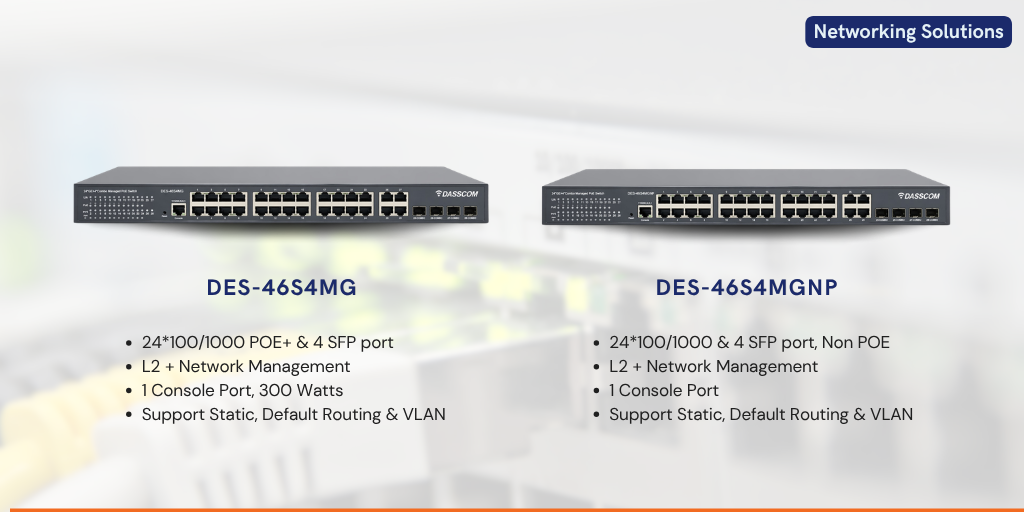
Frequently Asked Questions (FAQs)

Is a 24 port managed switch suitable for small businesses?
Yes. A 24-port managed switch can be suitable for small and medium-sized businesses that need multiple wired connections and want greater control over their network. It can also provide additional capacity for future expansion.
An unmanaged switch provides basic plug-and-play connectivity, while a managed switch allows administrators to configure, monitor, and control network traffic and settings.
A 24 port POE switch is a suitable option when a business needs to connect multiple PoE-enabled devices such as IP phones, wireless access points, or IP cameras. The required PoE power budget should also be considered.
Neither is universally better. An 16 port POE switch provides more ports and is suitable for larger deployments, while an 8 port POE switch can be a practical choice for smaller installations.
Check port speed, number of ports, PoE availability and power budget, VLAN support, QoS, security features, uplink capacity, management options, and future expansion requirements.
Yes, a suitable managed PoE switch can support compatible IP phones and wireless access points while delivering network connectivity and, where supported, power through Ethernet.

VoIP Phone System: Features, Benefits, Cost & Business Applications

VoIP Phone System: Features, Benefits, Cost & Business Applications

VoIP Phone System: Features, Benefits, Cost & Business Applications

Discover how a VoIP phone system works, its key features, benefits, costs, and business applications, along with guidance on choosing the right VoIP phones for business communication.

fffs

Business communication has moved well beyond traditional telephone lines. Organizations today need communication systems that can support multiple users, locations, remote teams, customer interactions, and changing business requirements without creating unnecessary infrastructure complexity. A voip phone system addresses these needs by using IP networks to transmit voice communication, enabling businesses to combine telephony with modern networking and digital collaboration.

Unlike conventional telephone systems that depend primarily on dedicated telephone infrastructure, VoIP systems use an organization’s existing IP network to carry voice traffic. This allows businesses to introduce advanced calling features, connect offices across locations, and expand communication capabilities as they grow.
For organizations evaluating voip phones for business, the decision is therefore not simply about replacing desk phones. It is about creating a communication environment that is flexible, scalable, manageable, and suitable for modern workflows.

What Is a VoIP Phone System?

A VoIP phone system is a business communication solution that transmits voice calls over an internet protocol network instead of relying exclusively on traditional telephone infrastructure. A voip phone connects to an IP network and communicates with an IP-PBX, hosted PBX, or compatible VoIP service to establish calls.
The system can support conventional office calling while also providing capabilities such as call transfer, conferencing, voicemail, call forwarding, speed dialing, multiple extensions, and centralized administration.
A typical VoIP environment consists of IP phones, network infrastructure, an IP-PBX or hosted communication platform, and a suitable VoIP service. Depending on the deployment, businesses can operate the system on-premises, through cloud infrastructure, or using a combination of both.

How Does a VoIP Phone System Work?

The basic principle is straightforward. When a user speaks into a VoIP handset, the voice signal is converted into digital data. The system then sends that data across the IP network to the intended destination. At the receiving end, the digital information is converted back into audio so that the other person can hear the conversation.
The communication can take place within the same office, between branch offices, or between employees and external callers. Because the system uses IP networking, organizations can connect communication endpoints across locations without necessarily maintaining separate telephone infrastructure at every site.
A properly configured network is important for reliable VoIP communication. Bandwidth, latency, packet loss, Quality of Service, security, and network availability can all influence the calling experience.

Contact Sales

Key Features of a Modern VoIP Phone System

Modern VoIP platforms provide considerably more functionality than basic voice calling. The exact feature set depends on the phone, PBX platform, and service provider, but businesses can typically access a wide range of communication capabilities.

Multi-Account and Multi-Line Support

Many business IP phones support multiple SIP accounts and lines. This allows users to manage different extensions, departments, or communication identities from one device.
For executives, receptionists, sales teams, and customer-facing employees, multi-line functionality can simplify call handling and reduce the need for multiple physical devices.

HD Voice Quality

Voice clarity is particularly important in business communication. Modern VoIP phones can support HD audio codecs and advanced acoustic technologies to deliver clearer conversations.
This becomes especially valuable for customer service teams, conference calls, sales discussions, and internal collaboration where misunderstandings can affect productivity. Benefits include:

Call Management

VoIP systems can provide features such as call transfer, call forwarding, call hold, call waiting, speed dial, voicemail, and conference calling. These capabilities help employees manage calls more efficiently and create a more professional communication experience.

Power over Ethernet

Many business IP phones support Power over Ethernet (PoE), allowing power and network connectivity to be delivered through a single Ethernet cable. This can simplify installation and reduce cable clutter around workstations.

Wireless Connectivity

Some modern phones support Wi-Fi, enabling greater flexibility where wired connectivity is inconvenient or where employees need mobility within a defined network environment.

A wireless voip phone can be particularly useful in warehouses, hospitals, hospitality environments, large offices, and other workplaces where employees may need to move between locations.

Request a Demo

Benefits of VoIP Phones for Business

The popularity of VoIP technology is driven by more than cost reduction. Businesses increasingly choose voip phones for business because they combine flexibility, functionality, and scalability.

One important benefit is easier expansion. Adding a new employee or extending communication to another department can often be accomplished through software configuration and network connectivity rather than extensive telephone cabling.
VoIP also supports distributed work environments. Employees can use compatible devices and extensions across different offices or locations, helping organizations maintain a consistent communication structure as their workforce becomes more geographically distributed.
Centralized management is another advantage. IT teams can configure extensions, manage users, apply security policies, and monitor communication infrastructure from a central platform, depending on the chosen PBX and phone ecosystem.

VoIP for Remote and Hybrid Work

The modern workplace increasingly includes employees working from different locations. Traditional telephone systems can make distributed communication more complicated, whereas IP-based communication can provide greater flexibility.
A user can potentially access their business extension from an IP phone, softphone, or supported mobile endpoint depending on the organization’s system configuration.
Wireless devices can also provide mobility within an office or facility. A wireless voip phone can allow employees to remain connected while moving between work areas, provided the wireless network is appropriately designed.
For hybrid organizations, this flexibility can help maintain consistent business communication without requiring every employee to remain tied to a fixed desk.

VoIP Phone System Cost: What Should Businesses Consider?

The cost of a VoIP phone system varies considerably depending on the size and requirements of the deployment. There is no single price that applies to every business.
The overall investment may include IP phones, PBX infrastructure, licenses, SIP or VoIP services, network upgrades, installation, configuration, maintenance, and support.
Entry-level deployments may require only a small number of phones and a suitable communication platform. Larger enterprises may need hundreds of endpoints, redundant infrastructure, advanced security, multiple locations, call center functionality, and centralized management.
Businesses should therefore evaluate the total cost of ownership rather than considering only the purchase price of the phone.

Choosing the Right VoIP Phone

The right phone depends on the employee’s role and communication requirements. A basic desk phone may be sufficient for employees who primarily make and receive routine calls, while executives or high-volume users may benefit from multiple SIP accounts, programmable keys, larger displays, and advanced connectivity.
Dasscom’s VoIP phone portfolio currently includes models across basic, Wi-Fi, executive, and video phone categories. The range includes the DXP-5150N, DXP-6100HP, DXP-7200N, DW-100, DXP-4100, DXP-7250, DXP-7500G, DXP-9100, and DXV-3050.
The DXP-5150N, DXP-6100HP, and DXP-7200N are positioned for basic business communication, while the DXP-7250, DXP-7500G, and DXP-9100 belong to the executive category. The DW-100 and DXP-4100 provide wireless-oriented options, while the DXV-3050 is designed for video communication.
Explore VoIP Phones

Business Applications of VoIP Phone Systems

VoIP technology can be applied across almost every modern business environment.
Organizations can use VoIP systems to connect employees, departments, reception desks, and management teams through a unified communication infrastructure. Features such as extensions, call transfer, conferencing, and voicemail help streamline everyday communication.
Call centers require efficient call handling and centralized communication management. VoIP infrastructure can support multiple users, extensions, call routing, and integration with broader customer service platforms.
Hotels and hospitality organizations can use IP telephony to connect reception, housekeeping, management, and guest-facing services. Wireless communication can also be useful in large properties where employees move frequently.
Hospitals and healthcare facilities require fast communication between departments. IP telephony can complement internal communication and intercom infrastructure while supporting scalable deployment across buildings and departments.
Schools, colleges, and universities can deploy IP communication across administrative offices, classrooms, campuses, and support departments. VoIP can also work alongside IP-based paging and emergency communication infrastructure.
Organizations with multiple branches can connect locations using IP-based communication. Employees can communicate through extensions while centralized systems can simplify administration across different sites.

Integrating VoIP With Existing Networks

One of the most important considerations before deploying VoIP is the existing network infrastructure.
A business should evaluate Ethernet connectivity, bandwidth, network segmentation, PoE availability, internet connectivity, firewall configuration, and Quality of Service requirements.
Voice traffic can be sensitive to network congestion. Appropriate QoS policies can help prioritize voice packets, while VLANs can separate voice traffic from other network applications where appropriate.
This is why VoIP deployment should be considered as part of the organization’s overall IT infrastructure rather than as an isolated telephone installation.

Security Considerations for VoIP

Because VoIP systems operate over IP networks, security should be included from the beginning of the deployment.
Organizations should consider strong authentication, encrypted signaling and media where supported, secure provisioning, network segmentation, access controls, firewall policies, and regular firmware updates.
Enterprise-grade phones and PBX platforms can provide security features designed to protect communication infrastructure from unauthorized access.

Why Choose Dasscom VoIP Phones?

Dasscom offers a broad range of IP communication products designed for different business environments. Its VoIP phone portfolio covers basic office communication, wireless connectivity, executive communication, and video calling requirements. The company’s category page highlights features such as HD voice, PoE, SIP support, multi-line configurations, programmable keys, conferencing, BLF, and compatibility with standard IP-PBX systems.
This breadth allows businesses to select phones according to user requirements rather than deploying the same device across every workstation.
For organizations planning a new deployment or upgrading an existing telephone infrastructure, selecting the appropriate combination of phones, PBX technology, networking, and services can create a more scalable communication environment.

Final Thoughts

A VoIP phone system can give businesses a flexible foundation for modern communication by combining voice, networking, mobility, and advanced call features. The right solution depends on workforce size, locations, network readiness, required features, and budget. Businesses should evaluate total ownership costs and future scalability before selecting VoIP phones and infrastructure.

types of call center

DS-15H

15 watt Horn speaker Support SIP IP 65 Rating Support BGM and announcement

DS-10C

10 watt Ceiling Speaker Support SIP PoE enabled Support BGM & announcement

DS-15W

15 watt wall-mount speaker Support SIP PoE enabled Support BGM and announcement

DXP-7200N

4 SIP Account PoE phone Colour Screen HD Voice

DS-30ECL

1.Built-in 30W amplifier, 2.Class D Amplifier

DW-100

DW-100

2 SIP accounts Wi-fi Support Cordless Phone

Quick summary

See how Nextiva transforms the sales and support team productivity.
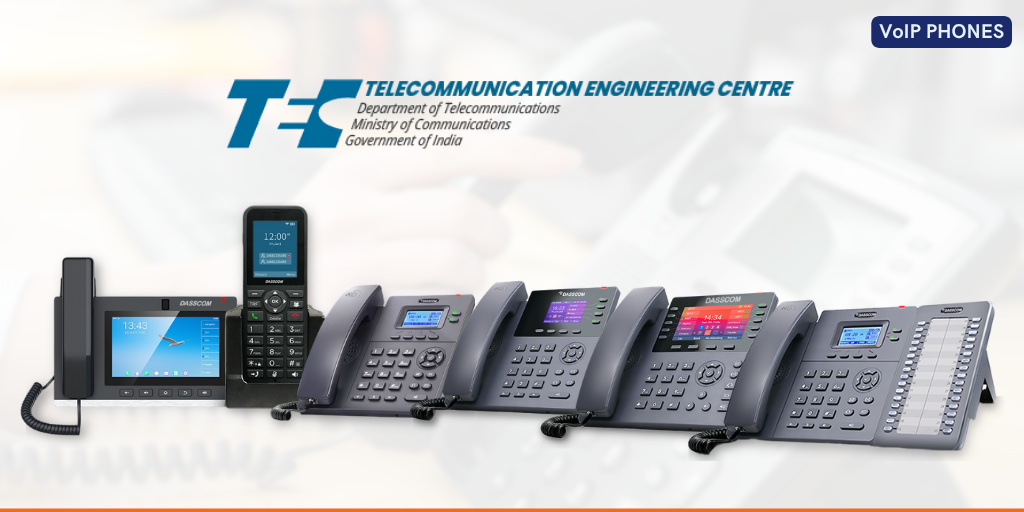
Frequently Asked Questions (FAQs)

1. What is a VoIP phone system?
A VoIP phone system uses an IP network to transmit voice calls instead of relying solely on traditional telephone lines. It can support business calling, extensions, conferencing, voicemail, call routing, and other communication features
Yes. VoIP systems can scale from small offices to large enterprises. Businesses can select phones and communication platforms based on their current requirements and expand the system as users and locations increase.
VoIP phones for business can provide flexible deployment, advanced call management, scalability, HD voice, centralized administration, and support for distributed or hybrid workplaces.
A wireless voip phone can be useful where employees require mobility or where running Ethernet cables to every workstation is inconvenient. The wireless network should have adequate coverage and performance for reliable voice communication.
The cost depends on the number of users, phone models, PBX infrastructure, licenses, VoIP services, networking requirements, installation, and support. Businesses should evaluate the complete deployment cost rather than comparing handset prices alone.
Compatibility depends on the PBX and phone specifications. SIP-compatible phones can generally integrate with compatible IP-PBX platforms, but businesses should verify interoperability before deployment.
The choice depends on the user’s role. Basic users may require a straightforward desk phone, while executives and high-volume users may benefit from multiple SIP accounts, programmable keys, larger displays, or wireless connectivity.
Yes. IP-based communication can connect geographically distributed offices through suitable network and PBX infrastructure. This makes VoIP particularly useful for organizations operating across branches, campuses, or multiple business locations.

Choosing the Right 16 Port PoE Switch for Security Networks

Choosing the Right 16 Port PoE Switch for Security Networks

Choosing the Right 16 Port PoE Switch for Security Networks

Learn how to choose the best 16 Port PoE Switch for CCTV and security deployments. Discover key features, PoE requirements, management options, pricing considerations, and deployment best practices.

fffs

Learn how to choose the best 16 Port PoE Switch for CCTV and security deployments. Discover key features, PoE requirements, management options, pricing considerations, and deployment best practices.

Modern security networks rely heavily on IP-based devices such as surveillance cameras, access control systems, wireless access points, and intercom stations. As these systems continue to evolve, organizations require networking infrastructure that can deliver both power and data efficiently while maintaining reliable performance.
This is where a 16 port POE switch becomes one of the most important components of a surveillance network. By transmitting power and data over a single Ethernet cable, PoE technology simplifies installation, reduces infrastructure costs, and improves scalability.
Whether you are designing a security system for a corporate office, educational campus, warehouse, retail facility, or smart building, selecting the right switch can significantly impact system reliability and long-term performance.
This guide explains everything you need to know about choosing the right PoE switch for security applications in 2026.

Why Security Networks Need PoE Switching

Traditional surveillance installations required separate cabling for power and data. This increased installation complexity and limited camera placement options.
A modern 16 port POE network switch eliminates these challenges by delivering both power and network connectivity through a single Ethernet cable.
This approach offers several advantages:
For organizations deploying multiple IP cameras, access control devices, or intercom systems, a POE ethernet switch 16 port provides an efficient and future-ready networking foundation.

What Is a 16 Port PoE Switch?

A 16 port POE switch is a network switch equipped with sixteen Power over Ethernet ports capable of supplying power and data to connected devices.

Common devices powered by PoE include:

Unlike conventional switches, a POE 16 port solution reduces dependency on local power outlets and streamlines infrastructure deployment.

For medium-sized surveillance installations, a 16 POE switch often provides the ideal balance between connectivity capacity and cost efficiency.

Contact Sales

Understanding PoE Power Requirements

One of the most important considerations when selecting a 16 port POE network switch is power budget.
Every connected device consumes power. High-definition PTZ cameras, AI-enabled cameras, and wireless access points often require significantly more power than standard surveillance endpoints.
Before selecting a switch, calculate:

For example:

Device Type

Average Power Consumption

Fixed IP Camera

5W–10W

PTZ Camera

15W–30W

Access Point

10W–25W

Intercom Station

5W–15W

A properly sized POE ethernet switch 16 port ensures reliable operation without overloading the power budget.

Why 16 Ports Are Ideal for Security Networks

Many surveillance deployments require connectivity for more than a handful of devices but do not yet justify large enterprise switches.
A 16 port POE switch is often the ideal choice because it supports:
Organizations frequently deploy a 16 POE switch in:
This configuration offers excellent scalability while maintaining manageable infrastructure costs.

Managed vs Unmanaged PoE Switching

A key decision when choosing a switch is whether to select a managed or unmanaged model.

Unmanaged switches offer plug-and-play simplicity but limited visibility.

A POE managed switch 16 port provides advanced capabilities including:

For security networks handling large amounts of video traffic, a POE managed switch 16 port delivers significantly greater control and reliability.

Request a Demo

Benefits of a PoE Managed Switch 16 Port

Security networks generate continuous video streams that consume substantial bandwidth.

A POE managed switch 16 port allows administrators to:
These capabilities help reduce downtime and ensure stable video transmission across the network.
For organizations deploying mission-critical surveillance infrastructure, managed switching is often the preferred choice.

Network Performance Matters

Video surveillance systems generate large amounts of network traffic. High-resolution cameras, AI analytics, and video storage systems require substantial bandwidth.
When evaluating a 16 port POE network switch, consider:
Gigabit connectivity is strongly recommended for modern deployments.
A high-performance POE ethernet switch 16 port ensures smooth video streaming and minimizes latency during peak network activity.
Fiber uplinks are particularly useful for connecting remote surveillance locations while maintaining high-speed communication.

Find a Dealer

Environmental Considerations

Not all security deployments operate in climate-controlled environments.
Outdoor and industrial applications often require:
When deploying surveillance systems in warehouses, factories, transportation facilities, or outdoor locations, businesses should evaluate switches designed for demanding environments.
A durable 16 POE switch ensures long-term reliability under challenging operating conditions.

Understanding 16 Port Managed Switch Price

One of the most common questions buyers ask is about 16 port managed switch price. Several factors influence cost:
A higher 16 port managed switch price often reflects better performance, greater reliability, and enhanced scalability.
Rather than focusing solely on upfront cost, organizations should evaluate:
Investing in the right switch can significantly reduce long-term operational expenses.

Security Features to Look For

Modern surveillance networks face increasing cybersecurity challenges.
When evaluating a POE managed switch 16 port, prioritize features such as:

These capabilities help protect surveillance infrastructure from unauthorized access and cyber threats.

Future-Proofing Your Security Network

As security technology continues to evolve, network requirements will increase.
Future-ready 16 port POE switch deployments should support:
Choosing a scalable 16 port POE network switch today helps avoid costly infrastructure upgrades tomorrow.

Common Applications

A POE ethernet switch 16 port is commonly deployed in:

Supporting surveillance, access control, and communication systems.
Providing connectivity for campus-wide security networks.
Powering cameras, wireless devices, and monitoring systems.
Supporting guest security and operational monitoring.
Connecting surveillance systems across multiple locations.

Final Thoughts

Selecting the right 16 Port PoE Switch is essential for building a reliable, scalable, and secure surveillance infrastructure. Organizations should evaluate power budgets, management features, uplink options, and long-term scalability before making a purchase. A high-quality managed PoE switch not only improves security network performance but also reduces operational complexity and future infrastructure costs.

types of call center

DS-15H

15 watt Horn speaker Support SIP IP 65 Rating Support BGM and announcement

DS-10C

10 watt Ceiling Speaker Support SIP PoE enabled Support BGM & announcement

DS-15W

15 watt wall-mount speaker Support SIP PoE enabled Support BGM and announcement

DXP-7200N

4 SIP Account PoE phone Colour Screen HD Voice

DS-30ECL

1.Built-in 30W amplifier, 2.Class D Amplifier

DW-100

DW-100

2 SIP accounts Wi-fi Support Cordless Phone

Quick summary

See how Nextiva transforms the sales and support team productivity.
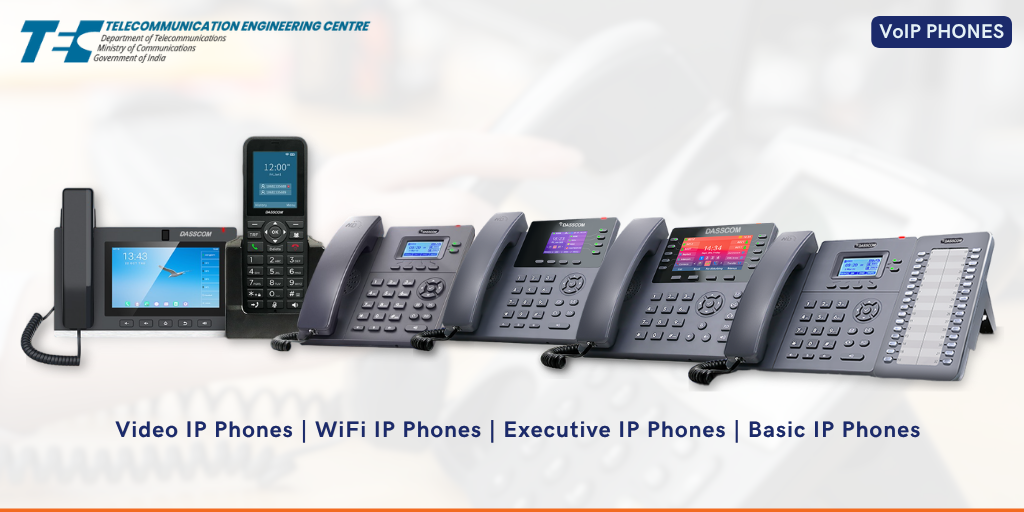
Frequently Asked Questions (FAQs)

1. What is a 16 port POE switch used for?
A 16 port POE switch is used to provide power and data connectivity to devices such as IP cameras, access points, intercoms, and VoIP phones.
A 16 port POE network switch can typically support up to 16 PoE-powered devices, depending on the switch’s power budget.
A POE managed switch 16 port offers VLANs, traffic prioritization, monitoring, and enhanced security for reliable surveillance performance.
The 16 port managed switch price depends on PoE capacity, management features, uplink options, switching performance, and industrial-grade capabilities.
Yes, a POE ethernet switch 16 port is ideal for office surveillance, access control, and communication infrastructure.
A 16 POE switch delivers both power and data through Ethernet cables, while standard switches provide only data connectivity.
Consider power requirements, device count, management features, uplink connectivity, security capabilities, and future expansion needs.

Paging Microphones Explained: Features, Types, and Benefits

Paging Microphones Explained: Features, Types, and Benefits

Paging Microphones Explained: Features, Types, and Benefits

Learn how paging microphones work, their key features, different types, and why they are essential for modern public address systems. Discover how IP-based paging improves communication, safety, and operational efficiency.

fffs

Effective communication is critical in schools, hospitals, factories, transportation hubs, commercial buildings, and corporate campuses. Whether it’s making routine announcements, coordinating operations, or delivering emergency alerts, organizations need a reliable way to communicate with large groups of people instantly.

This is where paging microphones play a vital role. As the command center of a public announcement network, a paging microphone enables users to broadcast messages clearly and efficiently across designated zones or entire facilities.

Modern paging technology has evolved significantly from traditional analog systems. Today, organizations are increasingly adopting IP-based communication platforms that combine PA system microphone functionality with advanced networking, automation, and remote management capabilities.
In this guide, we’ll explore how paging microphones work, the different types available, their key features, and the benefits they bring to modern communication environments.

What Are Paging Microphones?

Paging microphones are communication devices used to make announcements through a public address network. They act as the primary interface between the user and the speaker infrastructure, allowing voice messages to be transmitted across one or multiple zones
A modern PA system microphone can be used for:
In traditional environments, microphones were connected directly to amplifiers. Today, advanced paging solutions integrate with IP networks, allowing announcements to be delivered through an IP speaker system across multiple buildings and locations.

How Paging Microphones Work

When a user speaks into the microphone, the audio signal is processed and transmitted through the communication infrastructure to connected speakers.

In a traditional PA system with mic, the microphone sends analog audio signals to an amplifier, which then distributes the sound to connected speakers.

In contrast, modern IP-based systems convert voice into digital packets and transmit them through the network. This approach enables centralized control, better audio quality, and greater scalability.

An IP audio system allows organizations to route announcements to specific departments, floors, or facilities without requiring dedicated audio cabling.

Contact Sales

Types of Paging Microphones

Different environments require different paging solutions. Understanding the available types helps organizations select the most suitable communication infrastructure.

1. Analog Paging Microphones

These are traditional paging microphones connected directly to amplifiers and speaker systems.

They are commonly used in:
While cost-effective, they offer limited flexibility compared to modern IP-based solutions.

2. Network Paging Microphones

Network-based paging devices operate over Ethernet infrastructure and integrate directly with an IP PA system.
Benefits include:
Organizations with multiple buildings or large campuses often prefer network paging systems because they simplify communication management.

3. SIP Paging Consoles

A SIP paging system uses Session Initiation Protocol (SIP) technology to integrate paging with VoIP communication platforms.

These systems allow:
A SIP paging system can operate seamlessly alongside VoIP telephony infrastructure, improving communication efficiency.

4. Wireless Paging Microphones

Modern facilities increasingly deploy a PA system with wireless mic to provide greater mobility.
Users can make announcements without being tied to a fixed location. This is particularly useful in:
A PA system with wireless mic enables supervisors and operators to communicate more effectively while moving around the facility.
Request a Demo

Essential Features of Modern Paging Microphones

Today’s paging microphones offer significantly more functionality than traditional announcement systems.

Zone Selection

Users can broadcast messages to:
This capability improves communication precision and reduces unnecessary disruptions.

Programmable Function Keys

Many modern PA system microphone consoles include programmable buttons for:
This simplifies operation and improves response times.

Scalability & Future Expansion Intercom Functionality

Many systems now support two-way communication, allowing paging devices to function as part of a larger IP audio system .
This enables:

Emergency Broadcasting

Modern paging consoles are often integrated into safety systems.

They can trigger:

This makes them an important component of organizational safety infrastructure.

Benefits of an IP PA System

Traditional public address networks are increasingly being replaced by the IP PA system because of its flexibility and scalability.

Unlike analog systems, an IP PA system uses existing network infrastructure to distribute audio across connected speakers.

Key benefits include:
Organizations can easily add new speakers, microphones, and communication zones without major infrastructure changes.
Administrators can manage announcements from a single interface across multiple locations.
Digital transmission ensures clear voice reproduction and minimizes signal degradation.
An IP PA system can integrate with:
Find a Dealer

The Role of IP Speaker Systems

An IP speaker system forms the output layer of modern paging infrastructure. These speakers receive digital audio signals directly from the network and broadcast them throughout the facility.
Organizations deploy an IP speaker system because it offers:
When combined with advanced paging consoles, an IP speaker system creates a highly efficient communication environment.

Why Businesses Choose PA Systems with Wireless Mic

A PA system with wireless mic provides operational flexibility that traditional wired solutions cannot match.
Benefits include:
Educational institutions, event venues, warehouses, and industrial facilities increasingly prefer a PA system with wireless mic for day-to-day operations.

IP Audio Systems and Unified Communication

An IP audio system goes beyond simple announcements. It creates a fully integrated communication platform capable of supporting:
Organizations adopting an IP audio system benefit from improved operational efficiency and stronger communication reliability.
These systems can also integrate with VoIP telephony, creating a unified communication environment.

Applications of Paging Microphones

Modern paging microphones are used across multiple industries:
For employee announcements, emergency alerts, and facility communication.
For class change notifications, campus announcements, and safety communication.
For staff coordination and emergency messaging.

For passenger information and operational announcements.

For production coordination and worker safety communication.

Future Trends in Paging Technology

The future of paging systems is increasingly IP-driven. Emerging trends include:
As organizations continue digitizing communication infrastructure, the demand for advanced SIP paging system solutions and intelligent IP speaker system deployments will continue growing.

Final Thoughts

Paging microphones remain a critical component of effective communication infrastructure. Whether used in traditional public address systems or advanced IP-based environments, they enable fast, clear, and reliable information delivery. Organizations adopting modern IP PA systems, SIP paging platforms, and wireless paging technologies gain greater flexibility, improved safety, and enhanced operational efficiency for long-term communication success.

types of call center

DS-15H

15 watt Horn speaker Support SIP IP 65 Rating Support BGM and announcement

DS-10C

10 watt Ceiling Speaker Support SIP PoE enabled Support BGM & announcement

DS-15W

15 watt wall-mount speaker Support SIP PoE enabled Support BGM and announcement

DXP-7200N

4 SIP Account PoE phone Colour Screen HD Voice

DS-30ECL

1.Built-in 30W amplifier, 2.Class D Amplifier

DW-100

DW-100

2 SIP accounts Wi-fi Support Cordless Phone

Quick summary

See how Nextiva transforms the sales and support team productivity.
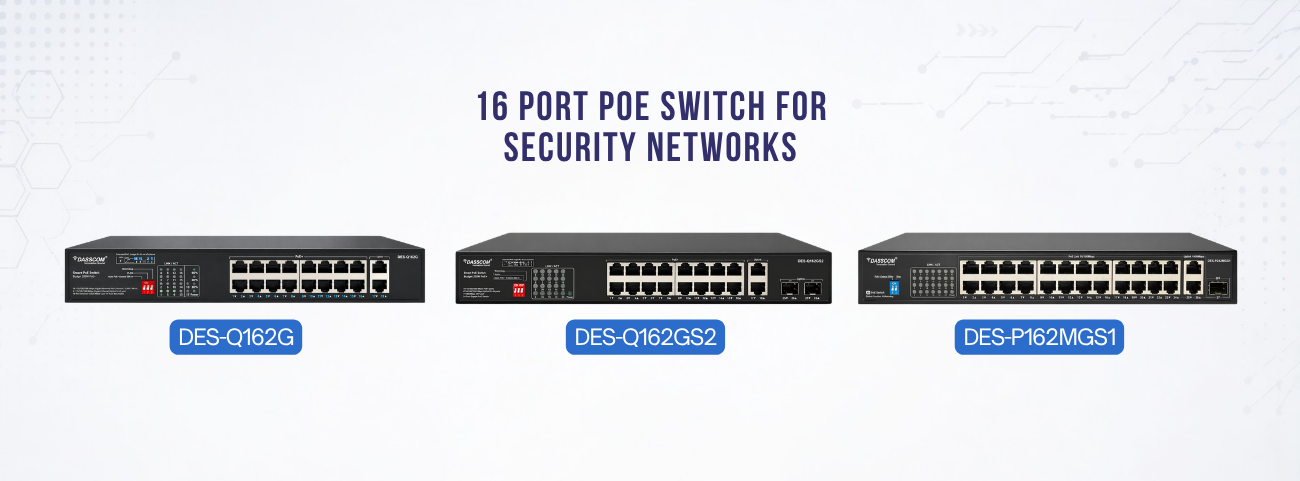
Frequently Asked Questions (FAQs)

1. What is a PA system microphone used for?
A PA system microphone is used to make announcements, deliver emergency messages, and communicate with people across connected speaker networks.
A PA system with mic transmits voice signals from the microphone through amplifiers or network infrastructure to connected speakers.
A PA system with wireless mic provides greater mobility, flexible deployment, and easier communication across large facilities.
An IP PA system uses network infrastructure to distribute audio and announcements to IP-connected speakers.
An IP speaker system enables centralized management, zone-based paging, scalability, and improved audio quality.
A SIP paging system integrates paging functions with VoIP communication platforms using SIP technology.
Paging microphones allow organizations to quickly deliver evacuation instructions, safety alerts, and emergency announcements.
Yes, a modern IP audio system can integrate seamlessly with IP PBX platforms and VoIP communication infrastructure.

Managed vs. Unmanaged Switches: Key Differences Explained

Managed vs. Unmanaged Switches: Key Differences Explained

Managed vs. Unmanaged Switches: Key Differences Explained

Learn the major differences between managed and unmanaged switches, including features, scalability, security, performance, and ideal use cases to help you choose the right networking solution for your business.

fffs

Learn the major differences between managed and unmanaged switches, including features, scalability, security, performance, and ideal use cases to help you choose the right networking solution for your business.
Modern business networks depend on switches to connect devices, transfer data, and ensure reliable communication. Whether you are running a small office, enterprise infrastructure, surveillance setup, or smart building environment, choosing the right switch is critical for performance and scalability.
One of the most common networking decisions businesses face is choosing between managed switches and unmanaged switches. While both perform the essential task of connecting devices, their capabilities, control levels, and ideal applications differ significantly. This guide explains the core differences between managed and unmanaged switches, their advantages, use cases, and how to decide which solution best fits your business requirements in 2026.

What Are Network Switches?

A network switch connects devices such as computers, IP phones, wireless access points, and surveillance cameras within a local network. It intelligently forwards data to the correct destination, improving network efficiency and communication speed. Modern switches are generally divided into two categories:
Understanding the difference between these two types is essential before designing or expanding your network infrastructure.

What Are Unmanaged Switches?

Unmanaged switches are plug-and-play networking devices that require no configuration. Once connected, they automatically begin forwarding traffic between connected devices. An unmanaged network switch is ideal for:
These switches are simple to install and require minimal technical expertise.

What Are Managed Switches?

Managed switches provide advanced control, monitoring, and optimization features. Administrators can configure network traffic, prioritize applications, create VLANs, and monitor performance through web interfaces or command-line tools. A professional managed network switch enables:
These capabilities make managed switches ideal for business-critical environments.
Contact Sales

Managed v Unmanaged Switch: Core Differences

The debate around managed v unmanaged switch solutions typically comes down to control versus simplicity.
FeatureManaged SwitchesUnmanaged Switches
ConfigurationAdvancedNone
MonitoringSupportedNot Available
Security FeaturesAdvancedBasic
VLAN SupportYesLimited/No
CostHigherLower
ScalabilityHighLimited
A managed v unmanaged switch comparison clearly shows that managed solutions offer greater flexibility and long-term scalability.

Performance & Traffic Management

One major difference in the managed v unmanaged switch discussion is traffic optimization. A managed network switch can prioritize critical traffic such as:
This ensures stable performance during heavy network usage. In contrast, an unmanaged network switch forwards traffic without prioritization, which may lead to congestion in busy environments

How to Choose the Right Switch

When comparing managed v unmanaged switch options, consider

If your network supports mission-critical operations, a managed network switch is usually the better choice.

24 Port Managed Switch: Why Businesses Prefer It

A 24 port managed switch is one of the most widely used solutions in enterprise networking because it balances scalability, performance, and cost efficiency.
Organizations use a 24 port managed switch

Modern enterprises increasingly deploy managed switches because centralized control improves operational efficiency and security.

Request a Demo

PoE Switching: Power & Data Together

Many businesses now use PoE switches to simplify installations by transmitting power and data over a single Ethernet cable.

24 Port PoE Switch

A 24 port poe switch is ideal for:
It supports high-density device connectivity while reducing infrastructure complexity.

8 Port POE Switch

An 8 port POE switch is better suited for:

For growing businesses, an 8 port POE switch provides flexibility without excessive infrastructure investment.

Security Advantages of Managed Switches

Security is one of the strongest arguments in the managed v unmanaged switch comparison.
A managed network switch supports:
These features help businesses reduce unauthorized access and improve network visibility. An unmanaged network switch, while simpler, lacks advanced security controls.

Scalability & Future Expansion

As organizations grow, network complexity increases. A 24 port managed switch allows businesses to:

This scalability makes managed switches a preferred long-term investment. By comparison, unmanaged switches work best in static environments where growth and advanced management are not priorities.
Find a Dealer

Managed Switches in Enterprise Networks

Large organizations typically deploy managed switches because they provide:
A managed network switch is especially valuable in:

When to Choose Unmanaged Switches

Despite the advantages of managed solutions, unmanaged switchesstill have important use cases. Choose an unmanaged network switch if:
An unmanaged solution is often sufficient for basic connectivity requirements.

Real-World Deployment Examples

Enterprise Office

A 24 port managed switch powers IP phones, surveillance cameras, and access points while managing traffic through VLANs.

Retail Store

An 8 port POE switch supports POS systems, CCTV cameras, and Wi-Fi access points.

Small Branch Office

An unmanaged network switch provides basic connectivity for desktop systems and printers.

Campus Network

Multiple managed switches connect departments while ensuring network segmentation and security.

Future of Network Switching

Modern networking trends are driving greater adoption of managed switches due to:

As businesses continue digitizing operations, intelligent switching infrastructure will become even more important.

Final Thoughts

Choosing between managed and unmanaged switches depends on your network size, security needs, and scalability goals. While unmanaged switches offer simplicity and affordability, managed switches provide greater control, traffic optimization, and long-term flexibility. Businesses planning future growth or deploying IP devices should strongly consider managed switching solutions for improved reliability and network performance.

If you want your business to have an efficient communication system, you must invest in quality VoIP phones. Remember that the communication aspect of your business is very sensitive and equally important. The more you streamline it, the better results you will get. Dasscom’s VoIP phones are your way to achieve flawless operations.

types of call center

DS-15H

15 watt Horn speaker Support SIP IP 65 Rating Support BGM and announcement

DS-10C

10 watt Ceiling Speaker Support SIP PoE enabled Support BGM & announcement

DS-15W

15 watt wall-mount speaker Support SIP PoE enabled Support BGM and announcement

DXP-7200N

4 SIP Account PoE phone Colour Screen HD Voice

DS-30ECL

1.Built-in 30W amplifier, 2.Class D Amplifier

DW-100

DW-100

2 SIP accounts Wi-fi Support Cordless Phone

Quick summary

See how Nextiva transforms the sales and support team productivity.
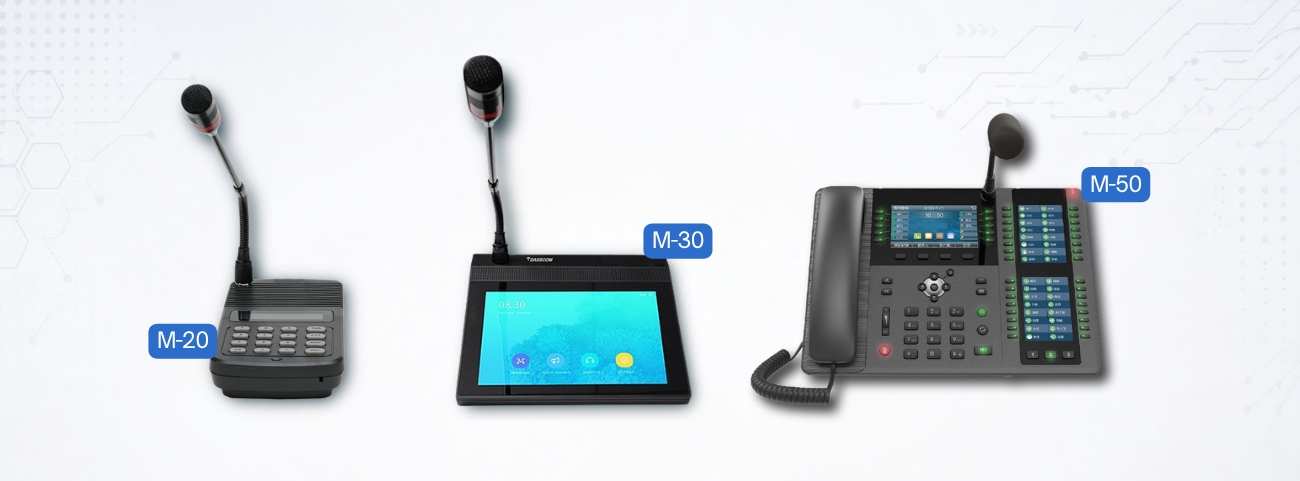
Frequently Asked Questions (FAQs)

1.What is the difference between managed and unmanaged switches?
The main difference in a managed v unmanaged switch setup is that managed switches allow configuration and monitoring, while unmanaged switches are plug-and-play devices
A 24 port managed switch is ideal for growing businesses requiring scalability, VLANs, and advanced traffic management.
Yes, an unmanaged network switch works well for small offices with basic networking requirements.
A 24 port poe switch can power IP phones, surveillance cameras, wireless access points, and other PoE-enabled devices.
Yes, an 8 port POE switch is suitable for smaller deployments such as retail stores or branch offices.
Managed switches support VLANs, ACLs, and monitoring features that improve network security and control
Yes, unmanaged switches are generally more affordable because they lack advanced configuration features.
headsets

The Best USB Headsets with Microphones: A Complete Guide

The Best USB Headsets with Microphones: A Complete Guide

The Best USB Headsets with Microphones: A Complete Guide

Discover how to choose the best USB headsets with microphones for offices, call centers, and remote work. Learn about noise cancellation, comfort, connectivity, audio quality, and key buying considerations.

fffs

In today’s communication-driven work environment, clear audio is essential. Whether employees are handling customer calls, attending virtual meetings, or collaborating remotely, professional headsets have become a necessity rather than an accessory.
Modern businesses now rely heavily on USB headsets with microphones because they offer plug-and-play simplicity, superior voice clarity, and compatibility with communication platforms like Teams, Zoom, and VoIP systems. From customer support teams to hybrid professionals, choosing the right headset can directly impact productivity, communication quality, and user comfort.
This guide explains everything you need to know about USB headsets, including key features, headset types, buying considerations, and how to choose the best option for your work environment.

Why USB Headsets Are Essential for Modern Workspaces

Traditional audio devices often struggle with compatibility, sound quality, and noise isolation. In contrast, modern USB headphones with mic are designed specifically for professional communication
A quality headset helps:
This is especially important in contact centers and remote work environments where communication quality directly impacts business performance.

What Are USB Headsets with Microphones?

USB headsets with microphones are communication headsets that connect directly to computers, laptops, or compatible devices through USB-A or USB-C ports
Unlike analog audio devices, USB headsets include built-in digital audio processing that improves sound quality and voice transmission. Many modern headsets also feature:
Businesses increasingly prefer USB headphones with mic because they are easy to deploy and require minimal configuration.
Contact Sales

Key Features to Look For

1. Noise Cancellation

One of the most important features in modern headsets is noise cancellation. A professional USB headset with noise cancelling mic filters ambient sounds and focuses on the speaker’s voice.
This significantly improves communication in
A high-quality noise cancelling USB headset enhances both inbound and outbound call clarity.

2. Comfort for Long Usage

Employees often wear headsets for several hours daily. The best headsets include:
The best USB headphones with mic prioritize ergonomic comfort to reduce fatigue during extended use.

3.Audio Quality

Clear audio is critical for meetings and customer conversations. Professional-grade USB headsets with microphones provide:
This ensures smooth communication without distortion or interruptions.

This makes PoE technology one of the most efficient networking innovations for modern business environments.

Request a Demo

Noise Cancelling Technology Explained

A USB headset with noise cancelling mic typically uses directional microphones or digital signal processing to suppress surrounding sounds.
According to audio headset design principles, noise-cancelling microphones focus primarily on the speaker’s voice while minimizing external noise pickup.
Modern noise cancelling headphones with mic USB are especially useful in high-noise environments such as:

Wired vs Wireless USB Headsets

Wired USB Headsets
Wired USB headphones with mic offer:
These are commonly used as USB headphones with mic for call center operations because reliability is critical.

Wireless USB Headsets

A wireless USB headset with mic provides greater mobility and flexibility for users who move frequently during calls.
Modern wireless models now include:

Businesses increasingly adopt wireless USB headset with mic solutions for hybrid work environments. Industry reviews also highlight comfort, ANC, and multi-device support as important decision factors for office headsets.

USB Headsets for Call Centers

Communication quality is critical in customer service operations. Professional USB headphones with mic for call center environments are designed to

Dual-ear noise cancelling USB headset designs are particularly effective in crowded workplaces because they improve focus and listening accuracy.
Find a Dealer

What Makes the Best USB Headphones with Mic?

The best USB headphones with mic balance several factors:

Premium models often include AI-based voice enhancement and advanced ANC technologies. Recent professional headset reviews also emphasize adaptive noise cancellation and intelligent microphone processing for clearer communication.

Choosing the Right Headset for Your Needs

For Call Centers
Choose:
A professional USB headset with noise cancelling mic improves agent productivity and customer experience.
For Hybrid Work: A wireless USB headset with mic offers mobility and flexibility for remote meetings and multitasking.
For Office Environments: A balanced noise cancelling USB headset ensures clear communication without isolating users completely from their surroundings.
Find a Dealer

Why Noise Cancellation Matters

Modern USB headsets with microphones are evolving rapidly. Emerging trends include:

How to Maintain USB Headsets

To maximize headset lifespan:
Proper maintenance improves hygiene, comfort, and long-term audio performance.
Industrial facilities should prioritize ruggedized industrial ethernet switch solutions for reliable operation under harsh conditions.

Final Thoughts

Choosing the right USB headset is essential for clear communication, employee comfort, and productivity. Whether for call centers, offices, or hybrid workspaces, businesses should prioritize noise cancellation, audio clarity, durability, and ergonomic design. Investing in professional USB headsets with microphones ensures better collaboration, improved customer interactions, and long-term communication reliability.

If you want your business to have an efficient communication system, you must invest in quality VoIP phones. Remember that the communication aspect of your business is very sensitive and equally important. The more you streamline it, the better results you will get. Dasscom’s VoIP phones are your way to achieve flawless operations.

types of call center

DS-15H

15 watt Horn speaker Support SIP IP 65 Rating Support BGM and announcement

DS-10C

10 watt Ceiling Speaker Support SIP PoE enabled Support BGM & announcement

DS-15W

15 watt wall-mount speaker Support SIP PoE enabled Support BGM and announcement

DXP-7200N

4 SIP Account PoE phone Colour Screen HD Voice

DS-30ECL

1.Built-in 30W amplifier, 2.Class D Amplifier

DW-100

DW-100

2 SIP accounts Wi-fi Support Cordless Phone

Quick summary

See how Nextiva transforms the sales and support team productivity.
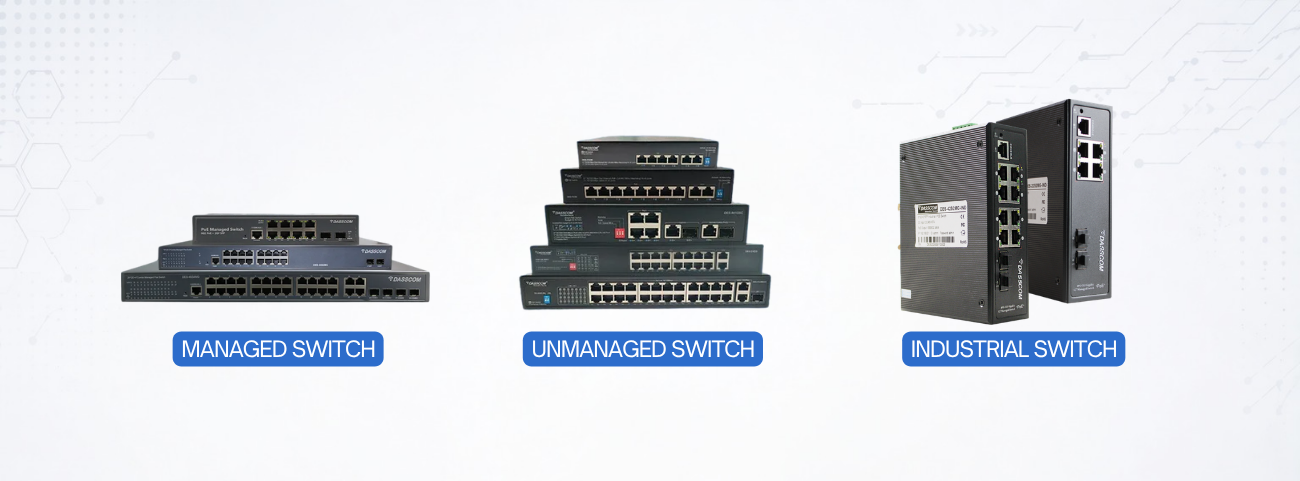
Frequently Asked Questions (FAQs)

1.What are USB headsets with microphones used for?
USB headsets with microphones are used for calls, meetings, customer support, and professional communication across offices and remote work environments.
A noise cancelling USB headset reduces background distractions and improves voice clarity during calls.
Yes, USB headphones with mic for call center environments are specifically designed for continuous communication and noise reduction.
A wireless USB headset with mic offers greater mobility, flexibility, and convenience for hybrid work setups.
The best USB headphones with mic should offer comfort, durability, clear audio, and effective noise cancellation.
Noise cancelling headphones with mic USB filter external sounds and ensure clearer voice transmission.
Yes, modern USB headphones with mic provide improved digital audio processing and easier compatibility with computers and communication platforms.

What Are IP Phones? Complete Beginner’s Guide (2026)

What Are IP Phones? Complete Beginner’s Guide (2026)

What Are IP Phones? Complete Beginner’s Guide (2026)

Learn how IP phones work, their key features, pricing, benefits, and why businesses are shifting toward modern VoIP communication systems for scalable, reliable, and cost-effective office connectivity.

fffs

Business communication has evolved rapidly over the last decade. Traditional landlines and legacy PBX systems are gradually being replaced by smarter, internet-based communication technologies. At the center of this transformation are ip phones—devices that use internet connectivity to deliver high-quality voice communication with advanced business features.
In 2026, organizations of all sizes are adopting IP communication because it offers better flexibility, scalability, and operational efficiency. Whether you run a startup, enterprise, retail chain, or educational institution, understanding how IP phones work can help you make better communication decisions.
This beginner’s guide explains everything you need to know about IP phones, including how they work, their advantages, pricing considerations, and how to choose the right solution for your business.

What Are IP Phones?

IP phones are communication devices that transmit voice calls over an IP network instead of traditional telephone lines. Unlike analog phones, they use internet protocols to send and receive voice data digitally.
An IP phone typically connects to:
Modern voice ip phone solutions offer features such as HD calling, conferencing, voicemail, call forwarding, and integration with business applications. .

How Do IP Phones Work?

An IP phone converts voice into digital data packets and transmits them through an IP network. Instead of relying on traditional PSTN infrastructure, the call travels over Ethernet or Wi-Fi.

A standard voip phone system for business usually includes:

When a user speaks into the handset, the audio is digitized, compressed, and transmitted over the network to the receiving endpoint. .

This is similar to how an ip pa system distributes voice communication across network infrastructure—except IP phones focus on two-way voice communication for business users.

Contact Sales

Types of IP Phones

Desk IP Phones

These are the most common office communication devices. Desk ip phones include physical buttons, displays, speakerphones, and programmable keys.

Wireless IP Phones

Wireless models use Wi-Fi for connectivity and provide greater mobility within offices and campuses.

Softphones

Softphones are software-based voice ip phone applications installed on laptops or mobile devices.

Conference IP Phones

Designed for meeting rooms, these phones support multi-party collaboration with superior audio pickup.

Key Features of Modern IP Phones

Modern ip phone systems offer far more than simple voice calling. Businesses now expect communication devices to integrate seamlessly into digital workflows. Common features include:
Advanced voice ip phone models also support CRM integration and cloud-based management.

This makes PoE technology one of the most efficient networking innovations for modern business environments.

Why Businesses Prefer IP Phone Systems

Companies are increasingly moving toward ip phone systems because they simplify communication while reducing operational costs.

Lower Communication Costs

Calls are transmitted over the internet, significantly reducing long-distance and international call expenses.

Easy Scalability

Adding new extensions or users is simple compared to traditional telephony systems.

Remote Work Enablement

Employees can access business communication from anywhere using desktop phones or softphones.

Centralized Management

IT teams can configure and monitor the entire voip phone system for business through centralized dashboards.
Request a Demo

IP Phone Price: What Affects Cost?

One of the most common questions businesses ask is about ip phone price. The cost of IP phones depends on several factors:
Entry-level models are affordable for small offices, while executive and enterprise-grade phones offer advanced functionality at a higher ip phone price. It’s important to evaluate long-term value instead of focusing only on upfront pricing.

Choosing the Right IP Phone Service

A reliable ip phone service is just as important as the hardware itself. The service provider manages call routing, SIP connectivity, and system availability.
When selecting an ip phone service, businesses should consider:
A dependable provider ensures smooth communication and business continuity.

Role of IP Phone Manufacturers

A trusted ip phone manufacturer plays a major role in communication reliability. High-quality manufacturers focus on:
Choosing the right ip phone manufacture ensures better compatibility with enterprise networks and future scalability.
Find a Dealer

How IP Phones Compare to Traditional Phones

FeatureTraditional PhonesIP Phones
ConnectivityPSTN LinesIP Network
ScalabilityLimitedHighly Scalable
FeaturesBasic CallingAdvanced Collaboration
Remote AccessLimitedSupported
Cost EfficiencyLower FlexibilityBetter Long-Term Value
Modern ip phone systems provide significantly more flexibility and integration compared to traditional communication systems.

IP Phones & IP PA Systems

Interestingly, many organizations integrate ip phones with an ip pa system to create a unified communication environment.
For example:
This convergence improves operational communication across campuses, factories, and enterprise facilities.

Future of IP Phones in 2026

The future of voice ip phone technology is driven by:
Businesses adopting modern voip phone system for business solutions are better positioned for hybrid work and digital transformation.

How to Choose the Right IP Phone

When selecting ip phones, consider:
Organizations should also ensure compatibility between the hardware and their chosen ip phone service provider.

Final Thoughts

EIP phones have become essential for businesses seeking scalable, cost-effective, and future-ready communication. From improved call quality to seamless integration with collaboration tools and IP PA systems, they deliver far greater flexibility than traditional telephony. Choosing the right IP phone system, service provider, and manufacturer ensures long-term communication reliability and operational efficiency.

If you want your business to have an efficient communication system, you must invest in quality VoIP phones. Remember that the communication aspect of your business is very sensitive and equally important. The more you streamline it, the better results you will get. Dasscom’s VoIP phones are your way to achieve flawless operations.

types of call center

DS-15H

15 watt Horn speaker Support SIP IP 65 Rating Support BGM and announcement

DS-10C

10 watt Ceiling Speaker Support SIP PoE enabled Support BGM & announcement

DS-15W

15 watt wall-mount speaker Support SIP PoE enabled Support BGM and announcement

DXP-7200N

4 SIP Account PoE phone Colour Screen HD Voice

DS-30ECL

1.Built-in 30W amplifier, 2.Class D Amplifier

DW-100

DW-100

2 SIP accounts Wi-fi Support Cordless Phone

Quick summary

See how Nextiva transforms the sales and support team productivity.
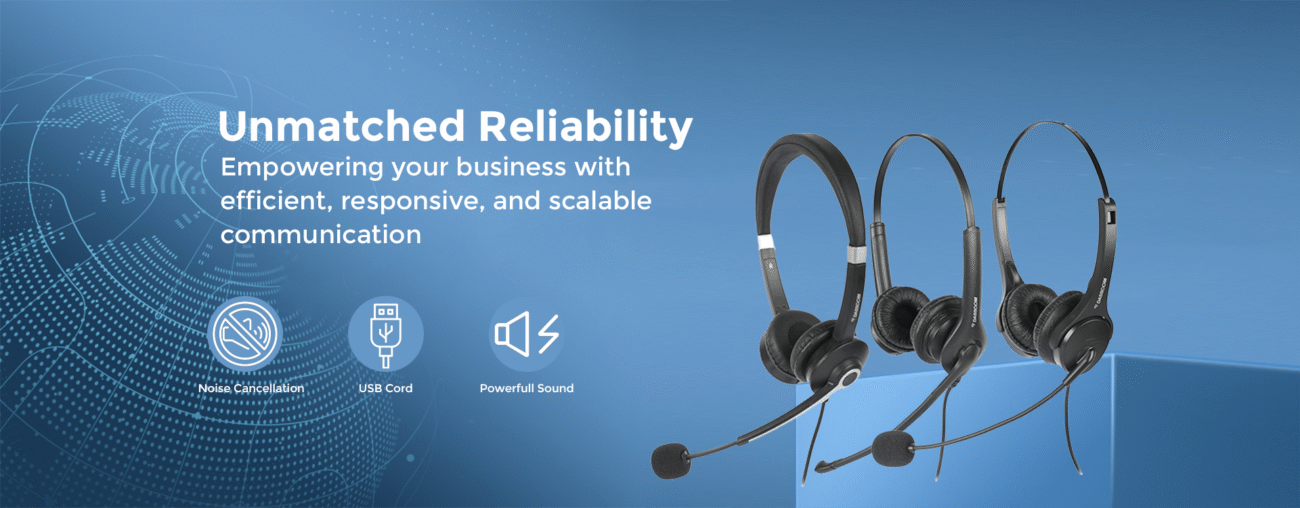
Frequently Asked Questions (FAQs)

What are IP phones used for?
IP phones are used for voice communication over internet networks instead of traditional telephone lines.
A voice ip phone converts voice into digital packets and transmits them over an IP network.
The ip phone price depends on features, SIP accounts, display type, wireless support, and conferencing capabilities.
Yes, modern ip phone systems are scalable and cost-effective for businesses of all sizes.
Traditional phones use PSTN lines, while ip phones operate over internet-based IP networks.
Yes, many organizations integrate IP phones with an ip pa system for unified communication and paging.
A trusted ip phone manufacturer ensures reliable hardware quality, compatibility, and long-term support.
A good ip phone service should provide reliability, security, scalability, and excellent call quality.